Why Did Google Change Our Meta Title? How to Stop It and Fix Rewritten Meta Titles?
Sometimes you write a clear meta title, publish the page, and later notice Google showing something different in search results. It surprises many site owners, but it’s normal. Google calls these ‘title links’ and treats the HTML title tag as a suggestion, not a rule.
When I researched, I saw that Search Engine Land suggested that Google nearly changed or rewrote the meta titles of about 76% of blog posts.
From my audits, rewrites usually happen when Google believes another piece of text matches the query better. It may pull wording from headings, anchor text, or visible page copy to build a new title. You can’t force Google to keep yours, but you can make it the strongest candidate.
Example
Your Title: Best SEO Tools for Small Businesses
Google Title: Top SEO Tools Small Businesses Should Use
What Google Says: Official Insights & Requirements
While most creators focus on keywords, Google’s internal systems follow specific logic for “title links.” Here are the latest facts directly from Google Search Central:
The “No-Price” Rule for Flights: If you are writing about travel, Google explicitly states their systems will likely not show price information in title links for flight pages. Because flight prices change by the minute, Google filters them out to avoid showing outdated information to users.
The Script Match Requirement: Google doesn’t just look at the language; it looks at the writing system (script). If your blog is in Hindi, it <title> must be in Hindi script. If you use English or transliterated Latin characters for the title of a Hindi page, Google will likely overwrite it to match the page’s primary script.
The “Robots.txt” Misconception: Blocking a page in robots.txt does not stop Google from creating a title for it. If Google finds a link to your blocked page elsewhere on the web, it will index the URL and “invent” a title based on the anchor text other sites use to link to you. To truly control or hide a title, you must use a noindex tag, not a crawl block.
Brand Repetition Filtering: If your domain name is already visible in the search result (the “site name” above the title), Google may automatically strip your brand name from the end of your title link to avoid being repetitive and to save space for descriptive text.
Structured Data as a Source: Beyond H1s and Meta Tags, Google officially lists website structured data as a source it uses to automatically determine and verify the best title link for a page.
What Does It Actually Mean When Google Rewrites Your Title?
When Google rewrites a title, it usually isn’t a penalty. In most cases, it’s Google trying to present a version that better matches the search query and earns more clicks.
I’ve seen this happen often. Google’s goal is simple: show a title that clearly explains the page and improves user engagement.
Google Treats Your Title Tag as a Suggestion, Not a Rule
Google doesn’t rely on just the HTML title tag. Its system evaluates multiple page signals to decide what description best represents the page for a specific search.
It compares headings, links pointing to the page, and other contextual elements, then selects the version that most accurately matches the user’s query.
Source: Google May Use
| Example | |
|---|---|
| Title Tag | SEO Guide for Beginners |
| H1 | Beginner SEO Guide |
| Anchor Text | Learn SEO Basics |
Takeaway: The title tag matters, but Google cross‑checks it with the rest of the page.
Google Rewrites Titles to Improve Click-Through Rate
Google may also rewrite titles when the original looks unclear, repetitive, or overly promotional, but Google wants to rank you because your content is better. If a title feels like keyword stuffing or vague marketing copy, it becomes harder for users to understand what the page offers.
Clearer titles usually attract more clicks. When users quickly recognise what the page delivers, they’re more likely to choose it from the results.
Example:
Bad title
SEO Tips 2026: Best SEO Guide Ultimate Strategy
Google version
SEO Tips for Beginners (2026 Guide)
The Most Common Reasons Google Changes Your Meta Title
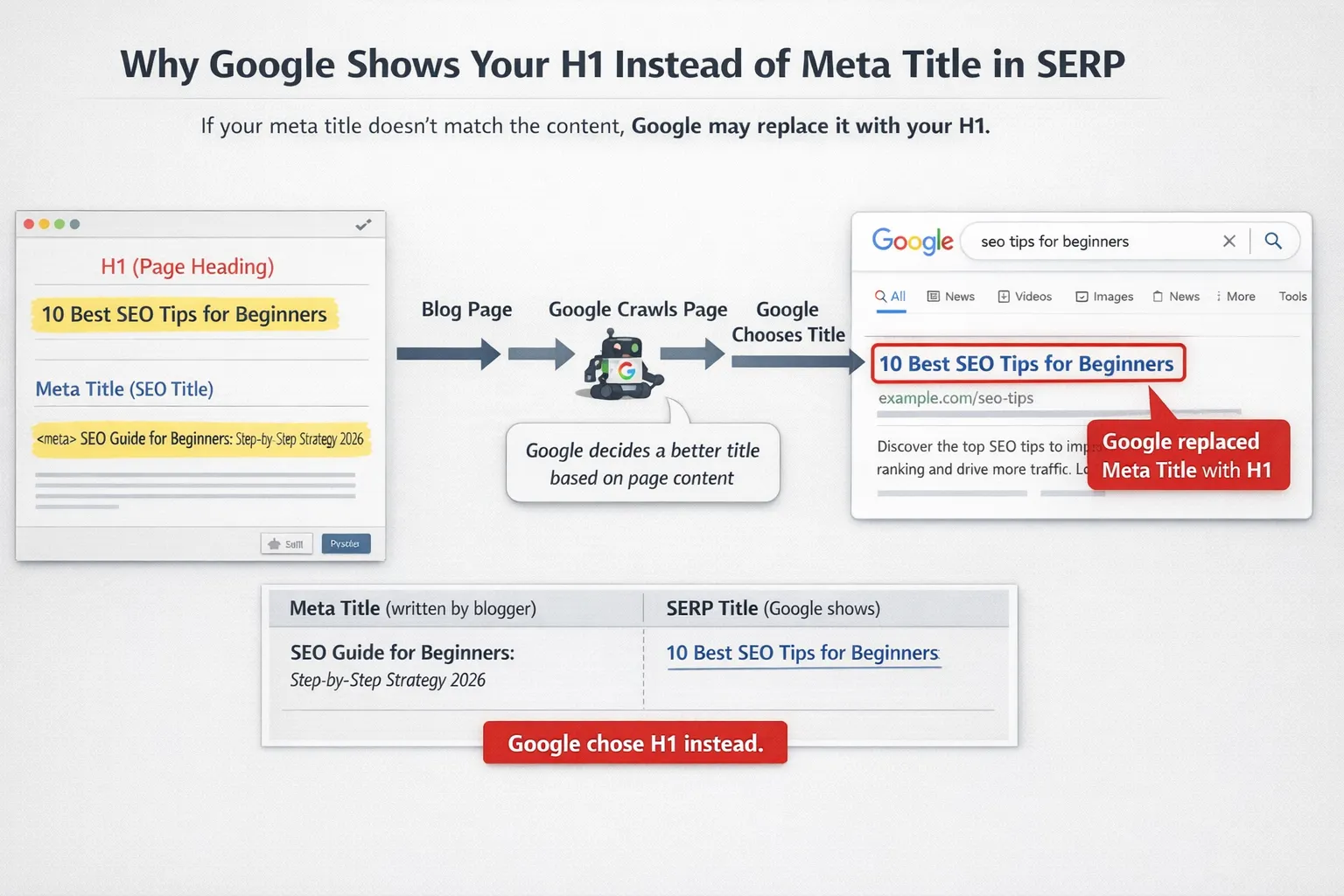
Most title rewrites happen when a page sends mixed signals. I’ve seen repeatedly while auditing search results that the page suggests one topic, but the visible content suggests another. When that happens, Google rebuilds the title to better match what it believes users should see.
Your Title and H1 Say Different Things
When the title tag and the main heading point in different directions, Google almost always trusts the visible heading. From a search engine perspective, the H1 reflects the real topic users experience on the page.
I’ve analysed many rewritten titles where the algorithm simply replaced the title with the H1 because it aligned better with the content.
Before
Title: SEO Strategy Guide
H1: Technical SEO Audit Checklist
After (Google)
Technical SEO Audit Checklist
Tip: Keep semantic alignment between the title tag and the H1. If they describe the same intent, rewrites rarely happen.
Keyword Stuffing Makes the Title Look Spammy
Overloading the title with repeated keywords creates friction and signals manipulation.
Examples:
SEO Tips, SEO Strategy, SEO Guide, SEO Optimization
Google rewrite:
SEO Tips and Strategy Guide
Learn the right approach to keyword placement in meta titles for better SEO results.
Your Title Is Too Long or Too Short
Google doesn’t rely on character count. It measures pixel width, and roughly 600px is where titles start getting truncated.
When titles stretch beyond that width, Google often trims or rebuilds them. On the other hand, extremely short titles provide almost no context, which triggers rewrites.
Checklist:
Keep the main topic visible early
Avoid filler words
Maintain a clear descriptive length of meta title
Boilerplate Titles Across Multiple Pages
When many pages share nearly identical titles, Google rewrites them to distinguish the pages in search results.
| Original Title | Possible Rewrite |
|---|---|
| Blog | Company Name | Marketing Blog | Company Name |
| Services | Company Name | SEO Services | Company Name |
Subtle Title Mistakes That Quietly Trigger Google Rewrites
Some title issues look minor on the surface, but they quietly increase the odds of Google stepping in and rewriting them. I see these patterns often with my blog posts also, and they almost always weaken how clearly the page topic is communicated.
Starting Every Title With Your Brand Name
When a title begins with the brand, the actual topic gets pushed back. From Google’s perspective, that reduces topical clarity, especially in search results where the algorithm prioritises relevance first.In many cases, Google simply shifts the brand to the end or removes it.
Before: BrandName | Technical SEO Checklist
Improved: Technical SEO Checklist for 2026 | BrandName
Clickbait Titles That Don’t Match the Content
If the title promises something big but the opening section delivers something basic, the intent gap becomes obvious.Example scenario:
Title: Ultimate SEO Secrets
Content: beginner-level SEO tips
Takeaway: the title must match what the page proves immediately.
Using Default CMS Titles Like “Home” or “New Page”
Default CMS titles rarely describe the page, so Google expands or replaces them automatically.Common examples:
Home
New Page
Untitled Document
🧪 Practical audit exercise — do it now
Open Google and search site:yourdomain.com (replace with your site). Look at the titles shown. Pick three pages where the snippet title differs from your meta title. Copy Google’s version and paste it next to your original. Ask yourself: which element (H1, H2, anchor text) could Google have used? This 5‑minute check reveals exactly what signals your pages send.
How to Analyze a Title Rewrite Before Fixing It
Before fixing a rewritten title, just follow what I do generally: I first figure out why Google changed it. The SERP usually leaves clues about what it trusts more than my original tag.
Compare Your Title With Google’s Version
I search the main keyword and view the live result. Then I place my title tag next to Google’s version and compare wording, order, and focus.Look for clues:
Did Google replace the title with the H1?
Did it remove extra words or modifiers?
Did it swap or shorten the primary keyword?
Identify Which Page Element Google Preferred
Next I check where Google likely pulled the replacement text from. This reveals which page element Google believes best represents the topic.Steps I follow:
Review the page H1 and major H2s
Check internal links pointing to the page
Look at anchor text used in navigation or content
Step-by-Step Fix for Rewritten Meta Titles
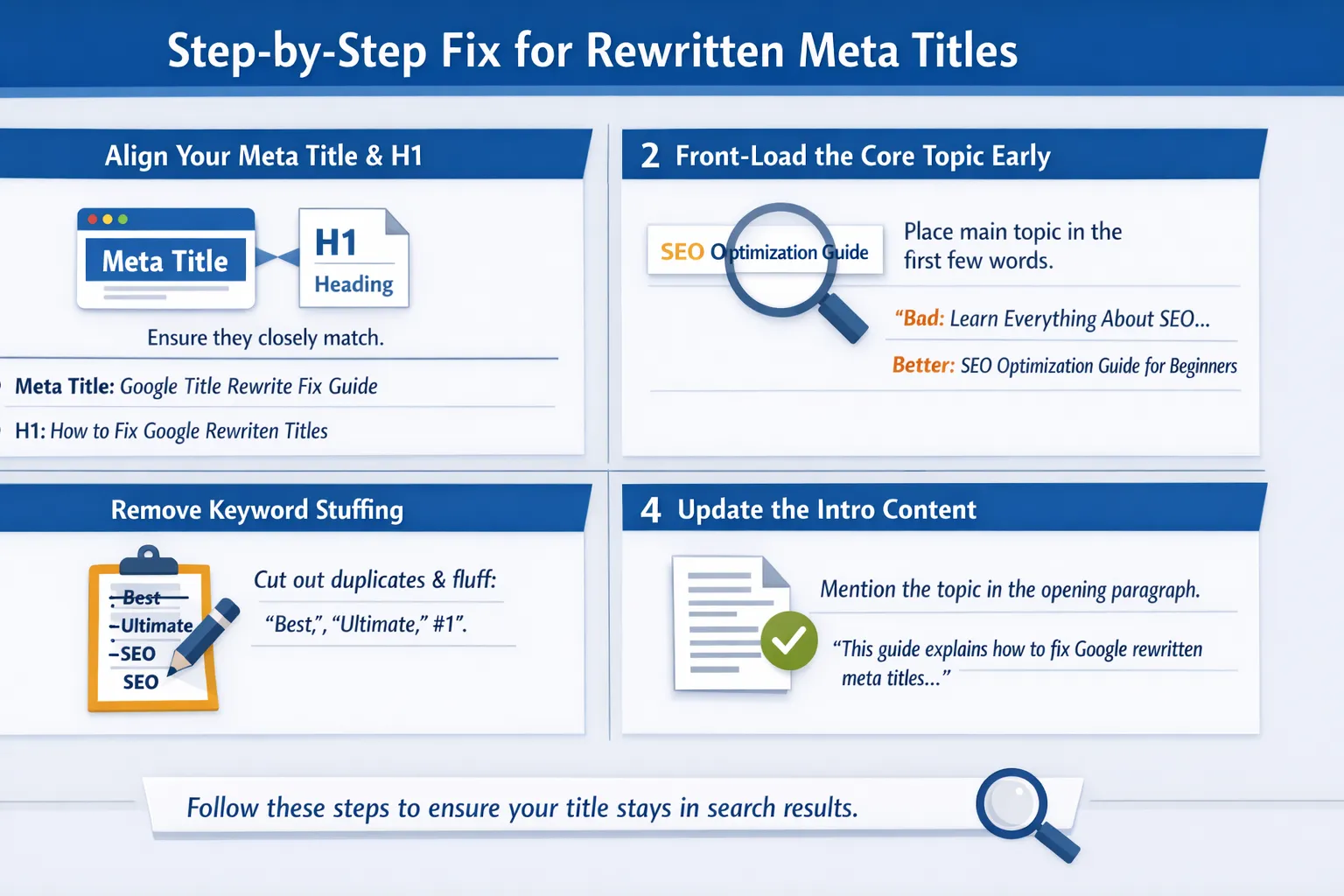
When Google rewrites a title, it usually means the page signals are inconsistent. I fix this by tightening the relationship between the title, heading, and opening content. Here’s the exact workflow that should be followed, according to me.
Align Your Meta Title and H1
My first step is what I call the mirror technique. The meta title and H1 should express the same idea using slightly different phrasing. If they communicate different intents, Google often replaces the title.
I keep them both semantically aligned so the search engine clearly understands the page topic without needing to “correct” it.
Example
Meta Title: Google Title Rewrite Fix Guide
H1: How to Fix Google Rewritten Titles
Front-Load the Core Topic in the First Words
Search engines weigh the first few words heavily. I place the main topic within the first 4–5 words so the subject is immediately clear.
Bad
Learn Everything About SEO and Optimization
Better
SEO Optimization Guide for Beginners
Remove Keyword Repetition and Marketing Language
When auditing titles, I simplify aggressively.
Edits I usually perform:
Remove duplicate keywords
Delete salesy phrases like ‘best’, ‘ultimate’, and ‘#1’
Cut unnecessary filler words
Clean titles are easier to read and far less likely to trigger a rewrite.
Update the First 100 Words of the Page
Google expects the introduction to confirm the topic stated in the title. I treat the opening paragraph as a semantic anchor.
If the title targets fixing rewritten titles, the intro should immediately mention that concept in natural language.
Example intro snippet:
This guide explains how to fix Google rewritten meta titles and keep your original title displayed in search results.
If you are confused about how to add a meta title on any platform, read this: how to add meta title
How to Reduce the Chance of Future Title Rewrites
Preventing title rewrites mostly comes down to clarity and alignment with what Google expects to show. When our titles clearly signal intent and structure, Google rarely replaces them.
Write Titles That Match Search Intent
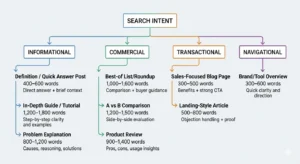
When you write titles, you should first decide the search intent behind the keyword. Informational searches expect learning resources, while transactional searches expect buying options. If the intent and title mismatch, Google often rewrites it.Transactional: Buy SEO Software
Informational: SEO Software Comparison Guide
Use simple title separators.
You should stick to simple hyphens because Google tends to keep them during rewrites.SEO Audit Checklist – Free Template
Technical SEO Guide for Beginners
Keyword Research Tips for SaaS Sites
Check the title pixel width instead of the character count.
Character limits mislead many writers. Google truncates titles by pixel width, so wide letters like ‘W’ or ‘M’ consume more space than narrow ones.
Quick check:
preview titles in SERP simulatorskeep key phrase early
Avoid long, repeating modifiers
Quick Title Optimization Checklist Before Publishing
Here’s the checklist I rely on every time, which you should do also:
- The title aligns directly with the H1 topic and search intent
- The primary keyword appears naturally in the first half
- The title clearly explains what the page delivers
- No duplicated or stuffed keywords
- The brand name placed only at the end
- The page introduction reinforces the title’s promise
- Pixel width stays within a safe display range
If the title passes every point above, I know the page is clear for both search engines and readers.
The Truth About “Stopping” Google From Changing Your Titles
Many people assume there’s a setting that stops Google from rewriting page titles. There isn’t. I’ve tested this across audits and large content sets, and the pattern is consistent: when Google changes a title, it’s reacting to signals that suggest the tag isn’t the clearest label for the page.
My real job when writing titles is alignment. The title, headings, and page intent must describe the same thing in the same language. When the title becomes the most precise summary of the page, Google usually keeps it because there’s nothing clearer to replace it with.
Key insight
Google rewrites titles when the page sends mixed signals.
— trust grows in systems, not silos —