How Google Evaluates Usefulness Beyond Word Count?
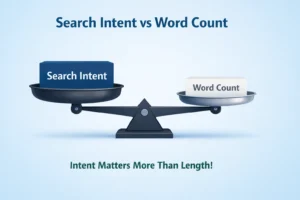
Most creators still think longer articles rank higher. That myth refuses to die. Word count alone has never guaranteed visibility. You can write 3,000 words and still miss the mark if the reader leaves confused, unsatisfied, or forced to search again.
Google measures usefulness by outcome, not size. Did the page solve the query clearly? Did it match intent? Was the explanation accurate, trustworthy, and better than competing results? Depth matters, but only when it adds clarity, context, or decision-making value.
Here’s what this really means: usefulness is practical. It’s intent alignment, structured thinking, credible signals, and real problem-solving. In this guide, we’ll break down how Google evaluates these signals step by step and how you can apply them without chasing word count.
📌 TL;DR
Word count ≠ ranking – Google measures usefulness by whether a page solves the user’s query, not how long it is.
Match search intent first – Identify if the query is informational, commercial, transactional, or navigational, and align your content format accordingly.
Depth over length – Cover the topic completely, answer likely follow-up questions, and provide context, comparisons, and actionable guidance.
Structure matters – Use clear headings, short paragraphs, lists, and answer-first writing to make content skimmable and easy to navigate.
Behaviour signals count – Task completion, dwell time, and minimal pogo-sticking indicate your page solved the user’s problem.
Credibility is key – Show real experience, clear authorship, references, and practical examples to build trust.
Be comparatively useful – Differentiate from top-ranking pages by adding unique insights, examples, or tools.
Site-level patterns – Consistency, topic clusters, and avoiding thin content strengthen overall site authority.
Focus on solving tasks, not counting words – The ultimate test: did the user leave satisfied? If yes, your page is useful.
Step 1: Search Intent Match — The First Usefulness Filter

Decode the Query Before You Write a Word
Before you draft anything, pause and decode the query. Google does this instantly. You should, too.
- Informational intent – The user wants knowledge. Example: “How to audit SEO content.”
- Commercial intent – The user is comparing options before buying. Example: “best SEO tools for beginners.”
- Transactional intent – The user is ready to take action. Example: “buy an Ahrefs subscription.”
- Navigational intent – The user wants a specific site or page. Example: “Google Search Console login.”
Google classifies the query first, then ranks pages that match that intent. If someone searches for a guide, product pages won’t survive. If they want pricing, a 3,000-word tutorial won’t help. Alignment comes before quality, length, or clever writing.
If you’re unsure how intent directly influences ideal article length, read this detailed breakdown on how to decide blog post length based on search intent →.
Why Misalignment Kills Rankings Silently
Imagine someone searches “how to choose running shoes.” You publish a beautifully designed product category page. It loads fast. It looks premium. But it doesn’t teach anything. Rankings stall.
Why? Because users expected a guide, not a catalogue.
What this really means is:
- High-quality design can’t fix wrong intent.
- Strong backlinks won’t override user dissatisfaction.
- Google notices when users bounce back to search.
Misalignment doesn’t look dramatic. It just quietly blocks growth.
How to Manually Audit the SERP Like Google
- Search your target keyword in incognito mode.
- Study the top five results.
- Identify format: guide, list, product page, video, comparison?
- Note depth and angle. Beginner advice or expert breakdown?
- Match that expectation first.
Try This in 5 Minutes
Pick one keyword you’re targeting. Search it. Write down the dominant intent and format. If your page doesn’t match, fix that before touching a single sentence.
I once rewrote a product comparison page into a clear guide after noticing users expected step-by-step instructions. Within weeks, clicks increased, and bounce rates dropped sharply.
Step 2: Depth of Coverage — Completeness Without Bloat
Depth vs Length — The Critical Difference
Length is about how much you write. Depth is about how much you resolve.
A 900-word article that answers the real decision behind a query will outperform a 3000-word piece that circles the topic without landing anywhere. What this really means is that usefulness isn’t about expansion. It’s about completion.
Decision completeness happens when a reader finishes your content and doesn’t need another tab to move forward.
| Shallow Content | Complete Content |
|---|---|
| Explains the topic | Explains + compares + guides action |
| Repeats definitions | Adds context and trade‑offs |
| Covers surface points | Addresses objections and edge cases |
| Ends with a summary | Ends with clarity and direction |
Depth closes loops. Length often just stretches them.
Anticipating Follow-Up Questions
Search engines look at whether you addressed the natural next questions tied to the topic. Not in a robotic checklist way, but in a logical flow.
If the topic is “best budget smartphone,” strong coverage would naturally consider:
- Is performance good enough for gaming?
- How long will the battery last in daily use?
- What camera compromises exist?
- Is software support reliable?
- How does it compare to slightly higher-priced options?
These aren’t random additions. They’re connected angles. When related concerns are answered in one place, the page feels complete.
Beyond the “Echo Chamber”
In 2026, Google’s algorithm uses a formula called Information Density, where ID equals the sum of unique entities (brands, technical terms) and verified factual claims, divided by total words. If your blog has a low ID, it is seen as “semantic noise.”
This is exactly why long‑form content doesn’t always rank → — length alone never replaces originality and depth.
Remove Doubt, Don’t Add Paragraphs
Imagine someone choosing between two online courses. Listing features isn’t enough. They need:
- Who it’s best for
- What outcomes to expect
- What level of effort is required
Clarity beats repetition.
Tightening tips:
- Replace vague claims with specific outcomes
- Cut repeated explanations
- Add one concrete example instead of three general ones.
The Completeness Test:
If a reader paused right now, would they feel confident making a decision? If yes, you’ve achieved depth.
One article was just a surface-level list of SEO tools. After I added real examples, pros/cons, and follow-up tips, the average time readers spent on the page doubled.
Step 3: Structural Clarity — Can Users Extract Value Fast?
Hierarchy That Guides the Eye
Usefulness isn’t just about what you say. It’s about how quickly someone can find it.
Strong structure follows a clear hierarchy. Headings move from broad to specific. Sections unfold in logical order. Each part builds on the last. That sequencing reduces friction and increases comprehension.
When the structure is weak, readers face a wall of text. No entry points. No visual rhythm. No signals about priority.
| Poor structure | Improved structure |
|---|---|
| Topic | Main Topic |
| Long paragraph | – Subtopic 1 |
| Another long paragraph | – Subtopic 2 |
| Mixed ideas | – Key takeaway |
| No subpoints | Clarity guides the eye. Confusion pushes readers away. |
Skimmability as a Ranking Advantage
Most readers scan before they commit. If your formatting resists scanning, they leave.
Principles that improve skimmability:
- Keep paragraphs short and focused
- Use bold for key ideas, not decoration
- Add spacing between sections
- Place answers early in each section
- Use lists where comparison or steps are involved
Clean formatting reduces cognitive load. Lower friction often means longer engagement.
Passage-Level Clarity and Answer-First Writing
Put the answer first. Then expand.
Before:
Many factors influence bounce rate, including design, speed, and content depth, which all interact in complex ways.
After:
Slow load speed is the main reason users leave quickly. Design and content depth amplify that effect.
The second version clarifies relevance immediately. Both readers and AI systems process it faster.
30-Second Skim Test:
Scroll your page for half a minute. If you can’t extract the main ideas instantly, revise the structure.
Step 4: Behaviour Patterns — What User Interaction Signals Reveal
Dwell Time vs Task Completion
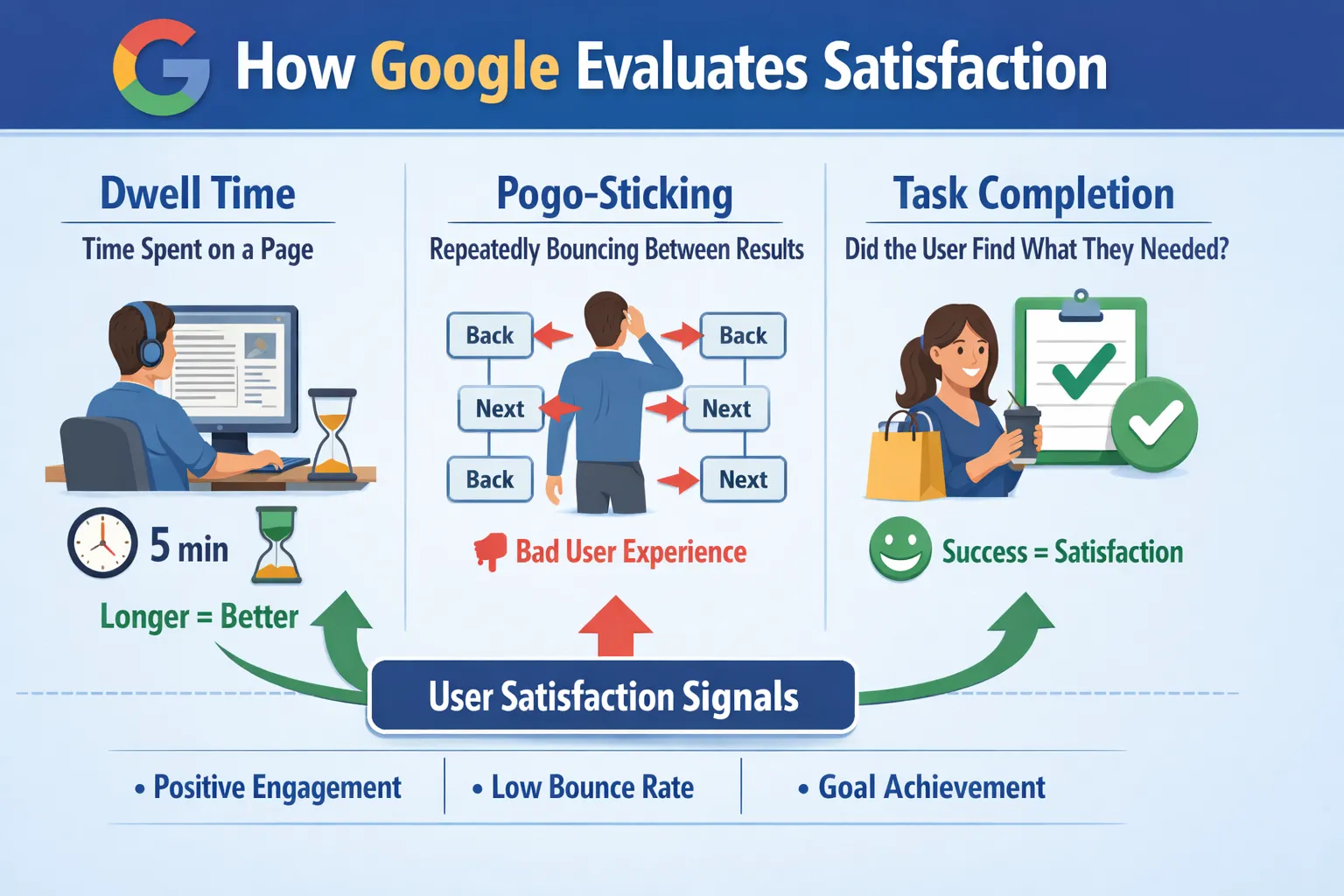
Search engines don’t need direct access to your analytics dashboard to understand whether users are satisfied. They observe patterns. When someone clicks a result, spends time there, and doesn’t come back to search again, that pattern suggests the problem was solved.
But time alone isn’t the goal.
A long visit can mean confusion just as easily as satisfaction. If someone stays on a page for five minutes because the answer is buried under fluff, that’s not a win. On the other hand, if they find exactly what they need in forty seconds and move on, that’s task completion. And that’s powerful.
What this really means is that usefulness is measured by resolution, not duration.
Pogo-Sticking and Repeat Searches
Imagine this.
Someone searches for a solution, clicks your page, scans it for ten seconds, then hits back and chooses another result. That quick return to the results page is often called pogo-sticking. It’s a strong dissatisfaction signal.
If they then adjust their query slightly and search again, that’s another clue. The first result didn’t fully answer the need.
Reality Check: If users must refine the same query again, you failed usefulness.
Engagement Isn’t About Tricks
Clickbait headlines may earn the click. They rarely earn satisfaction.
Real engagement looks like this:
- Clear answers early
- Structured content that reduces friction
- Specific, actionable solutions
- Depth where needed, not padding
Fake engagement looks like this:
- Vague promises
- Delayed answers
- Sensational hooks without substance
- Forced internal clicks
Search engines reward solved problems, not manipulated attention.
Step 5: Credibility Signals — Why Trust Is Part of Usefulness
Usefulness is not just about answering a question. It is about whether the reader believes the answer. Trust acts as a filter. If content lacks credibility signals, even accurate information feels uncertain. Google evaluates this through experience, expertise, authority, and trust. Readers do the same instinctively.
Experience as a Differentiator
Information anyone can rewrite from the top results rarely stands out. What makes content stronger is lived experience. Real examples, practical testing, and specific outcomes show that the author has actually worked with the topic.
Short explanation: Firsthand insight adds texture and detail that generic summaries cannot replicate.
Examples of trust signals:
- Screenshots from real experiments
- Case studies with measurable results
- Before-and-after comparisons
- Personal mistakes and lessons learned
- Specific tools used and why
Google’s official documentation on creating helpful content emphasises first-hand expertise.
Author Clarity and Context
People trust people, not anonymous webpages. Clear authorship builds confidence. When readers know who is speaking and why they are qualified, the content feels grounded.
Short explanation: Transparency about identity and background reduces scepticism.
Examples of trust signals:
- Visible author name and bio
- Consistent topic focus across articles
- Professional background linked to the subject
- Updated publication dates
- Clear contact or about page
Referencing Without Over-Academising
Citations help, but stuffing academic references can feel forced. The goal is balance. Mention respected frameworks like the Google Search Quality Evaluator Guidelines naturally, as context rather than decoration.
Short explanation: Refer to credible sources when needed, but keep writing readable.
Examples of trust signals:
- Linking to official documentation
- Referencing industry data
- Quoting experts briefly
- Citing research in plain language
- Avoiding unsupported claims
Trust Audit Checklist
Ask yourself:
- Is real experience visible in the content?
- Is the author clearly identified?
- Are claims supported with credible references?
- Does the content show topic consistency?
- Would a sceptical reader feel confident sharing this?
I shared a personal experiment testing two SEO strategies and included screenshots. That post got more shares and links than generic summaries ever did.
Step 6: Competitive Comparison — Google Measures You Relatively
If your article simply repeats what’s on the first page, it won’t move the needle, no matter how long or polished it is. The key is to offer something that feels comparatively better or more complete.
Usefulness Is Comparative, Not Absolute
Google’s evaluation is relative. Your page is measured against existing top results for the same query. A perfectly accurate but generic explanation might be less useful than a slightly shorter page that introduces a new perspective or examples. Understanding this comparison mindset is crucial: what’s valuable isn’t just correctness, it’s distinctiveness in the context of what users already see.
This dynamic is explained in depth in Google’s How Search works – ranking results.
Information Gain — The Differentiation Factor
Information gain is what separates your content from what’s already out there. It’s the added knowledge or insight that a user cannot get from other top-ranking pages. Simply rewriting the same points isn’t enough; the goal is to deliver a tangible new benefit.
| Rewritten Content | Differentiated Content |
|---|---|
| Same points, different words | Adds new insight, perspective, or utility |
| Rephrased sentences | Unique frameworks, examples, or tools |
| Minimal extra value | Solves additional problems or clarifies gaps |
Angle, Freshness, and Unique Utility
Differentiation can take many forms. Consider:
- Offering a new analytical framework
- Sharing a personal case study or example
- Including up-to-date statistics or research
- Creating calculators or interactive tools
- Highlighting lesser-known tips or hacks
- Applying an original angle not covered elsewhere
The 10% Originality Rule:
Even if 90% of your content covers known information, ensure that at least 10% delivers unique insight or utility. That small slice often determines whether Google sees your page as comparatively valuable.
Step 7: Site-Level Helpfulness — Patterns Matter
Thin Content Contamination Effect
Even a few low-value pages can drag down overall perception. If multiple articles are shallow, duplicated, or off-topic, search engines may treat the entire site as less reliable. Each page sends a subtle signal, so maintaining quality across the board matters as much as optimising individual posts.
Topical Depth and Authority Clusters
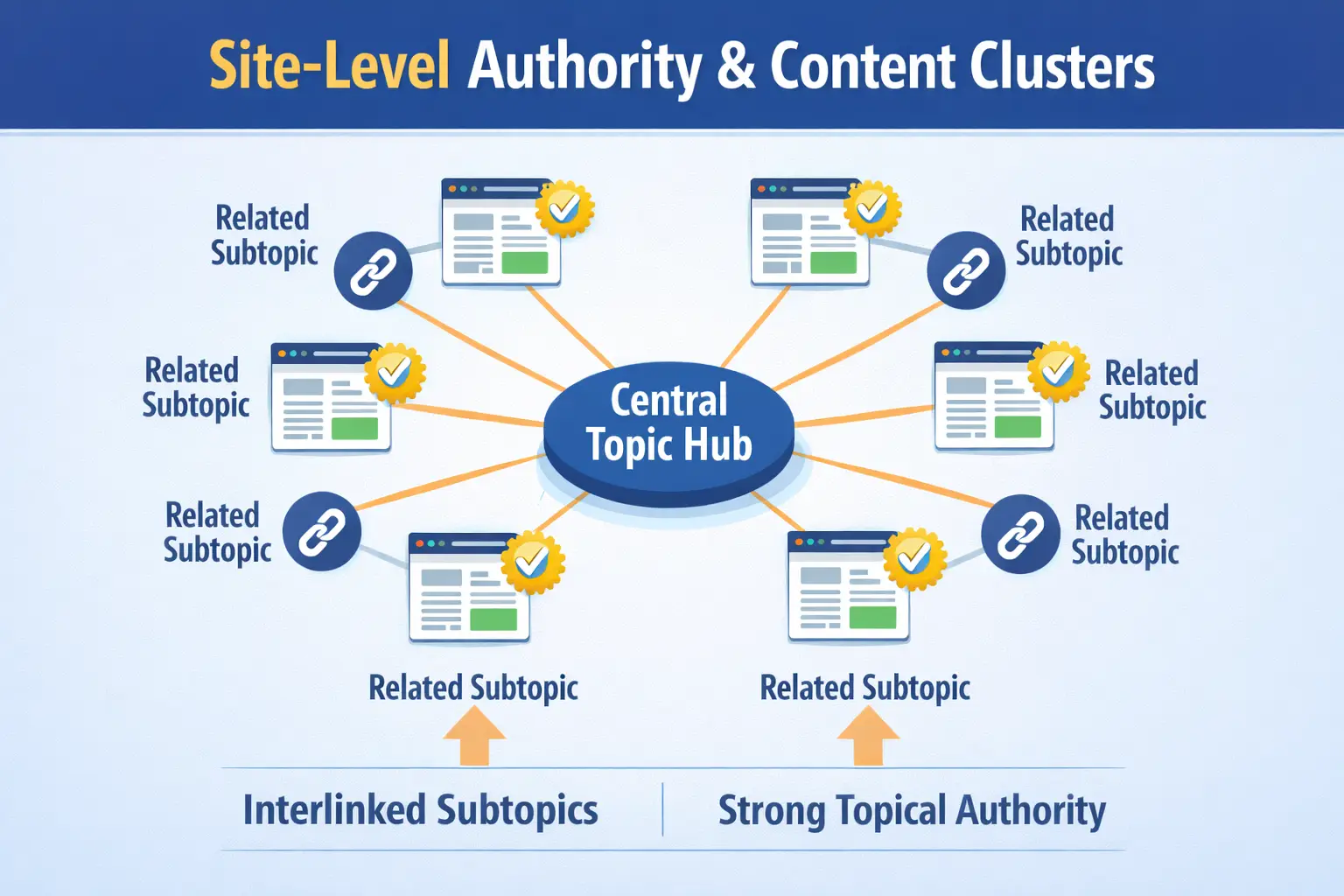
Organising content into clusters around core topics reinforces expertise. Internal linking between related posts, supported by semantic connections, helps Google understand your site’s authority. Think of a hub-and-spoke model: central pillar pages link to supporting articles, which link back, creating a dense knowledge network. A simple diagram could show a central node with multiple topic-specific nodes radiating outward, all interlinked.
This is why credentials alone don’t build trust → — consistency matters more.
Consistency Beats Random Publishing
Random, unrelated posts dilute the useful signals. A consistent publishing rhythm around defined topics signals reliability and focus. Readers notice too: patterns build trust, while scattered content can confuse or frustrate them.
Site-Level Audit Question:
If someone reads five of your posts, do they see depth or repetition? This simple check helps you gauge whether your site’s structure supports real usefulness.
Practical Framework: Writing for Usefulness (Not Word Count)
The Pre-Writing Usefulness Checklist
- Define the searcher’s intent: informational, commercial, or transactional.
- Analyse the top SERP results to see what’s covered.
- Identify missing perspectives or questions your audience has.
- Pinpoint opportunities to provide examples, visuals, or actionable tips.
The Draft Optimisation Pass
- Remove filler and redundant phrases.
- Shorten long sentences for readability.
- Strengthen subheadings to guide scanning readers.
- Add or refine examples to clarify complex points.
- Ensure each section answers a real user need.
The Post-Publish Evaluation
After publishing, track how users engage and whether rankings hold steady. Watch for new query variations and shifts in search intent. Use a checklist: review analytics, note content gaps, adjust headings, and refresh examples. This helps maintain usefulness over time.
Final Thought: Stop Counting Words. Start Solving Tasks
Usefulness isn’t measured by word count; it’s measured by whether the user’s need is fully met. Every piece of content should aim to complete the task the searcher came for. If someone leaves your page feeling satisfied, informed, or ready to act, you’ve done your job. Forget padding text or chasing arbitrary lengths—focus on clarity, precision, and actionable value. The ultimate test is simple: when a user closes the tab, are they done searching? If the answer is yes, your content has earned its place. Stop counting words and start solving problems.
📎 Google’s official guidance: creating helpful content
— usefulness over length, every time. —