
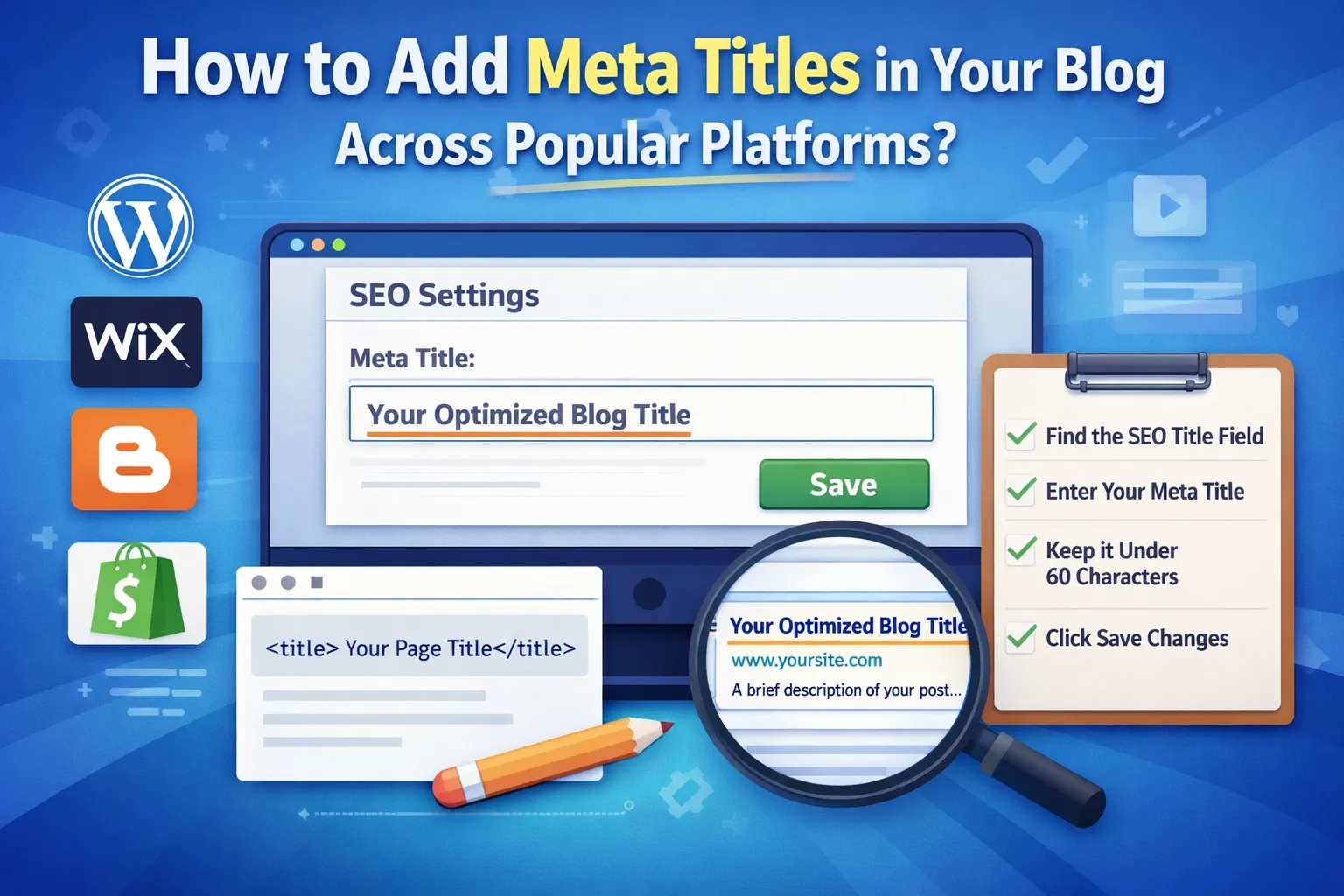
How to Add Meta Titles in Your Blog Across Popular Platforms?
You don’t need technical knowledge to add a meta title. The exact step depends on your blogging platform. This guide points you to the setting inside major platforms and also shows a simple universal HTML method.
Once you know where the option sits, it takes less than a minute. Just open your post settings, find the SEO or meta title field, enter your title, and save the changes.
Where Do You Actually Add the Meta Title on Different Blogging Platforms?
Every platform hides the meta title setting in a different place. Instead of digging through menus, it helps to know the exact path. Use the quick overview below before checking the detailed location.
| Platform | Navigation Path |
|---|---|
| WordPress | Post Editor → SEO Plugin → SEO Title |
| Wix | Pages → SEO Basics |
| Blogger | Post Settings → Meta Tags |
| Shopify | Search Engine Listing Preview |
| Custom HTML | <title> tag in <head> |
Most blogging platforms place the meta title inside SEO-related sections rather than the main editor. That’s why many users miss it the first time.
Follow the navigation paths above to reach the exact setting quickly without browsing through multiple menus.
WordPress – Add a Meta Title Using SEO Plugins
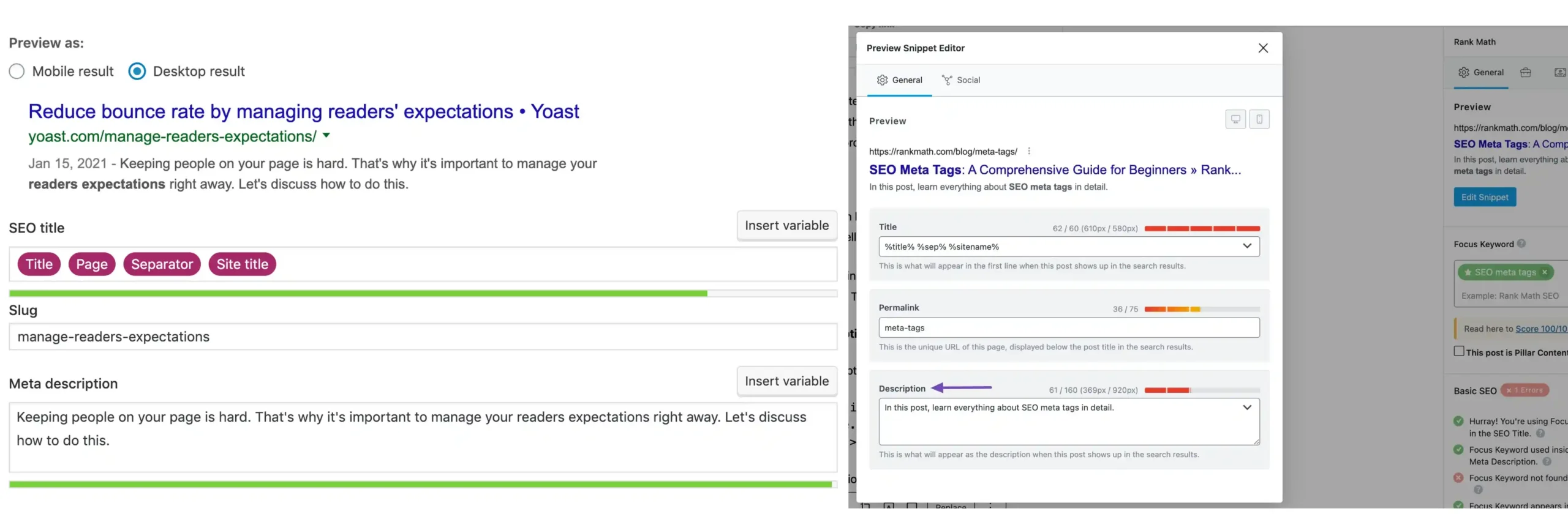
Using Yoast or Rank Math Inside the Post Editor
Most WordPress websites manage meta titles through SEO plugins like Yoast SEO or Rank Math, which add a snippet preview box under the post editor.
Open the WordPress Dashboard → Posts → All Posts (or Pages → All Pages) and select the post you want to edit.
Inside the editor, scroll below the content area until you see the Yoast SEO or Rank Math section.
Click Edit Snippet in the snippet preview box.
Locate the SEO Title field and type your custom meta title.
Click Update or Publish to save the changes.
Tip: Always check the Google preview in the snippet area to confirm your title length looks clean and isn’t getting truncated in search results.
Wix – Add the Meta Title From Page SEO Settings
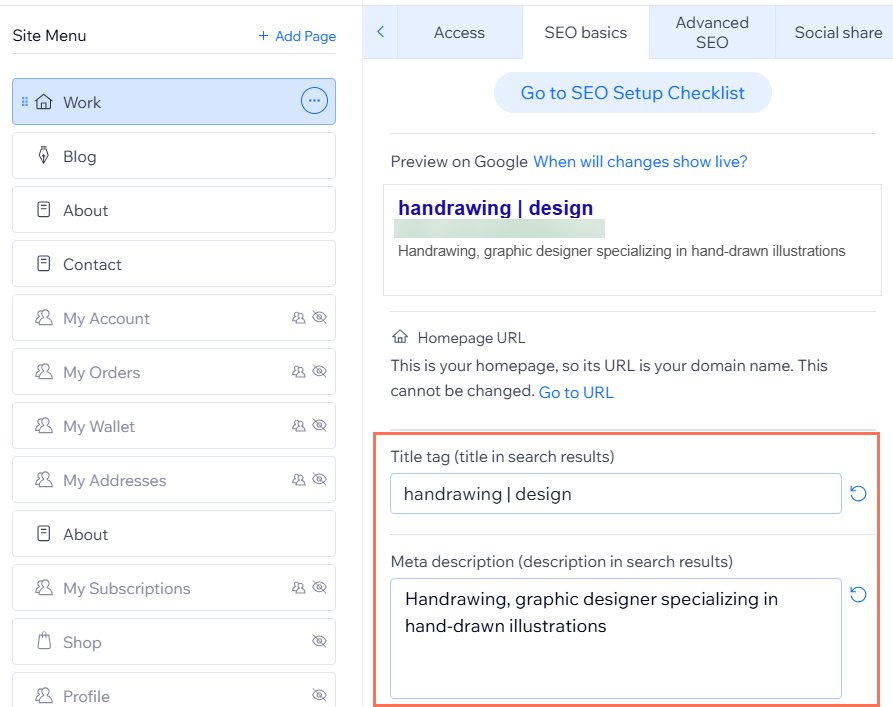
Wix lets you control the meta title directly from the page SEO settings. It only takes a few clicks to update and helps search engines understand what your page is about.
Finding the SEO Basics Panel
Wix keeps all page-level SEO controls inside the page settings panel, where you can edit the title tag and other search appearance details.
Steps
- Open Pages & Menu from the editor sidebar.
- Select the page you want to edit.
- Click SEO Basics in the settings panel.
- Locate the Title Tag field and enter your meta title.
- Click Save to apply the changes.
Tip: Keep the meta title under 60 characters so it displays properly in search results without getting cut off.
Blogger – Adding a Meta Title in Post Settings
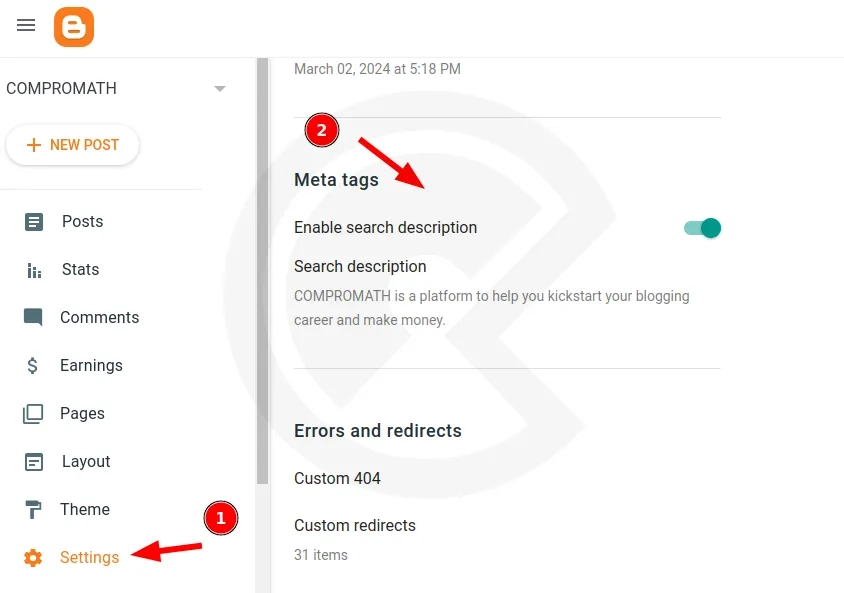
Blogger controls the meta title of a post through the post headline by default. In most Blogger setups, the headline you write for the post automatically becomes the title tag that appears in search results and browser tabs. If you want to optimise the meta title for SEO, you usually do this by editing the post headline.
How the Title Works in Blogger
Blogger automatically uses your post title as the page’s <title> tag. That means updating the headline also updates the meta title shown in search results.
Steps
- Open the post editor in your Blogger dashboard.
- Edit the post headline at the top of the editor to your optimised title.
- Go to the right sidebar and locate Post Settings.
- Use the Search Description field to add a meta description if needed.
- Click Publish or Update to apply the changes.
Your post headline acts as both the visible title on the page and the meta title used by search engines.
Note: Some custom Blogger themes or SEO-optimised templates allow separate control of the title tag. In those cases, you may see additional SEO fields inside the theme settings or template configuration.
Shopify – Editing the Search Engine Listing Title
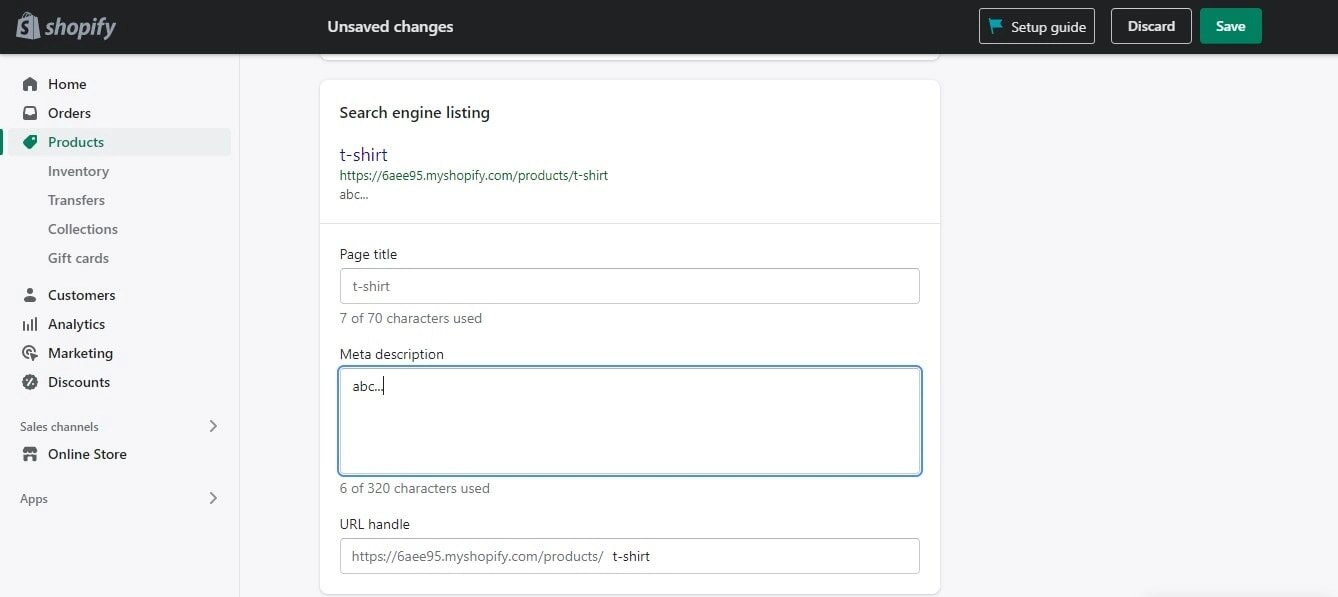
Shopify keeps the meta title inside the search engine listing preview, letting you control how products or blogs appear online.
- Open the product or blog post in your Shopify admin.
- Scroll down to the Search Engine Listing Preview section.
- Click Edit Website SEO to access the SEO fields.
- Change the Page Title field to your desired search title.
- Click Save to apply the update.
Pro tip: Place your main product keyword near the beginning of the title so search engines and shoppers instantly understand the page topic and improve click-through visibility in results pages through mobile.
Custom Websites – Add the Title Tag in HTML
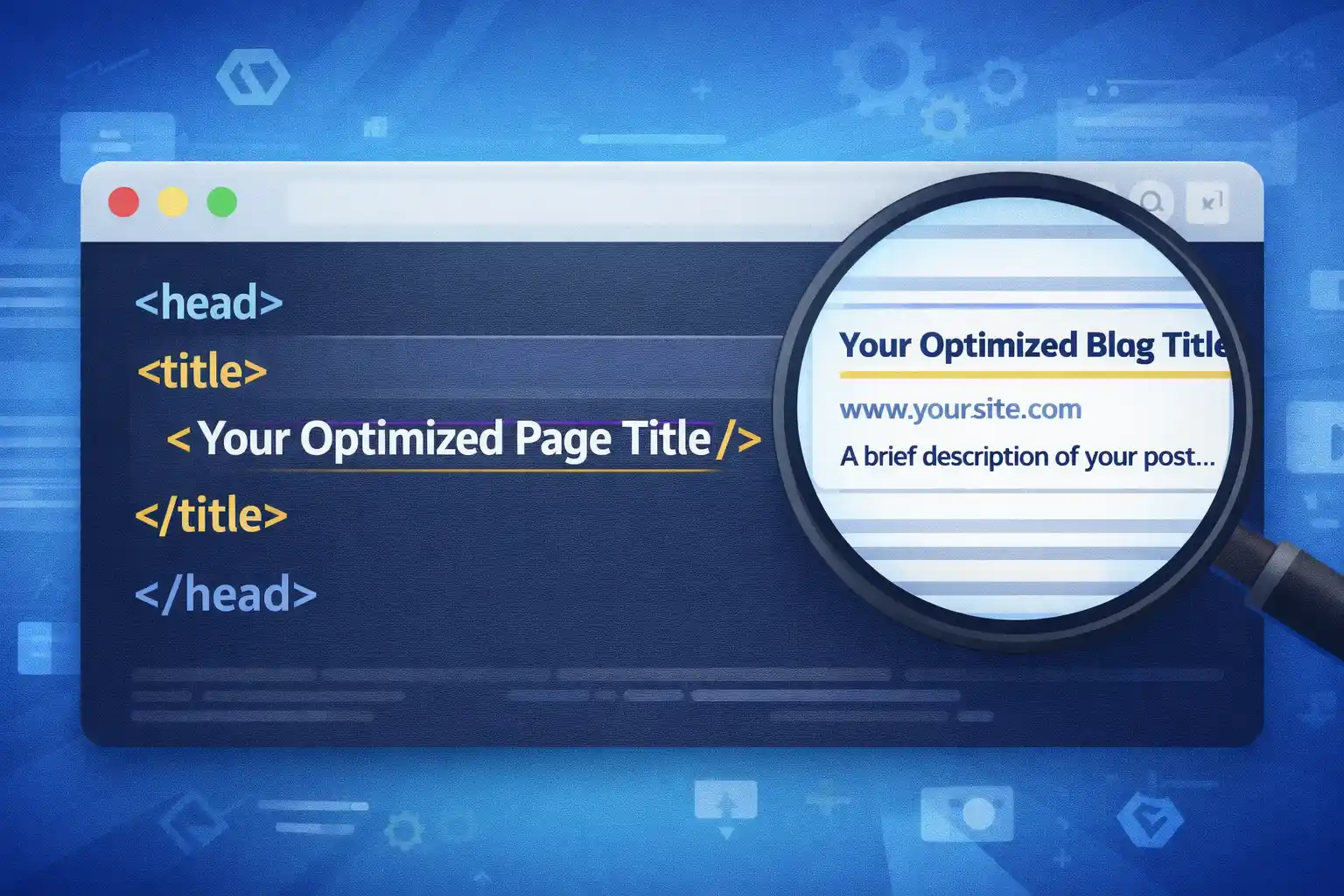
Custom-built websites don’t rely on CMS settings for page titles. Instead, the title is defined directly in the HTML structure of each page.
The Universal Code Method
For custom websites, the page title is controlled inside the <head> section of the HTML file. This tag tells search engines what title should appear in search results and browser tabs.
<head>
<title>Your Optimized Page Title</title>
</head>
Search engines read the <title> tag to understand the main topic of the page and often display it as the clickable headline in search listings. Make sure you edit the correct page file, since changing the wrong HTML file will not update the intended page title.
Note: Ensure there is only one <title> tag per page. Multiple tags confuse search crawlers.
🧪 Live Title Tweak — Try It Now
Open one of your published blog posts (any platform). Find the meta title field using the steps above. Before changing it, ask yourself:
- Does it contain the primary keyword near the start?
- Is it under 60 characters?
- Would you click it if you saw it on Google?
If the answer is no, rewrite it. Then hit save. This one‑minute edit can shift click‑through rates more than you think.
Quick Checklist Before Saving Your Meta Title
Before you hit save, run your meta title through this quick check. A few small tweaks can be the difference between being skipped and getting the click.
- Keep the title under 60 characters so it doesn’t get cut off in search results. Use a meta title checker to preview how it appears in Google. Google usually truncates titles beyond ~600 pixels, which is roughly this range.
- Place the primary keyword as close to the beginning as possible.
- Write it like a headline people would actually want to click.
- Make sure the title clearly reflects what the page actually delivers.
- Quick gut check: does this sound like something you would personally click?
Small title tweaks often lead to bigger search clicks.
Why Your Meta Title Might Not Appear Exactly in Google?
You might write the perfect meta title, but Google doesn’t always display it the same way in search results. If the title feels misleading, over-optimised, or disconnected from the actual page content, Google may rewrite it to better match what users are looking for.
Common triggers include:
- Keyword stuffing that makes the title look unnatural.
- Titles that are too long, vague, or unclear about the page topic.
Keep titles clear, natural, and closely aligned with the page content to reduce the chances of Google rewriting them.
Final Wrap-Up
Adding a meta title takes less than a minute once you know where the setting lives in your site editor. Before publishing, quickly review every title because it strongly influences whether people notice your page and actually click it online.
— titles are tiny, but they hold huge weight —
