
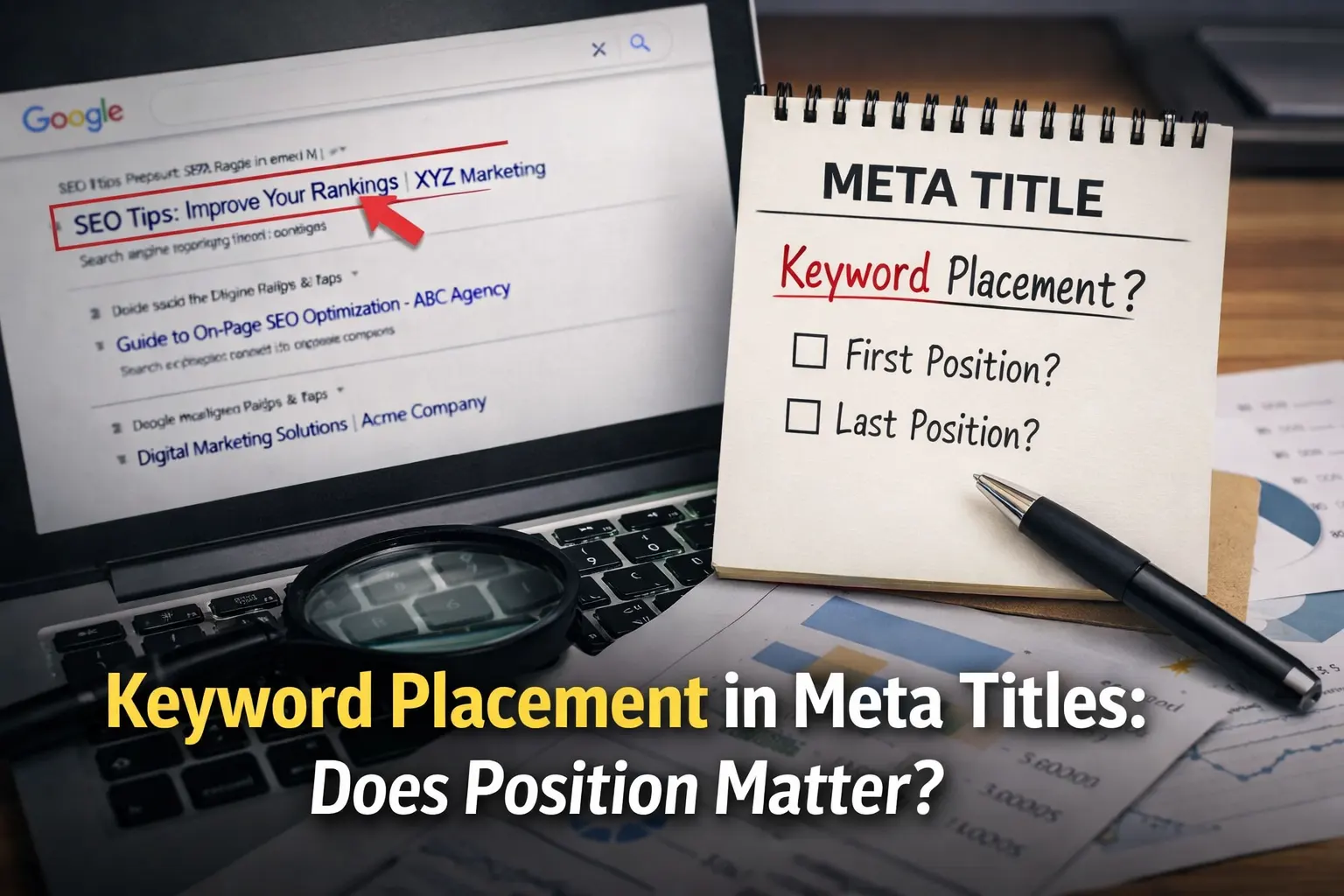
Keyword Placement in Meta Titles: Does Position Matter?
Some SEOs swear keyword placement in meta titles affects rankings. Others say Google ignores position entirely. The result is confusion every time you write a title.
Many titles end up sounding robotic.
Keywords push to the front.
Brand awkwardly pushed to the end.
They technically target the query, yet look unnatural when someone scans the results page.
The confusion exists because two systems are involved. Humans scan titles for clarity and relevance. Google reads them to interpret topic signals.
Most SEO debates exist because ranking and clicking are two different problems.
Short answer: keyword position can help clarity, but Google mainly cares about relevance, not whether the keyword appears first.
So does position really matter? Let’s break it down.
📌 Quick Facts
Keyword position doesn’t directly decide rankings. Search engines understand titles even when the keyword appears later.
Early keywords improve scannability. People notice the first few words of a title when scanning results.
Front-loaded titles often get more clicks. Instant topic recognition increases CTR.
AI summaries favour clear titles. When the topic appears early, pages are easier to interpret and extract.
Relevance still matters more than placement. Content quality and intent match drive rankings.
Bottom line: keyword placement rarely changes rankings, but it can strongly influence whether someone clicks your result.
Why Keyword Position Still Influences Search Behaviour
Keyword placement still shapes how search results perform. It influences three layers of interaction: human scanning, algorithm classification, and AI content extraction.
The 0.5-Second Scan: How Users Actually Read Search Results
Searchers rarely read every title. Eye-tracking research shows an F-pattern where attention hits opening words, then drops down the results page. Many judge relevance from that first phrase.
When the searched phrase appears immediately, recognition happens almost instantly. Titles that hide the keyword later force the brain to scan longer, reducing clicks.
Example titles:
Keyword first: SEO Audit Checklist
Keyword middle: Guide to SEO Audit Checklist
Keyword last: Technical Guide with SEO Audit Checklist
Try scanning a SERP screenshot yourself.
How Search Engines Interpret Title Signals
Search engines treat titles as quick topic summaries. Keywords anywhere help indexing, but earlier placement clarifies what the page mainly covers.
Signals include:
- topical relevance
- query matching
- snippet generation
Why AI Overviews Prefer Clear, Front-Loaded Titles
AI summaries are often extracted from pages whose titles signal the topic clearly. Simple keyword-first structures help interpretation.
Strong: SEO Migration Checklist for Website Redesign
Weak: Things to Know Before Updating Your Website
The Front-Loading Advantage: When Placing the Keyword First Helps
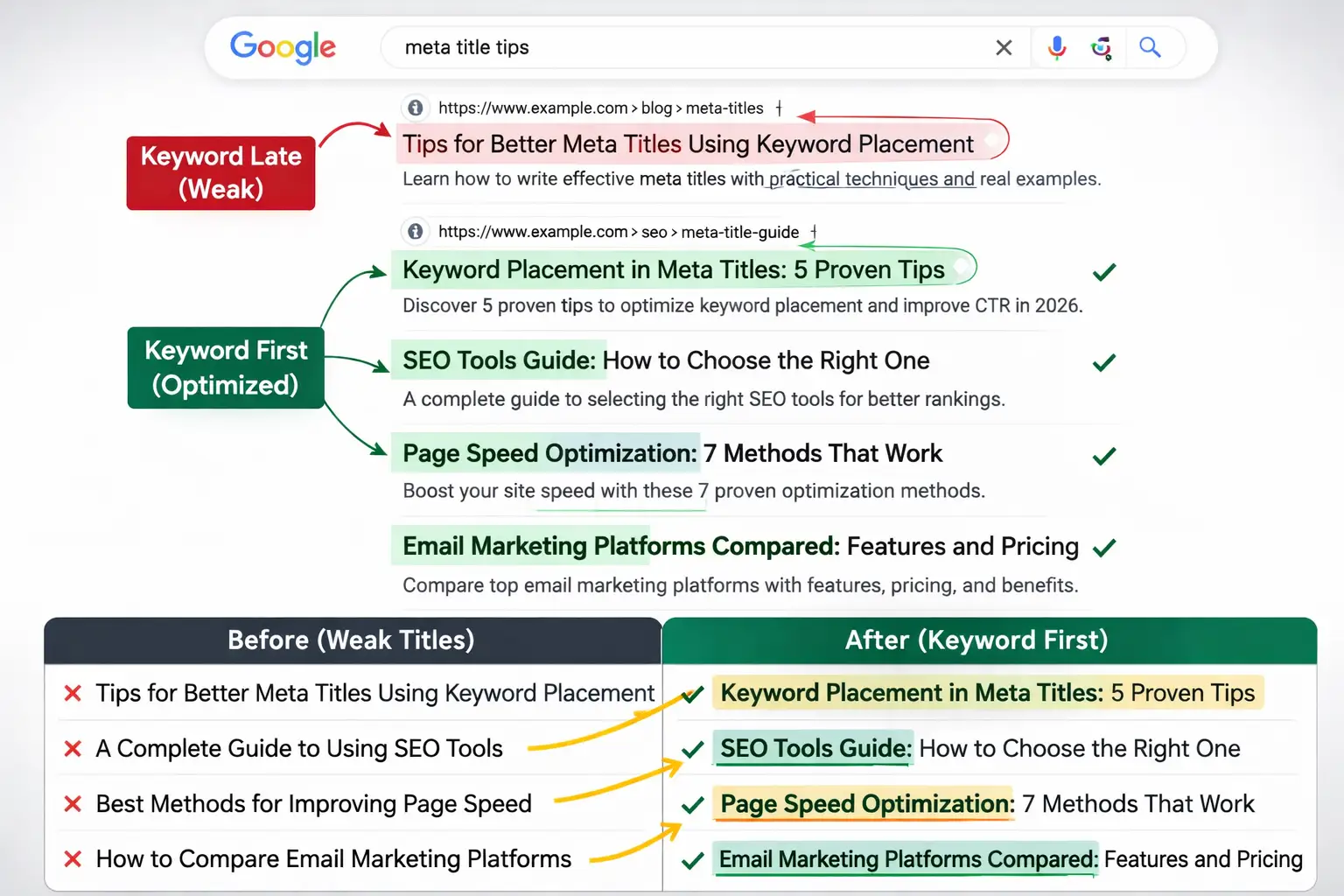
Front-loading a keyword means placing the main search term at the beginning of a title. This approach works best when clarity and intent matching matter more than creativity, helping both search engines and readers quickly understand the topic.
Situations Where Front-Loaded Keywords Perform Best
When users search with clear intent, direct titles usually win because they match the query instantly.
- Informational queries: Readers scanning results prefer titles that immediately reflect the exact topic they searched.
- Comparison searches: Starting with the compared item signals relevance right away.
- Tutorials: Step-based guides perform better when the main topic appears first.
- Tool reviews: Placing the product or tool name upfront improves recognition and trust.
🔧 Before vs After Title Transformations
| Weak Title | Optimized Title |
|---|---|
| Tips for Better Meta Titles Using Keyword Placement | Keyword Placement in Meta Titles: 5 Proven Tips |
| A Complete Guide to Using SEO Tools | SEO Tools Guide: How to Choose the Right One |
| Best Methods for Improving Page Speed | Page Speed Optimization: 7 Methods That Work |
| How to Compare Email Marketing Platforms | Email Marketing Platforms Compared: Features and Pricing |
The optimised versions lead with the core topic, making relevance obvious at a glance. As you read them, notice which one you’d instinctively click.
When Keyword Position Does NOT Matter Much
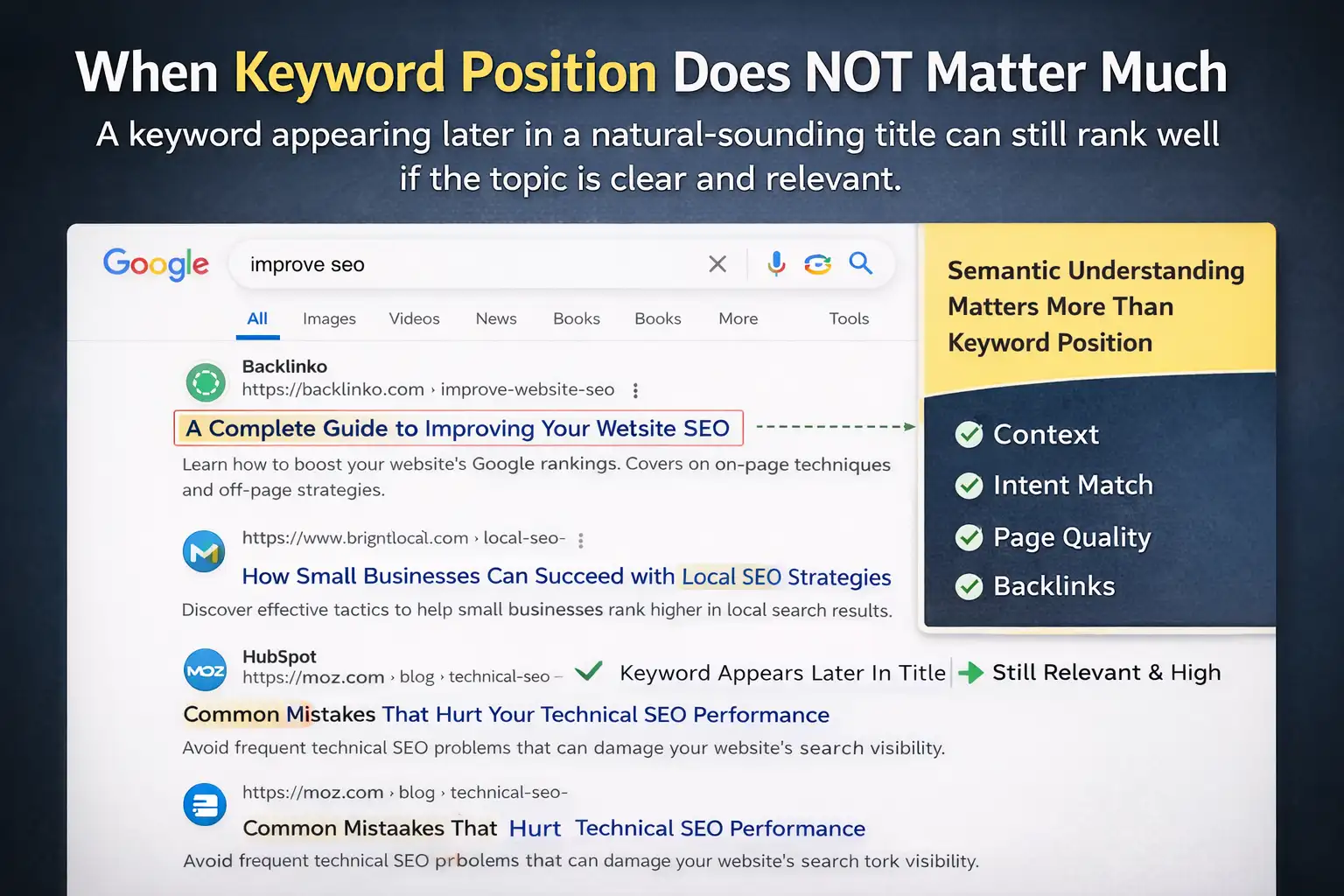
Keyword placement in a title can help clarity, but it is not always a decisive ranking factor. Search engines today evaluate meaning, context, and intent rather than relying only on where a keyword appears.
Why Google Still Understands Titles with Natural Language
Modern search systems rely heavily on semantic understanding and natural language processing. Instead of matching exact phrases only at the beginning of titles, algorithms analyse the entire sentence to determine what the page is about.
This means a keyword appearing later in a title can still signal strong relevance if the overall topic is clear.
Examples:
“A Complete Guide to Improving Your Website SEO”
“How Small Businesses Can Succeed with Local SEO Strategies”
“Common Mistakes That Hurt Your Technical SEO Performance”
The Real Ranking Factor: Topic Relevance, Not Position
High rankings usually come from how well a page satisfies the user’s search intent and how authoritative the content appears overall. Keyword placement alone cannot make weak content perform well in search results.
Major ranking signals include:
- High-quality page content
- Relevant backlinks
- Clear match with search intent
- Strong internal linking structure
Natural Keyword Placement Frameworks That Work Consistently
Great SEO titles rarely come from stuffing keywords everywhere. Structure matters more. When keywords sit inside clear frameworks, titles read naturally and still signal relevance.
The Colon Method (Keyword + Benefit)
The colon format splits a title into topic and payoff. The keyword sets context, while the phrase after the colon promises a benefit.
Examples:
SEO Keyword Placement: A Simple Strategy That Improves Rankings
Blog Title Writing: Techniques That Increase Clicks
Content Optimization: Practical Ways to Rank Faster
The Question Framework
Questions mirror how people search. When a title reflects a real query, it triggers curiosity and signals relevance to search engines.
Examples:
Where Should You Place Keywords in a Blog Post
How Does Keyword Placement Affect SEO
Are You Using Keywords Naturally in Content
The Action Hook Structure
Action-led titles start with momentum. A strong verb pushes the reader toward a result and makes the benefit feel immediate.
Examples:
Improve CTR with Smarter Keyword Placement
Boost Blog Traffic with Strategic Keywords
Write SEO Titles That Rank and Get Clicks
The 60-Character Rule Most SEO Guides Explain Wrong
Most SEO advice says titles should stay under 60 characters. That guideline is useful, but it is not the real rule. What actually matters is how much horizontal space the title occupies in search results.
Search engines display titles based on pixel width, not raw character count.
Pixel Width vs Character Count
Search engines usually show titles up to about 580 pixels wide on desktop. Because each letter has a different width, two titles with the same character count can display very differently.
Wide letters like W or M consume more space, while narrow ones like I or l use far fewer pixels. This means a 55-character title can still get truncated if it contains many wide letters.
| Title Factor | What It Means |
|---|---|
| Character count | Total letters in the title |
| Pixel width | Actual display space used in search |
| Result | Truncation depends on pixels, not characters |
Where the Hook Should Appear
The most important part of a title should appear early. Ideally, place the primary keyword and the value hook before the first 50 characters.
Search engines often cut off the end of long titles when they exceed the display width. When the hook appears late, users never see the benefit or promise that encourages the click.
For example:
Good: Best Email Marketing Tools for Small Businesses (2026)
Truncated: Email Marketing Platforms Compared for Growing Small Busines…
Why Google Rewrites Some Meta Titles (And How Placement Triggers It)
Google sometimes rewrites page titles in search results when a title feels unclear, misleading, or overly optimised. When that happens, Google replaces it with something more descriptive.
H1 and Meta Title Mismatch
Google expects the page headline (H1) and the meta title to point to the same topic. When the wording or promise is very different, the algorithm may assume the title is misleading and generate a new one.
Example
Meta Title: Best Keyword Strategy for SEO
H1: Simple On-Page SEO Guide
Keyword Stuffing Signals
Repeating the same keyword several times sends a clear over-optimisation signal. Google often shortens or rewrites titles that look built purely for ranking.
Common mistakes
Keyword Placement | Keyword Placement Guide | Keyword Placement Tips
Best SEO Tool | SEO Tool Best | Top SEO Tool
Cheap Flights | Cheap Flight Deals | Cheap Flight Offers
A Simple Checklist for Writing High-CTR Meta Titles
A strong meta title does three things well: it’s clear, relevant, and sparks curiosity. If any of these are missing, searchers often scroll past. If you’re unsure where meta titles are added in a blog, learn how to add a meta title to a blog post before applying this checklist. Use this quick checklist before publishing.
✅ Place the primary keyword within the first 3 words when possible
✅ Keep the total length under 60 characters
✅ Show a clear benefit or outcome for the reader
✅ Use natural wording that sounds human, not robotic
✅ Match the exact search intent behind the query
✅ Keep it similar to the H1 but not exactly the same
✅ Add a subtle curiosity hook without sounding clickbait
✅ Avoid filler words that waste character space
Quick tip: After writing the title, read it once like a searcher scanning results. If the value isn’t obvious in two seconds, tighten it.
The Real Answer: Keyword Position Matters More for Clicks Than Rankings
Search engines and readers evaluate titles differently. A keyword helps a page get discovered, but where it appears often shapes whether someone actually clicks.
Here’s the practical balance. Search engines mainly need the keyword to understand the topic and index the page correctly. Readers, on the other hand, scan results quickly. When the keyword appears early and the title reads clearly, it signals relevance instantly and improves click-through rates.
Key takeaways:
- Keywords help search engines understand and index content.
- Early keyword placement improves scannability in search results.
- Clear, natural titles perform better than forced keyword placement.
- The smartest titles satisfy algorithms while still reading naturally to humans.
— clarity earns clicks, not complexity —
