How to Fix Back Button Hijacking: A Guide to Google’s New Malicious Practices Policy
You know that moment. You hit the back button to leave a site… and it doesn’t let you go. It reloads. Or throws an ad. Or sends you somewhere you never asked to be.
That’s exactly what Google is targeting now.
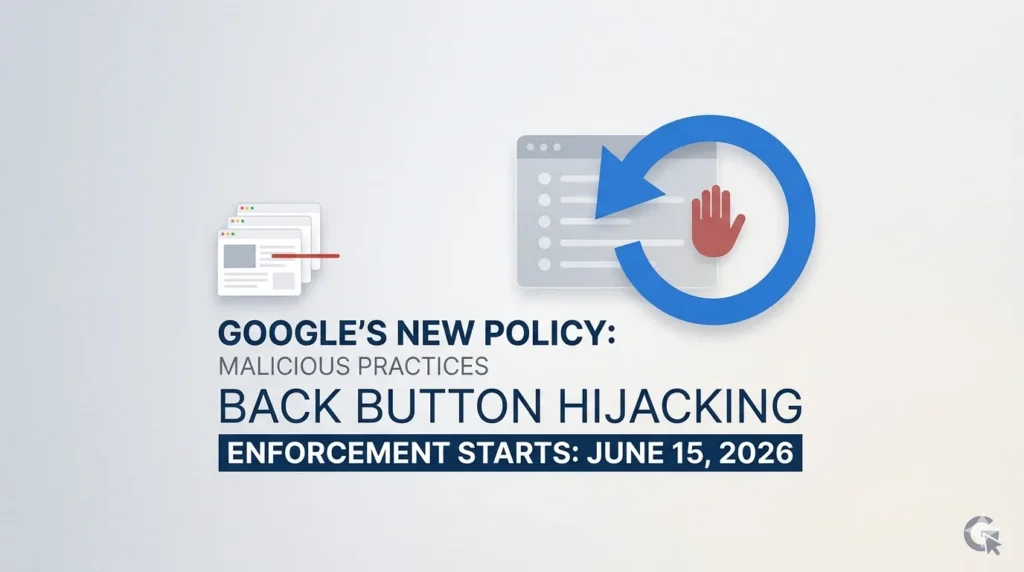
On April 13, 2026, Google officially classified back button hijacking as a malicious practice. And they’ve given you a deadline: June 15, 2026.
After that, this stops being a “bad UX habit” and starts hurting your rankings.
What Changed (And Why It Matters More Than You Think)
Let’s keep this simple.
If your site interferes with a user’s ability to go back to the previous page, you’re now violating Google’s spam policies.
That includes:
- Blocking the back button
- Injecting fake pages into browser history
- Redirecting users to unexpected pages
- Triggering ads or popups when they try to leave
This isn’t new behavior. What’s new is the consequence.
Before: Annoying, but mostly ignored
Now: Manual penalties + ranking demotions
Google’s reasoning is blunt:
If users feel trapped, they stop trusting the web.
And when trust drops, everything else follows.
The Real Problem: This Isn’t Always Your Fault
Here’s where most blogs get it wrong.
They’ll tell you: “Don’t hijack the back button.”
But most site owners aren’t doing this intentionally.
In reality, it usually comes from:
- Low-quality ad networks trying to boost impressions
- Old exit-intent popups
- “Spin-to-win” or gamified lead capture tools
- Aggressive yield optimization scripts
- Misused browser APIs like history.pushState
That means your site could already be violating this policy… without you realizing it.
🧪 The “Shadow Audit” — 30-Second Test That Could Save Your Rankings
Don’t overthink this. Just test it like a real user.
Step by step:
- Open your site in Incognito mode
- Use a mobile browser (this is where it’s worst)
- Click into any internal page
- Hit the back button repeatedly
- Watch for this:
It takes multiple clicks to go back / The same page reloads again / A popup blocks navigation / You land on a page you never visited / Ads appear when exiting
If any of that happens, you’ve got a problem.
⚠️ Critical: Run this audit on every device: iPhone (Safari), Android (Chrome), and low 3G network. That’s where backbutton abuse is most aggressive.
Why Google Is Cracking Down Now
This isn’t just about navigation.
It’s about dark patterns.
When users feel manipulated:
- They don’t convert
- They don’t return
- They don’t trust your brand again
What this really means is…
The old “trap-and-convert” playbook is dead.
You can’t force attention anymore. You have to earn it.
How to Fix It (Without Breaking Your Site)
Let’s get practical.
1. Audit Your Third-Party Scripts
Start here. This is the biggest risk area.
Check:
- Ad tags
- Popup tools
- Analytics scripts
- Tag managers
If you didn’t build it yourself, don’t assume it’s safe.
2. Look for History API Abuse
Developers sometimes use:
- history.pushState
- history.replaceState
These are fine when used correctly.
They become a problem when they:
- Insert fake navigation steps
- Prevent normal back navigation
If your dev team is using these, review the logic carefully.
3. Remove or Replace Aggressive Exit-Intent Tools
Old-school exit popups often:
- Intercept back button behavior
- Trigger on navigation attempts
Replace them with:
- Scroll-based triggers
- Time-based prompts
- Or just remove them entirely
4. Test Like a Real User (Not a Developer)
Desktop testing isn’t enough.
You need to check:
- Mobile Chrome
- Mobile Safari
- Low network conditions
Because that’s where these issues show up the most.
5. Talk to Your Ad Network
If ads are the issue, don’t guess.
Ask them directly:
- Do your scripts modify browser history?
- Do they trigger on back navigation?
If they can’t give a clear answer, that’s your answer.
Old vs New: What “Safe” Looks Like Now
Old Approach
Back button triggers popup
Fake pages added to history
Exit ads on navigation
Google’s View
Manipulative
Malicious
Deceptive
✅ Compliant: Clean back navigation
Simple rule:
If the user tries to leave, let them leave.
What Happens If You Ignore This
After June 15, 2026:
- Your rankings can drop
- You can get a manual action
- Recovery will take time (even after fixing)
And here’s the part most people underestimate:
Even if you recover rankings, you don’t instantly recover trust.
The Bigger Shift: SEO Is Becoming UX Enforcement
This update isn’t isolated.
It’s part of a larger trend:
Google is turning UX mistakes into ranking factors.
Not page speed hints.
Not suggestions.
Enforced standards.
Final Take
This isn’t about compliance. It’s about alignment.
If your growth depends on trapping users, it was already fragile.
The sites that win now are simple:
- Fast
- Predictable
- Respectful of user intent
Fixing back button hijacking isn’t just about avoiding penalties.
It’s about building a site people don’t feel the need to escape from.
Quick Action Checklist
- Run the 30-second back button test
- Audit all third-party scripts
- Remove or fix history manipulation
- Replace aggressive exit tools
- Re-test on mobile
Do this now, not in June.
Because once enforcement starts, you won’t be debugging quietly… you’ll be recovering publicly.
This update was officially announced by Google. You can read the full details on the Google Search Central Blog (Back Button Hijacking Policy) .
— build trust, not traps —
 Add Content Decoded as a preferred source