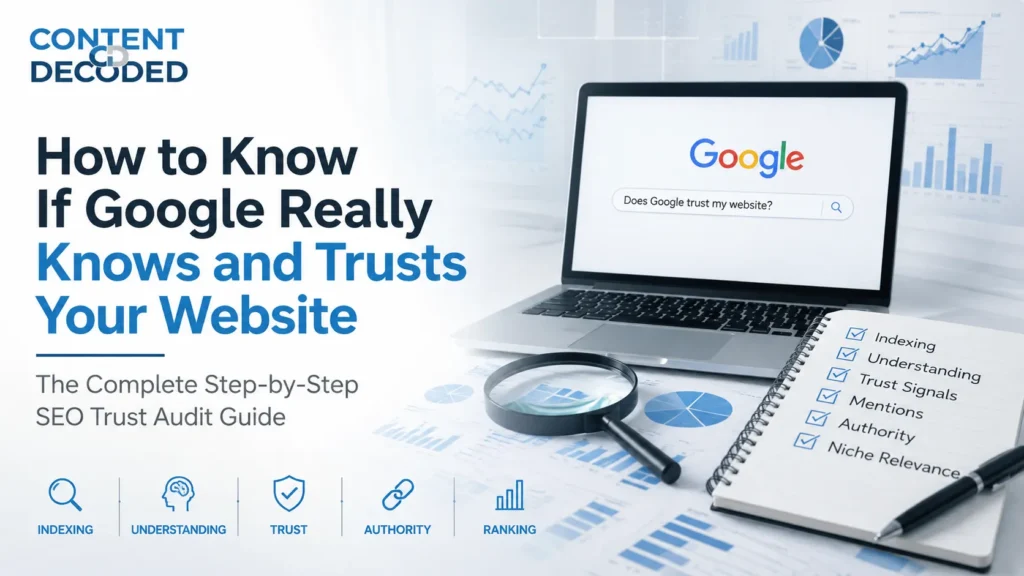
How to Know If Google Really Knows and Trusts Your Website
Most people assume that once a website is live, Google instantly understands and trusts it. That’s not how it works. Google first discovers and indexes your pages, then slowly figures out what your site is about, and only after that does it start building trust based on signals.
The direct answer is this: you can tell if Google knows and trusts your website by running specific searches and observing what shows up. If your pages appear, your brand is clearly defined, and your site shows up beyond just your name, Google knows and is starting to trust you. If not, it either hasn’t understood your site yet or doesn’t see it as reliable.
Let’s go step by step.
1. Indexing & Awareness Signals (Does Google Know You Exist?)
These are your foundation checks. If these fail, nothing else matters.
Search: site:yourdomain.com
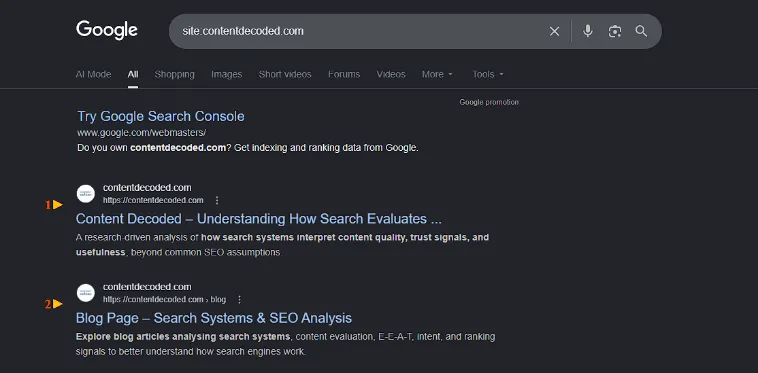
If you see results:
- Google has indexed your website
- It knows your pages exist
- You’re eligible to appear in search results
If you see little or nothing:
- Google has discovered but not crawl or index your site properly
- Or your pages are blocked / low priority
- Or your site is too new or too weak
Screenshot: The search results page shows a Google Search Console promotion followed by indexed links to the Content Decoded homepage and its main blog page.
Search: site:yourdomain.com “unique sentence from your page”
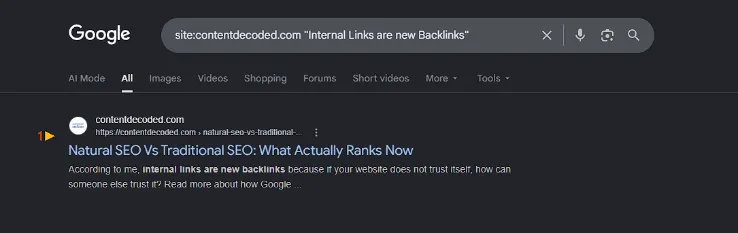
If your page appears,
- That exact page is indexed
- Google has processed your content correctly
If it doesn’t appear:
- That specific page is not indexed yet
- Or Google ignored it due to low value
Screenshot: The search results page displays a single indexed listing for the “Natural SEO Vs Traditional SEO” article, with the searched phrase bolded inside the description snippet.
Search: site:yourdomain.com/blog
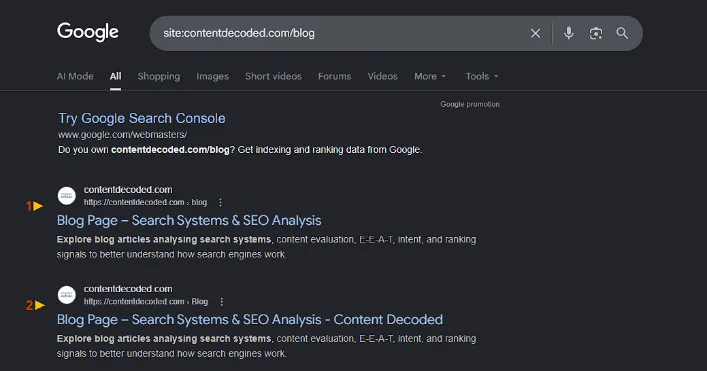
If blog pages appear:
- Google is indexing deeper content, not just your homepage
If only a few pages appear:
- Crawl depth is weak
- Internal linking might be poor
- Google doesn’t see your content as important yet
Screenshot: The search results page displays a Google Search Console message followed by two indexed listings pointing directly to the main “Blog Page – Search Systems & SEO Analysis”.
2. Brand Identity & AI Understanding (Does Google Understand You?)
Now we move beyond indexing into understanding.
Search: [Your Brand Name]
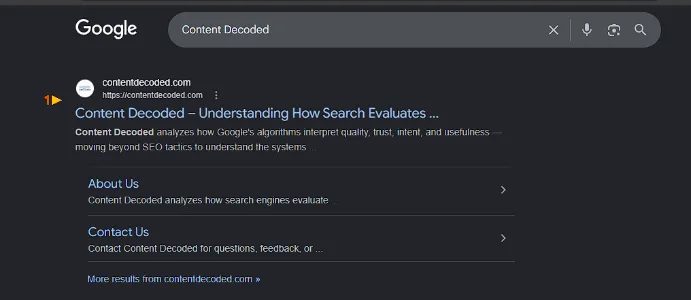
If you see:
- Clean result with sitelinks
- Possibly a Knowledge Panel or structured display
→ Google recognizes your brand as an entity
If results look scattered or unclear:
- Google doesn’t fully understand your brand yet
- Your identity signals are weak or inconsistent
If your site does not appear for the exact domain name, then checking your brand name, indexing status and trust signals will help.
Screenshot: The search results page shows the organic listing for contentdecoded.com with structured sitelinks for “About Us” and “Contact Us” beneath the main title.
Search: What is [Your Brand Name]?
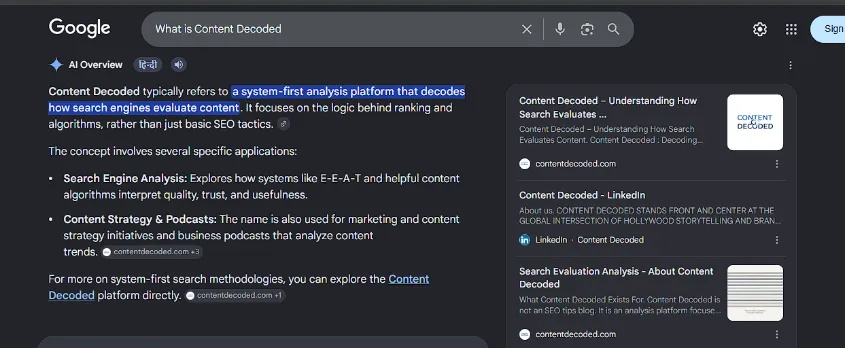
If an AI overview or snippet appears with accurate info:
- Google understands what you do
- Your niche and purpose are clear
If info is wrong or vague:
- Google is guessing based on limited data
- Your positioning is unclear across the web
Screenshot: The search results page features an AI Overview defining the platform alongside side panel links from contentdecoded.com, LinkedIn, and an About page.
Search: Give me a summary of the website yourdomain.com
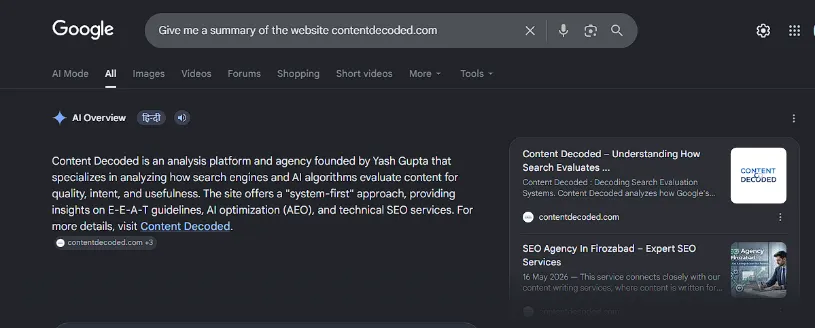
If the summary is accurate:
- Google has a strong understanding of your content, niche, and intent
If the summary is missing or incorrect:
- Your site lacks strong entity signals
- Content may not be structured or consistent enough
Screenshot: The search results page displays an AI Overview summary of website that names the founder, Yash Gupta, alongside sidebar link boxes for contentdecoded.com and a local SEO agency listing.
Search: [Your Brand Name] “is a” OR [Your Brand Name] “provides”
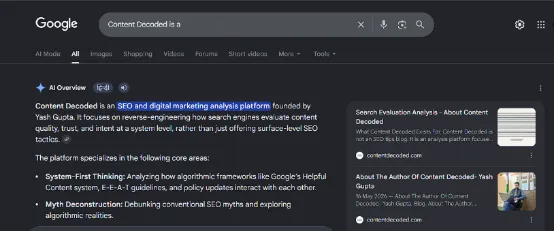
If you see accurate summaries, Google’s algorithms have crawled enough external articles to form a definitive, one-sentence consensus on your business category.
If you see zero results or weird snippets: the web isn’t talking about you clearly enough, leaving Google’s NLP (Natural Language Processing) guessing at your core identity.
Screenshot: The search results page displays an AI Overview defining the site as an SEO and digital marketing analysis platform, with side panel boxes pointing to contentdecoded.com search evaluation and author pages.
3. Trust & Reputation Signals (Does Google Trust You?)
This is where most sites struggle.
Search: [Your Brand Name] reviews
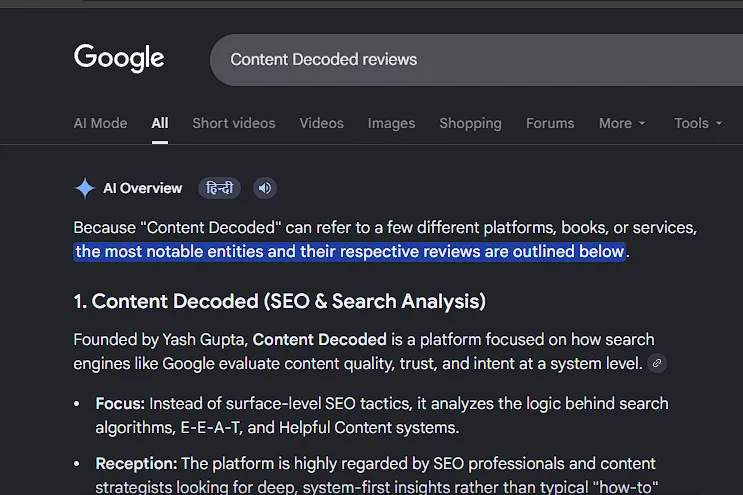
If you see:
- Positive discussions
- Balanced reviews across platforms
→ Strong trust signals
If you see:
- Negative threads dominating
- Complaints or scam-related discussions
→ Trust is weak or damaged
Screenshot: The search results page features an AI Overview panel breaking down the professional reception of Content Decoded alongside two side-panel result boxes from contentdecoded.com.
Search: Is [yourdomain.com] safe
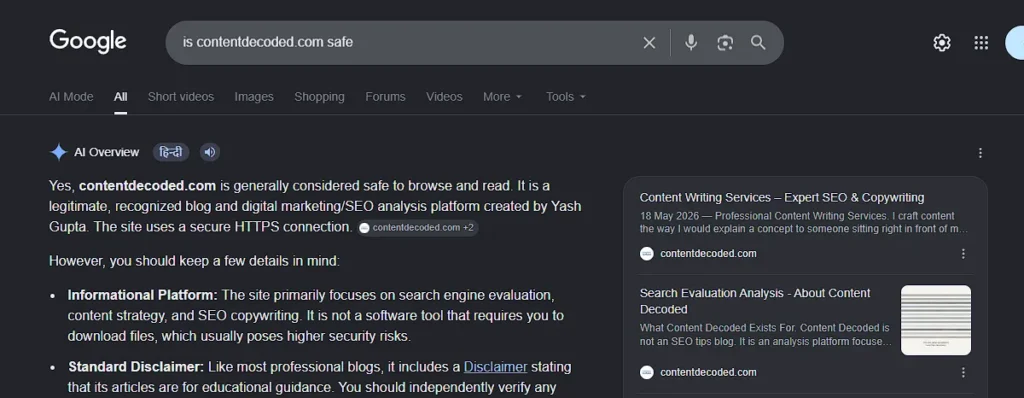
If results indicate safety or neutrality:
- No major red flags
- Google sees your site as safe
If results show warnings or doubts:
- Trust signals are weak
- External perception is hurting you
Screenshot: The search results page displays an AI Overview stating that the website is generally considered safe to browse, next to a side panel containing two link blocks for the domain. .
Search: [Your Brand Name] legit
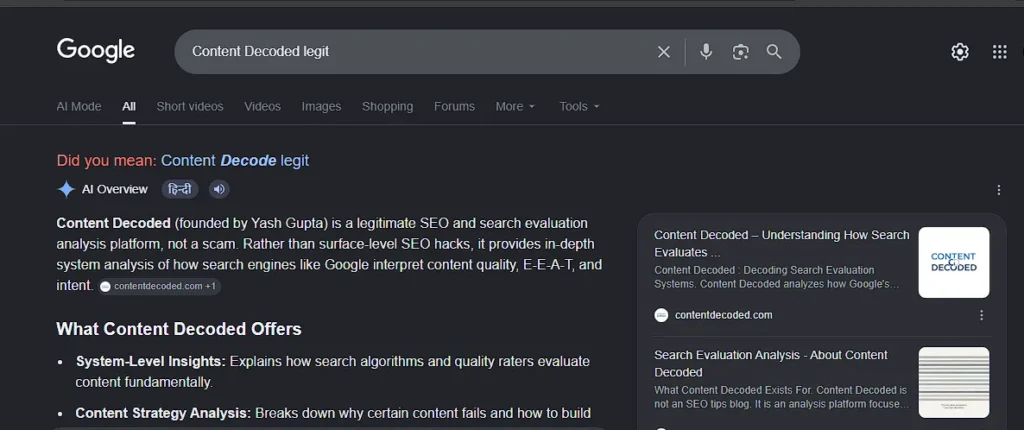
If nothing concerning appears:
- You’re in a safe zone
If forums questioning your legitimacy appear:
- Google associates your brand with uncertainty
- Needs reputation repair
Screenshot: The search results page displays an AI Overview explicitly affirming that Content Decoded is a legitimate platform, accompanied by a sidebar displaying two contentdecoded.com links. .
4. Off-Site Mentions & Authority Signals (Who Talks About You?)
This is one of the most important sections.
Search: “yourdomain.com” -site:yourdomain.com
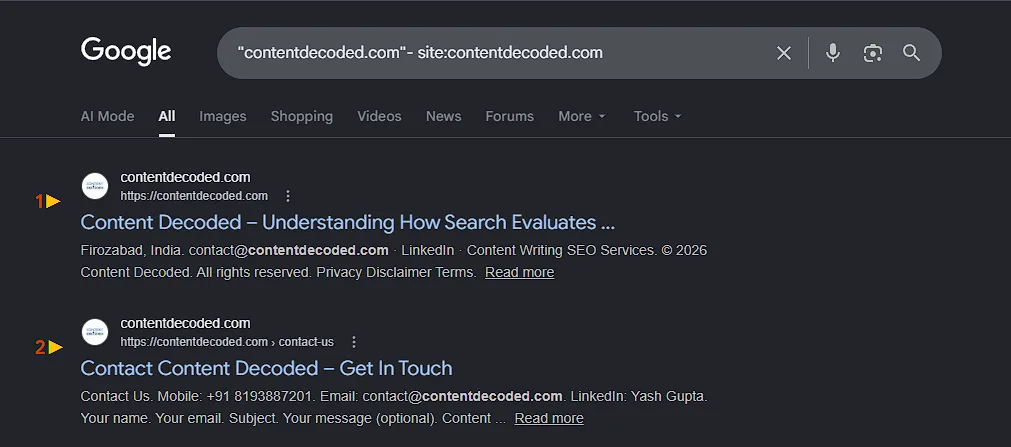
If you see multiple mentions:
- Other websites reference you
- Google sees you as part of the web ecosystem
If you see nothing:
- You have zero external footprint
- Google has no reason to trust you yet
Screenshot: The search results page features a “Missing: related” notice and displays a single organic link pointing to the domain’s Contact page. That’s happening because my site is new and has no external backlinks.
Search: “[Your Brand Name]” -site:yourdomain.com
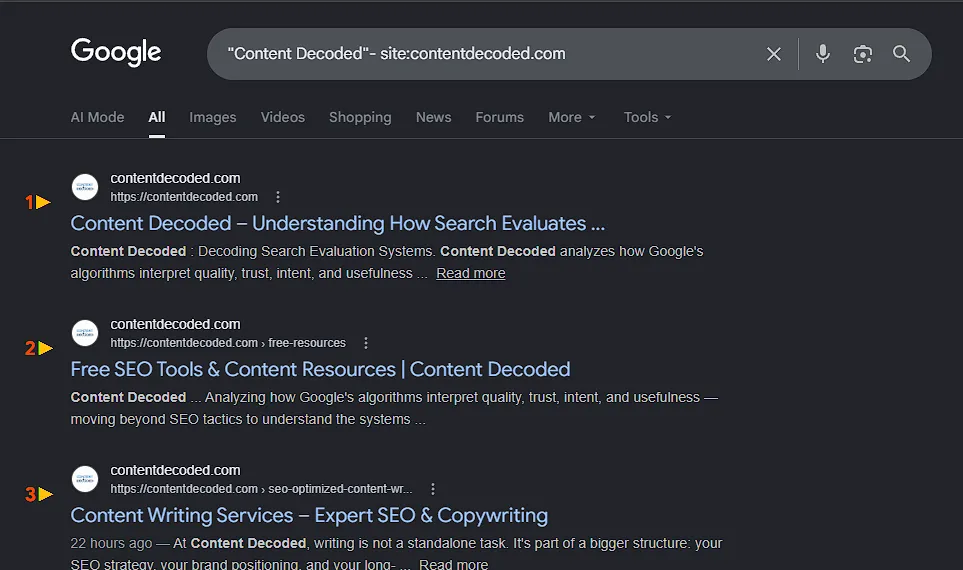
If results include blogs, forums, or articles:
- Your brand exists beyond your own site
- Trust and recognition are building
If results are empty:
- Your brand has no external validation
Screenshot: The search results page shows a single organic link to the domain’s Contact Us page along with a highlighted text snippet matching the brand name. Reason same like above.
Search: “[Founder/Main Author Name]” [Your Niche Keyword]
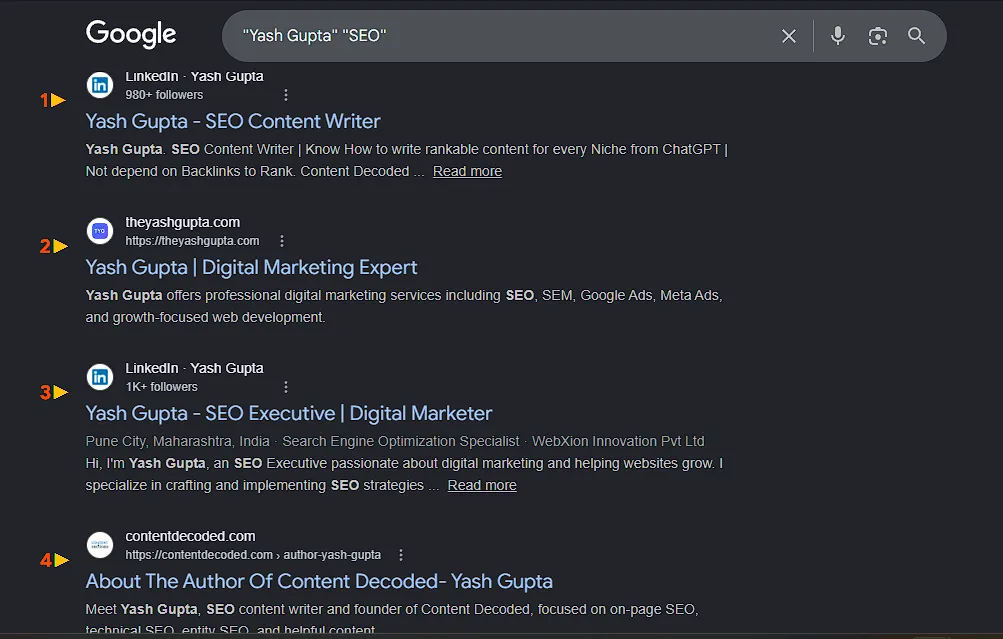
If you see their author bio page, guest posts, and social profiles, Google recognises the creator of your content as an established topical authority. This transfers massive trust directly to your domain.
If nothing connects: Google views your content as essentially anonymous. You need to build out an author schema, link to the author’s social media platforms, and get them featured on external websites within your niche.
But you can build topical authority by focusing on content even without an author, and there’s no need to panic if your author bio or page isn’t visible. But it may affect ranking for certain niches and queries.
Screenshot: The search results page shows a list of organic search results, including a personal website, a LinkedIn profile, and an author page link for Yash Gupta on contentdecoded.com.
5. Niche & Competitor Understanding (Where Does Google Place You?)
Google doesn’t just rank you—it categorises you.
Search: related:yourdomain.com
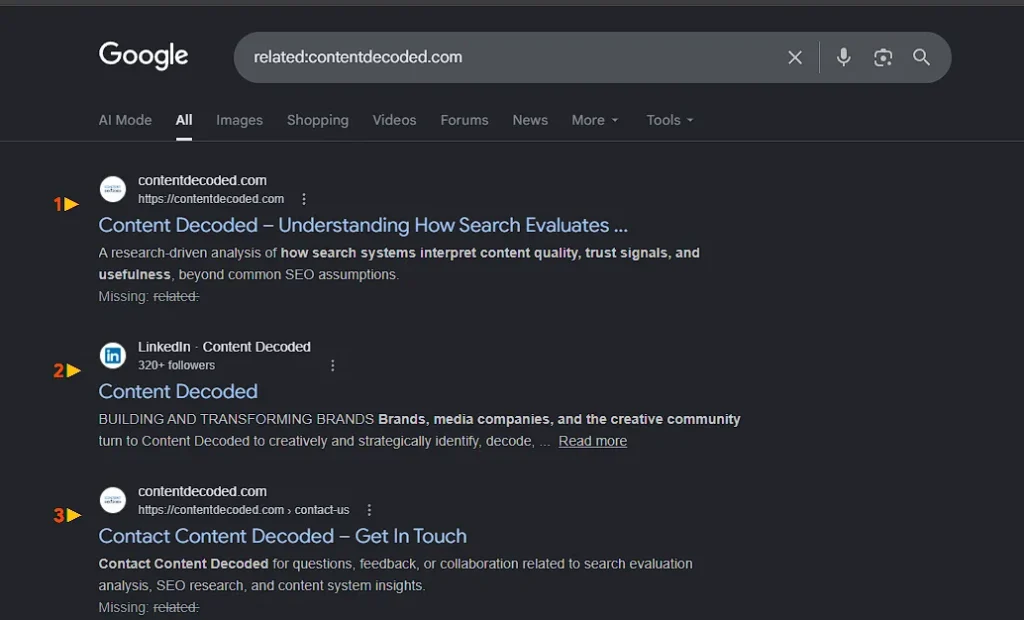
If you see your actual competitors:
- Google understands your niche correctly
If results are irrelevant or empty:
- Your niche signals are weak or confusing
Note: If your site is new, this may return blank—don’t panic; it just means you need more entity weight
Screenshot: The search results page displays a “Missing: related” notice alongside a single organic search result linking back to the domain’s Contact Us page. It means Google still has some confusion in my niche, or my niche is too unique.
Search: [Competitor Name] vs
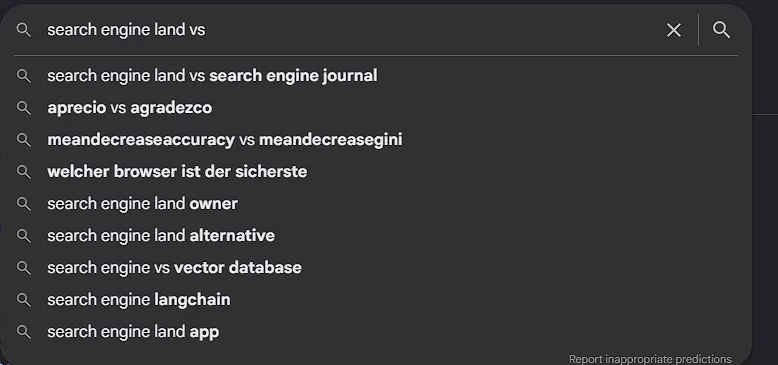
If your brand appears in suggestions:
- Google sees you as a comparable player
If it doesn’t appear:
- You’re not recognized in the competitive space yet
Screenshot: The search page displays the Google search bar with a live autocomplete dropdown menu suggesting comparison terms like “Search Engine Land vs Search Engine Journal”.
Search: alternatives to [Your Brand Name]
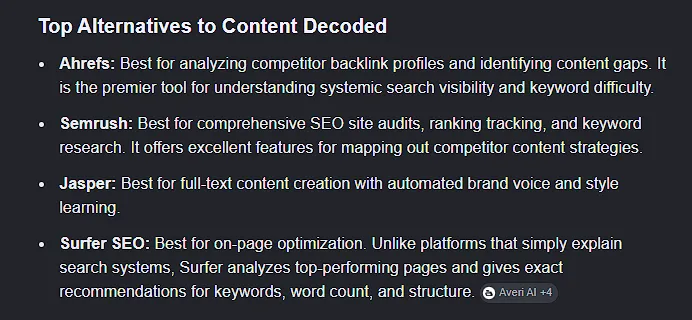
If relevant competitors show:
- Google knows your category
If results are off-topic:
- Your positioning is unclear
Screenshot: The search results page features an AI Overview listing digital resources and analysis methods as alternatives of my website, alongside two sidebar link boxes for contentdecoded.com, which means Google knows my category clearly..
6. Keyword Trust Signals (Is Google Testing Your Content?)
This is a subtle but powerful indicator.
Search: site:yourdomain.com [your main keyword]
![Screenshot site:yourdomain.com [your main keyword]](https://contentdecoded.com/wp-content/uploads/Screenshot-site_yourdomain.com-your-main-keyword.webp)
If multiple relevant pages appear:
- Google trusts your topical coverage
If nothing appears:
- Your content isn’t associated with that keyword yet
Screenshot: The search results page shows a single organic search link to the “Blog Page – Search Systems & SEO Analysis” with the exact quoted phrase bolded inside the description snippet.
In Google Search Console: Check performance data:
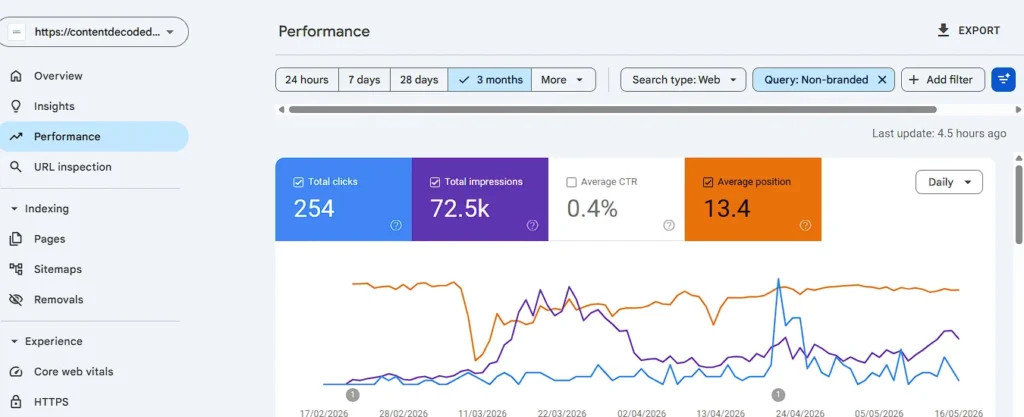
If you see:
- Impressions for non-branded keywords
- Growing keyword diversity
→ Google is testing and trusting your content
If you only see branded traffic:
- Google doesn’t trust you beyond your name yet
Screenshot: A Google Search Console performance dashboard showing 3-month data filtered for non-branded web queries
Extra Bonus – Go to Google Images and search [Your Brand Name]
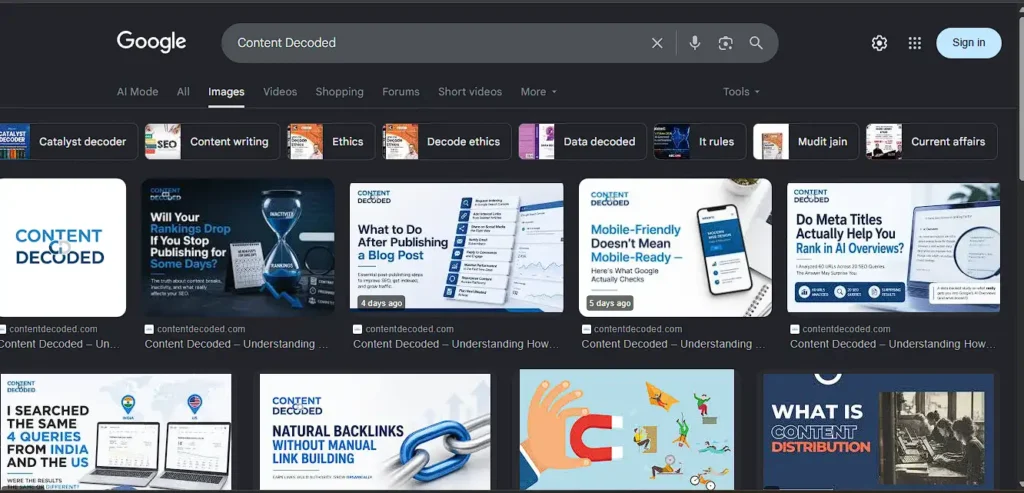
If you see your logo, your team, and your products: Google successfully ties your visual files to your brand entity. Pay close attention to the related filter tags at the top of the image results—those tags show the exact topics Google visually bridges to your brand.
If you see random, unrelated images: Your on-site images lack proper alt text, clean file names (e.g., brand-logo.png instead of IMG_4829.jpg), and Schema implementation.
Screenshot: A Google Image search results page for the branded query “Content Decoded”, displaying a grid of custom, high-quality article featured graphics from contentdecoded.com that confirm strong visual branding and indexing.
How to Fix a Bad Trust Audit
- If you failed Section 1 (Indexing): Dive into Google Search Console, submit your XML sitemap, and check your robots.txt file to ensure you aren’t accidentally blocking Googlebot.
- If you failed Sections 2 & 5 (Identity & Niche): Implement Organization Schema Markup and ProfilePage Schema in your site’s code. This tells Google’s Knowledge Graph explicitly who you are, who works for you, and what you do without making the AI guess.
- If you failed Sections 3 & 4 (Trust & Mentions): Focus on digital PR. Reach out to niche podcasts, land guest articles on established domains, and claim all your primary brand social profiles (LinkedIn, X, YouTube) using the exact same brand spelling. Try to earn natural backlinks through content.
How to Gain Trust and Help Google Understand Your Website
Once you’ve run these checks, the next step is obvious: fix what’s missing.
But this isn’t about hacks. It’s about building real signals.
1. Optimize Your Two Pillars of Trust (Homepage & About Page)
Google’s AI and quality checkers look at these two pages first to verify your business legitimacy. Fix that by:
- Clarifying your Homepage H1: Use exact industry terms (e.g., “accounting software”), not vague marketing fluff.
- Adding Real-World Footprints: Include a physical address, phone number, and official email (@yourdomain.com) in the footer.
- Killing Stock Photos on the About Page: Use real photos of your team or office. Faceless sites signal low trust.
- Displaying Credentials: Show badges for industry awards, certifications, or media mentions prominently. Credentials will not direct help but are still important for trust signals.
2. Strengthen Your Identity (Clarity First)
Google struggles when your site is vague.
Fix that by:
- Clearly stating what you do (homepage + headings)
- Keeping your niche focused
- Avoiding mixed or unrelated topics
Your site should answer instantly.
Who are you? What do you do? Who is it for?
3. Build Real-World Credibility Signals
Google trusts what others say about you more than what you say yourself.
Start building:
- Mentions on blogs and websites
- Guest posts in your niche
- Profiles on trusted platforms
Even small mentions matter in the beginning.
4. Improve Content Depth and Consistency
Thin content kills trust.
Instead:
- Go deeper on topics
- Answer complete user intent
- Cover related subtopics properly
- Give answer early to come get feature in AI overview as source
Consistency matters more than volume.
5. Fix Technical Trust Issues
Use Google Search Console to:
- Resolve indexing errors
- Improve crawlability
- Ensure important pages are prioritized
A technically messy site signals low reliability.
6. Create Strong Internal Linking
Help Google understand your structure:
- Link related articles together
- Highlight important pages
- Build clear content clusters
This improves both indexing and authority.
7. Stay Consistent Over Time
This is where most fail.
Google watches:
- Publishing patterns
- Content quality consistency
- Growth of mentions
Trust isn’t built in days—it’s built through repetition. Publishing frequency will not affect ranking, but consistency is important to build trust at least in the early phase.
Conclusion
Google doesn’t operate on blind faith.
It observes, tests, and gradually decides whether your website deserves visibility.
If Google:
- indexes your pages quickly
- understands your niche clearly
- sees others talking about you
- and trusts your content enough to rank beyond your brand
Then you’re on the right track.
If not, the signals above will show you exactly what’s missing.
Run these searches, read them honestly, and you’ll know where you stand.
And once you know that, improving your position becomes a lot more straightforward.
 Add Content Decoded as a preferred source