What to Do After Publishing a Blog Post or Article on Your Website?
Publishing a blog post is only the beginning. If you want your article to rank and bring consistent traffic, you need to take action right after it goes live. Submit the URL to search engines, add internal links, share it on social media, check indexing, improve engagement, and monitor performance during the first few days.
Most blog posts fail because they get published and forgotten. Search engines need signals to understand and trust your content, and readers need ways to discover it. The first few days after publishing are the most important for improving visibility and helping the article gain momentum.
If you want your content to actually grow instead of getting buried under thousands of other posts online, here’s exactly what you should do after publishing a blog or article on your website.
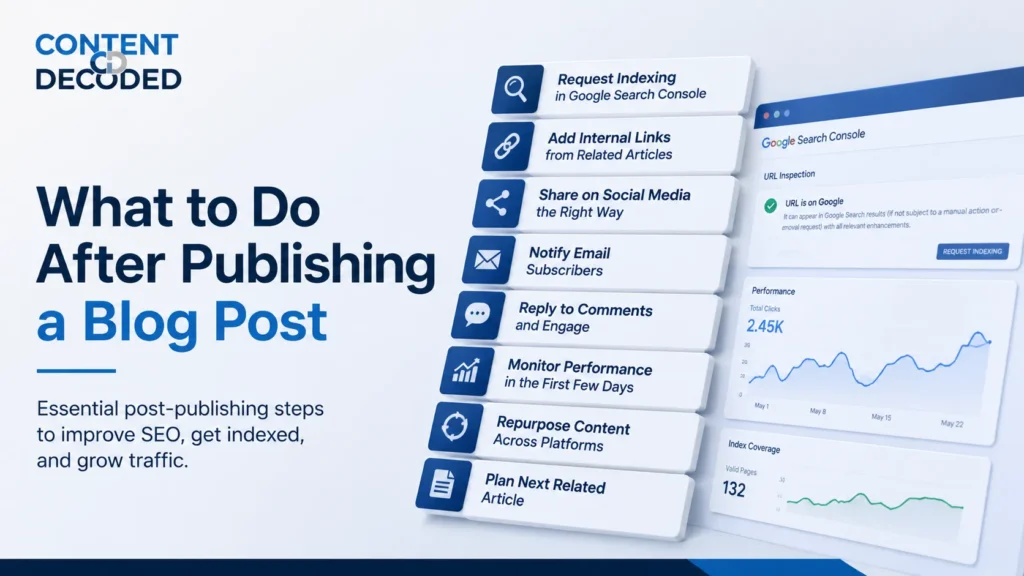
What to Do After Publishing a Blog Post
Check the Live Version Properly
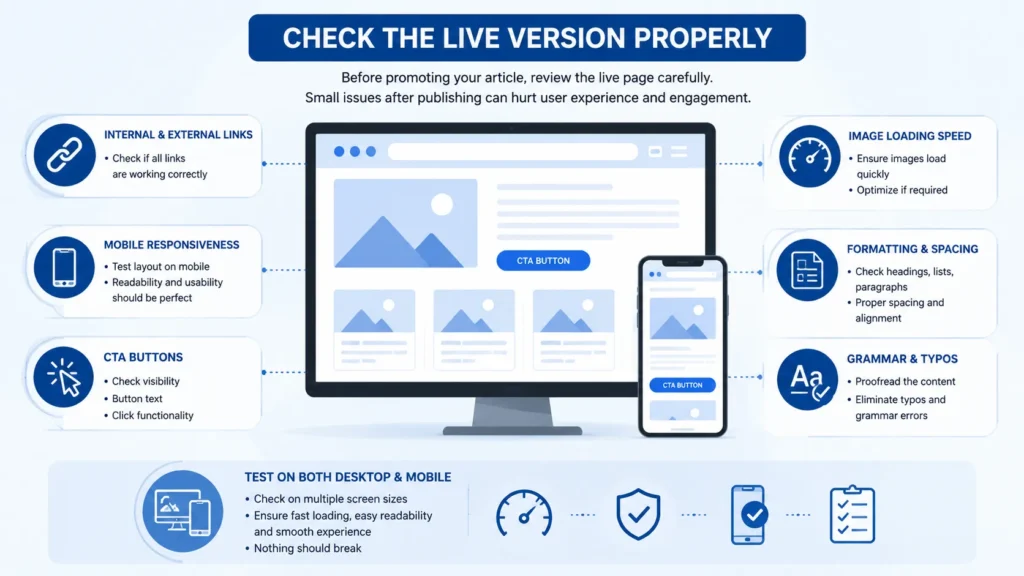
Before promoting your article, review the live page carefully because some issues only appear after publishing. Broken images, wrong links, poor spacing, or mobile layout problems can hurt user experience and reduce engagement.
Quickly check:
- Internal and external links
- Mobile responsiveness
- CTA buttons
- Image loading speed
- Formatting and spacing
- Grammar and typos
Always test the page on both desktop and mobile to make sure everything works properly. Keep special focus on making your blog mobile-ready, like how a blog should appear fast, content is readable early and nothing breaks the blog.
Request Indexing in Google Search Console
One of the biggest mistakes bloggers make is waiting for Google to discover new content on its own. Instead, submit the page manually through Google Search Console to help Google find and crawl it faster.
Steps:
- Open Google Search Console
- Paste your blog URL into URL Inspection
- Run the check
- Click “Request Indexing”
This won’t rank your page instantly, but it helps Google notice your content much faster.
Add Internal Links From Older Articles
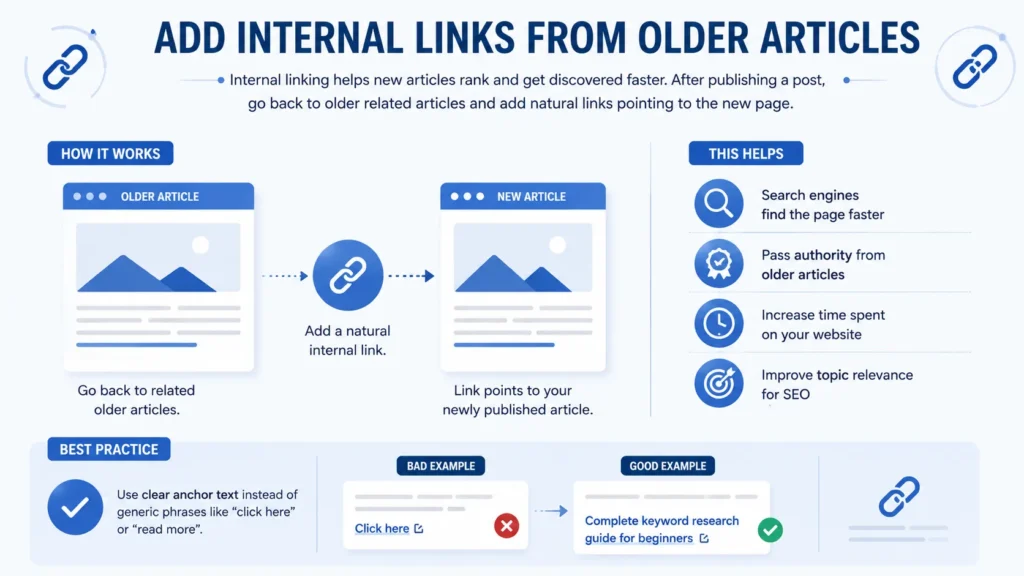
Internal linking helps new articles rank and get discovered faster, but many bloggers skip it. After publishing a post, go back to older related articles and add natural links pointing to the new page.
This helps:
- Search engines find the page faster
- Pass authority from older articles
- Increase time spent on your website
- Improve topic relevance for SEO
Use clear anchor text instead of generic phrases like “click here” or “read more”. For example, write “complete keyword research guide for beginners” instead of “click here”.
Share the Blog on Social Media Platforms
Publishing a blog without promoting it is one of the biggest reasons articles fail to get traffic. But posting the same link everywhere rarely works anymore. Customise your content for each platform to increase clicks and engagement. Share your blog to social media can get you traffic fast.
- LinkedIn & X (Twitter): Share a useful insight, common mistake, surprising fact, short story, or strong opinion from the article instead of simply saying, “New blog is live.”
- Instagram: Create carousel posts, short videos, infographics, story links, or quick tips from the article. Plain blog screenshots usually perform poorly.
- Pinterest: Design multiple vertical pins with different headlines, colours, and layouts. One good pin can drive traffic for months.
- Facebook Groups: Share content only in relevant groups. Focus on answering questions and adding value first, then mention your article naturally when it helps the discussion.
Send the Blog to Your Email Subscribers
Your email list is usually your most trusted audience because these people already chose to follow your content.
After publishing a blog post, send a short email introducing the article, but avoid writing boring updates that sound automated.
Instead of writing:
“A new article was published on our website.”
Write something more engaging by:
- Mentioning a common problem
- Sharing one useful takeaway
- Creating curiosity
- Talking naturally
People open emails because they want value, not announcements.
Even a small email list can bring strong early engagement to a new article.
Reply to Comments Quickly
Most bloggers ignore comments, which is a missed opportunity.
When readers leave comments and get no response, the website feels inactive. But when the author replies, it creates conversation and builds trust.
Try to reply to every comment during the first 24–48 hours after publishing because early engagement matters.
Benefits of replying to comments:
| Benefit | Impact |
| Builds trust | Readers feel heard |
| Encourages more discussion | More people participate |
| Improves engagement | Visitors stay longer |
| Creates community | Readers return more often |
Even short replies are useful because active discussions make the blog feel alive.
Repurpose the Blog Into Different Content Formats
A single blog post should not remain only a blog post because you already invested time researching and writing it.
The smartest creators turn one article into multiple pieces of content.
You can repurpose your blog into:
| Content Type | Repurposing Idea |
| X Thread | Turn headings into short points |
| LinkedIn Post | Share one insight with personal opinion |
| YouTube Video | Explain the topic in detail |
| Short Video | Create quick educational clips |
| Instagram Carousel | Convert sections into slides |
| Newsletter | Share lessons from the article |
| Pinterest Pins | Design visual summaries |
This helps you reach different audiences without constantly creating brand-new ideas from zero.
Start Planning the Next Related Article
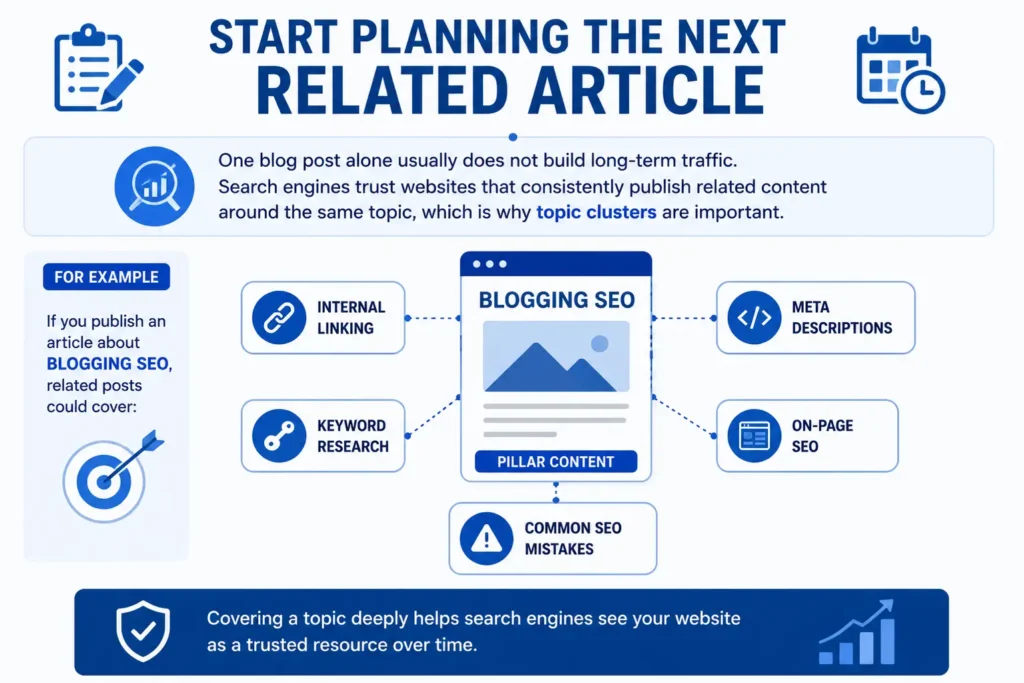
One blog post alone usually does not build long-term traffic. Search engines trust websites that consistently publish related content around the same topic, which is why topic clusters are important.
For example, if you publish an article about blogging SEO, related posts could cover:
- Internal linking
- Meta descriptions
- Keyword research
- On-page SEO
- Common SEO mistakes
Covering a topic deeply helps search engines see your website as a trusted resource over time, which is called topical authority.
What NOT to Do After Publishing a Blog Post
Do Not Panic About Rankings
Many beginners check rankings constantly after publishing a blog post, but new articles often fluctuate during the first few weeks. One day the page may rank well, and the next day/week it may disappear completely. That is a normal part of SEO, especially for newer websites.
Instead of stressing over daily ranking changes, focus on publishing quality content consistently and giving search engines time to understand your website.
Do Not Edit the Article Every Single Day
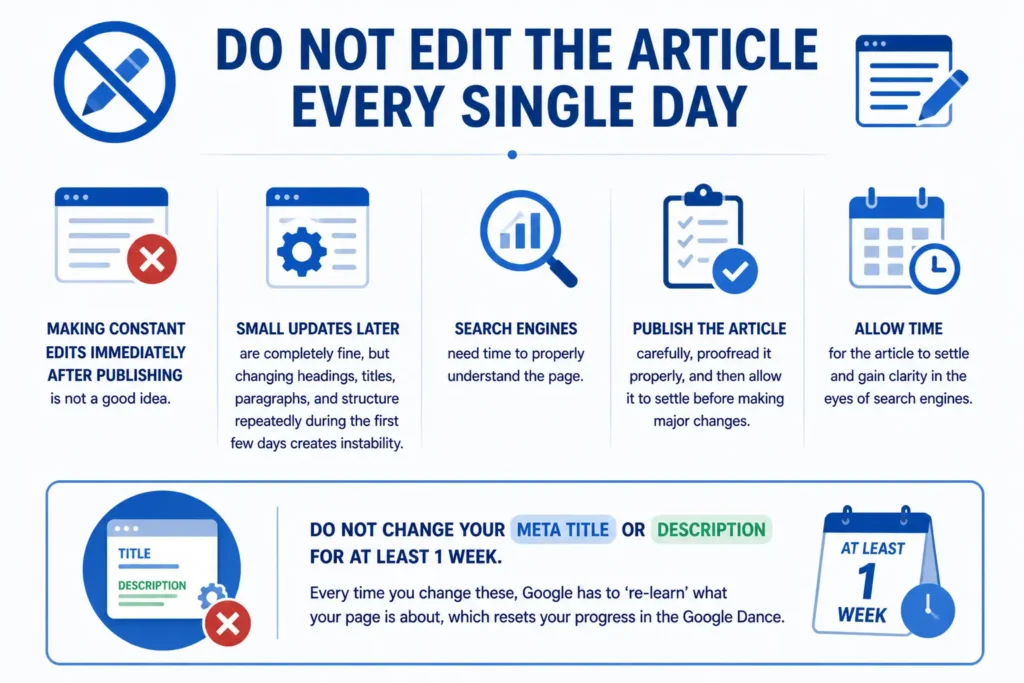
Making constant edits immediately after publishing is not a good idea.
Small updates later are completely fine, but changing headings, titles, paragraphs, and structure repeatedly during the first few days creates instability.
Search engines need time to properly understand the page.
Publish the article carefully, proofread it properly, and then allow it to settle before making major changes.
Do not change your meta title or description for at least 1 week. Every time you change these, Google has to ‘re-learn’ what your page is about, which resets your progress in the Google Dance.
Do Not Change the URL Slug
Changing the URL after publishing is one of the most common beginner mistakes.
For example:
Changing:
/seo-guide
To:
/best-seo-guide
can create problems such as:
- Broken links
- Lost traffic
- 404 errors
- Reset ranking signals
- Lost social shares
Unless absolutely necessary, never change the article URL after publishing.
Do Not Build Aggressive Backlinks Immediately
Some beginners start buying backlinks immediately after publishing because they want faster rankings.
This often creates unnatural patterns, especially when a brand-new article suddenly gains dozens of random backlinks.
Instead of rushing backlinks:
- Focus on good content
- Strengthen internal linking
- Promote naturally
- Build trust slowly
SEO growth usually works better when it happens naturally over time.
Do Not Delete a Blog Too Early
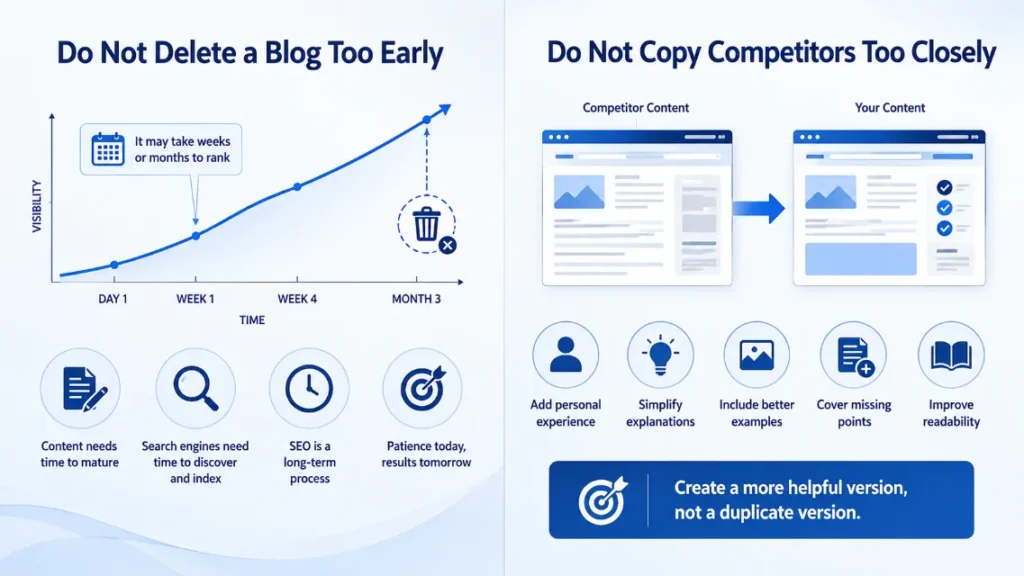
One of the biggest mistakes bloggers make is deleting articles too quickly because they did not rank within a few days.
Some blog posts take weeks or even months before gaining visibility.
Deleting content too early prevents the page from maturing and wastes all the effort already invested into writing and indexing it.
SEO is a long-term process, not an instant result system.
Do Not Copy Competitors Too Closely
Looking at competitors for inspiration is normal, but copying their structure, ideas, or writing style too closely creates weak content, so never copy structure, thoughts, word count from competitors.
Search engines prefer information gain in content that adds something useful or different
Instead of trying to imitate another website completely:
- Add personal experience
- Simplify explanations
- Include better examples
- Improve readability
- Cover missing points
Your goal should be creating a more helpful version, not a duplicate version.
The Google Dance Factor
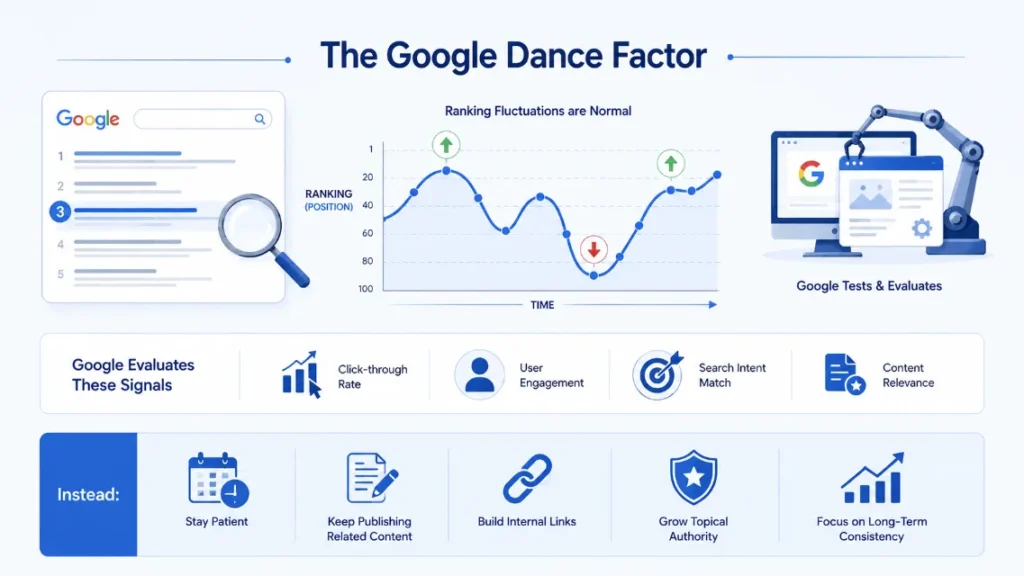
Many new bloggers panic when a fresh article ranks well for a few days and then suddenly drops. This is often part of the “Google Dance”, where Google temporarily tests new content in search results.
During this phase, Google evaluates signals like:
- Click-through rate
- User engagement
- Search intent match
- Content relevance
Ranking fluctuations are normal and do not automatically mean your content is poor. Avoid constantly changing titles or making random SEO edits after temporary drops.
Instead:
- Stay patient
- Keep publishing related content
- Build internal links
- Grow topical authority consistently
Long-term consistency matters more than short-term ranking spikes.
What to Do If Your Blog Is Not Indexed
If your blog post is not appearing in Google, check its indexing status in Google Search Console before making changes.
Discovered – Currently Not Indexed
Google knows the page exists but has not crawled it yet. This usually happens on newer websites or pages with weak internal linking. Improve internal links, update your sitemap, and request indexing again.
If this status is still appearing after doing everything, then your URL may have become stale, and Google has completely forgotten it now, so the only way is to redirect this URL to a new slug using a 301 redirect to refresh the queue and prompt Google to re-crawl your content.
Crawled – Currently Not Indexed
Google visited the page but chose not to index it. Common reasons include weak content, keyword cannibalisation, poor mobile experience, or technical SEO issues like misconfigured noindex tags and canonical errors.
Conclusion
Publishing a blog post is not the finish line. What you do after publishing often decides whether the article grows or gets ignored.
Focus on the basics consistently: check indexing, build internal links, promote the article properly, improve user experience, and keep publishing related content over time. Some posts may rank quickly, while others can take weeks or months to gain traction.
Instead of chasing quick results, focus on building a website that search engines and readers can trust long term.
 Add Content Decoded as a preferred source