How the Google Preferred Source Button Can Quietly Increase Your Traffic
The Google Preferred Source button is a simple link on your website that lets users tell Google, “I trust this site; show it to me more often.” Once someone selects your site, Google starts prioritising your content in their personal search results, so your articles appear more frequently and with better visibility for that user.
This increases your traffic because you are no longer competing from zero every time. Your site gets pushed higher for users who have chosen you, which leads to more repeat visits, better click-through rates, and steady returning traffic without relying only on rankings.
Most SEO still focuses on keywords and backlinks, but Google is shifting toward user preference and trust. Preferred Sources reflect this change by turning one-time visitors into repeat search users, making your traffic more consistent over time.
Why This Changes the Entire SEO Game
Traditional SEO is built on competition.
Every time someone searches, you are competing again from scratch.
Preferred Sources shift this model from competition to connection.
Instead of trying to win attention repeatedly, you create a direct link between your content and the user’s future searches. Over time, this becomes far more powerful than chasing new clicks again and again.
What this really means is that your growth becomes more stable, more predictable, and less dependent on constant ranking battles.
1. You Start Beating Bigger Websites Without Outranking Them
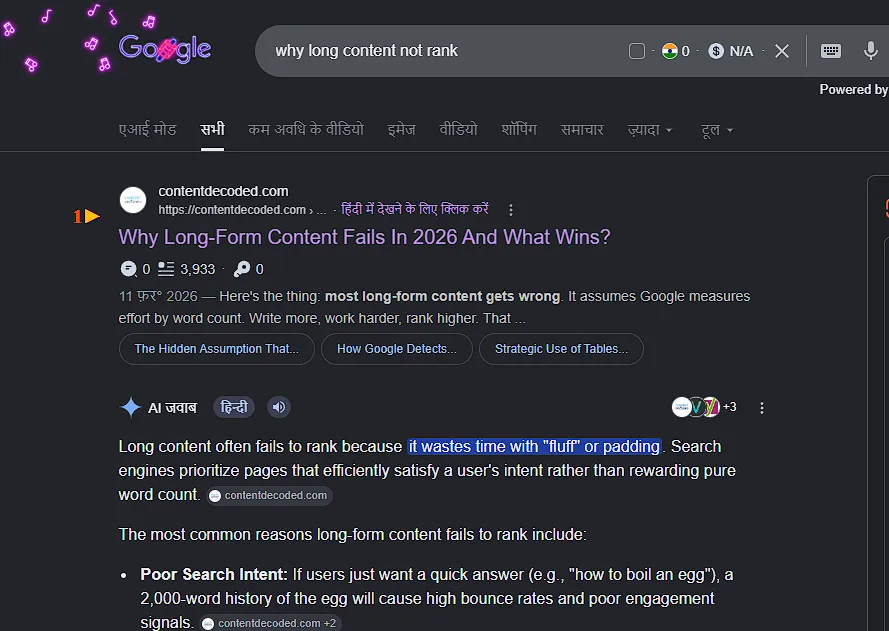
Normally, smaller websites struggle because large platforms dominate search results with stronger authority and backlinks.
In a typical scenario:
- Bigger sites rank higher
- Smaller sites get pushed down
- Users rarely explore beyond top results
When a user marks your site as a preferred source, things improve—but it is important to be clear: this is not a guaranteed ranking boost.
Google still depends on:
- Content relevance
- User intent
- Content quality
What actually changes:
- If your content matches the query well, it can appear higher
- Your site gets preference over competitors for that user
- Personal choice starts influencing rankings
What this really means
You are not beating big websites everywhere.
Instead:
- You can outrank them for users who selected you
- Only when your content is relevant and helpful
- And only within that user’s personalized results
| Scenario | Without Preferred Source | With Preferred Source |
| Poor content | Won’t rank | Won’t rank |
| Relevant content | May rank lower | Can rank higher (for that user) |
| High-quality content | Competes | Can outperform (for that user) |
So the advantage is not global ranking—it is personalized visibility where you already have trust.
2. You Gain Premium Visibility in Google’s Most Valuable Sections
Search results today are no longer just a list of links. The most attention goes to visual and highlighted sections that appear at the top.
These include:
- Top Stories
- AI-Overview
- Personalized content sections
Preferred Sources directly affect how often you appear in these areas.
As users select your site:
- Your articles show up more frequently in Top Stories
- You appear inside “From your sources” sections
- Your links stand out inside AI-generated answers as sources
This increased visibility is important because users tend to click what they notice first, and these sections receive the highest attention.
Why this matters:
| Feature Area | Normal Website | Preferred Source Website |
| Top Stories | Appears occasionally | Appears more often |
| AI Overview | Blends with others | Stands out clearly |
| Personalized sections | Rare | Frequent |
The difference is not just visibility but also how easily users recognise and trust your content.
3. Your Existing Audience Becomes a Traffic Engine
Most websites focus heavily on getting new visitors but often overlook the value of people who already trust their content.
These existing readers are your strongest asset.
If even a portion of them choose your site as a preferred source, they turn into a steady and recurring traffic source.
Before
Constant effort to attract new users daily
After
Stable traffic driven by returning readers
What changes:
- Traffic becomes more consistent
- You depend less on new users every day
- Loyal readers keep coming back automatically
This is where growth starts to compound over time.
4. It Protects You From Algorithm Changes

Search rankings can change quickly, and many websites experience sudden drops after updates.
This happens because traditional SEO relies completely on how Google evaluates content at a given moment.
Preferred Sources introduce a layer of protection because they are based on user choice, not just algorithm rules.
Here is the difference:
| Traffic Type | Nature | Stability |
| Regular SEO traffic | Based on rankings | Unstable |
| Preferred Source traffic | Based on user choice | More stable |
Even if rankings shift, users who have selected your site are still more likely to see your content.
This does not remove all risk, but it reduces your dependence on constant ranking changes.
5. It Fits Perfectly Into the AI Search Era
With the rise of AI-generated answers, many users get information directly from search results without clicking on any links, like Google’s new “Ask” button, where you can do shopping without going to a website.
This reduces traffic for many websites.
However, Preferred Sources change how users behave in this environment.
When a user sees:
- A general AI answer
- A familiar source they trust
They are more likely to click the trusted source to get deeper and more reliable information.
Why this works:
- Users trust known sources more than general summaries
- A familiar name stands out among many options
- People prefer clarity over quick answers when they trust the source
This means your site becomes more valuable even when AI is providing basic answers.
The Real Psychology Behind Why People Click It
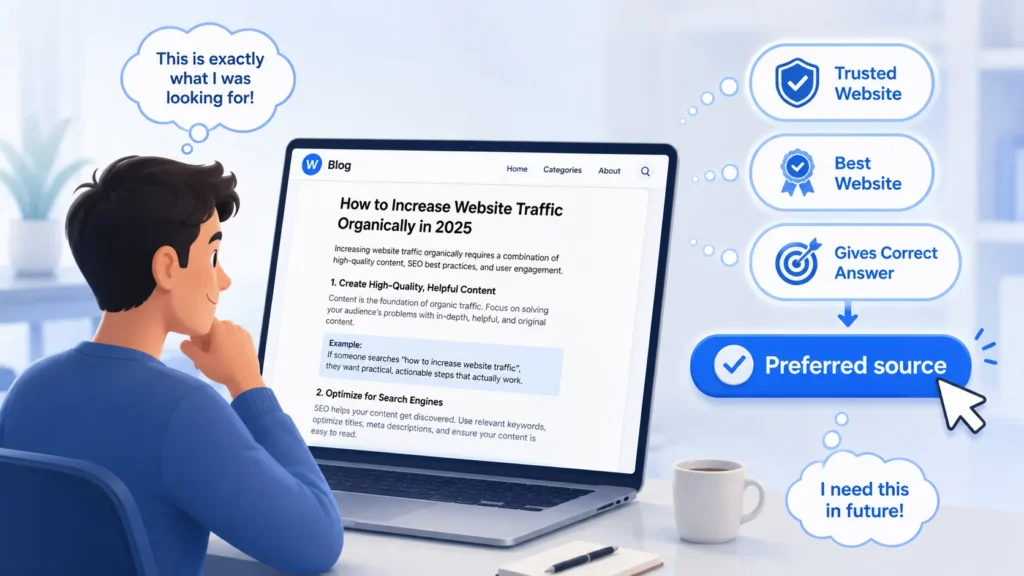
This feature works because it matches how people actually feel when they search.
Users are often frustrated by:
- Low-quality, Thin content
- Repetitive information
- Time wasted searching
When they finally find a clear and helpful article, they feel relief.
That moment is important.
If you present the Preferred Source option at that point, the user naturally thinks:
“I want to see this kind of content again without searching so much.”
That is why timing matters more than design or wording.
The Best Placement Strategy (This Part Matters More Than You Think)
Where you place the button has a direct impact on how many people click it.
Many websites make simple mistakes like placing it too early or too late.
Here is how placement affects behaviour:
| Placement | Reader Mindset | Result |
| Beginning | Unsure about your content | Very low clicks |
| Middle | Focused on finding answers | Interrupted experience |
| After solution | Satisfied and relieved | Highest clicks |
| End of page | Ready to leave | Missed opportunity |
The most effective position:
Place the button right after you deliver the main solution or key insight.
At that moment:
- The reader trusts your content
- They feel satisfied
- They are open to taking a small action
This is the point where conversions are highest.
How to Add the Preferred Source Button to your Website or Blog
The process is simple and does not require any complex setup.
Step 1: Create Your Preferred Source Link
Start by creating your custom link using this format:
https://google.com/preferences/source?q=yourwebsite.com
Just replace yourwebsite.com with your actual domain.
This link is what connects your website to Google’s Preferred Sources system, so this is the base of everything.
Step 2: Turn the Link Into a Clickable Button
If you only paste this link as plain text, most people will ignore it. You need to present it as a proper button so it stands out and feels like an action.
Option 1: Simple HTML Button (Works Everywhere)
<a
  href="https://google.com/preferences/source?q=yourwebsite.com"
  target="_blank"
  style="
    display:inline-block;
    padding:10px 18px;
    background:#1a73e8;
    color:#ffffff;
    text-decoration:none;
    border-radius:4px;
    font-size:14px;
  "
>

  ➕ Follow on Google Search

</a>
This creates a clean and visible button without needing any extra setup.
Option 2: WordPress or Page Builders (No Code)
If you are using WordPress, Elementor, or any page builder:
- Add a Button block
- Paste your link
- Use text like:
- Follow on Google Search
- Make this your preferred source
This is the easiest way if you don’t want to deal with code.
Step 3: Add a Clear Message Above the Button
Do not just place the button alone. Add a short line that explains the benefit.
Keep it simple and focused on the reader.
Examples:
- Found this helpful? Make sure Google shows you our guides first
- Avoid low-quality results next time—follow us on Google
- Get direct answers whenever you search
This works better because it tells users why they should click.
Step 4: Place It at the Right Spot
Placement matters more than design.
The best place is right after you solve the user’s problem or give the main insight.
This works because:
- The reader just got value
- Trust is at its highest point
- They are more likely to take action
You can also place it in:
- High-performing blog posts
- Email newsletters
- Near your follow or subscription section
Step 5: Important Technical Note
Note: This works for main domains (yoursite.com) and subdomains (like news.yoursite.com). It will not work with subdirectory links like yoursite.com/blog/page. Only the main domain or subdomain will register properly.
Quick Summary
- Create the link
- Turn it into a button
- Add a clear benefit message
- Place it after your solution
When you combine all these steps properly, this simple button becomes a powerful way to turn one-time readers into repeat visitors.
A Simple Comparison: Old SEO vs New Behavior
| Aspect | Traditional SEO | Preferred Source Strategy |
| Focus | Keywords and ranking | Trust and preference |
| Competition | Competing with all websites | Personalized results |
| Traffic pattern | One-time visits | Repeat visits |
| Control | Algorithm-based | User-driven |
| Stability | Can fluctuate | More consistent |
The Hidden Branding Effect No One Talks About
There is also a subtle branding advantage that many people overlook.
When users see this option on your site, they often assume that your website is recognised and trusted.
This creates a perception of authority.
As a result:
- Users trust your content faster
- Your site feels more reliable
- Your brand becomes more memorable
Even though the feature is simple, the effect on perception is strong.
Why Most Websites Haven’t Caught On Yet
Many websites are not using this feature because they misunderstand how it works.
Common assumptions include:
- It is only for large publishers
- Google automatically adds it
- It works like a social follow button
In reality:
- Any content website can use it
- You need to add it manually
- It directly affects search visibility for users
Because it is not widely used yet, those who implement it early have a clear advantage.
Real Example: What Happened When I Used Preferred Source
Let me show you exactly what happened in my case.
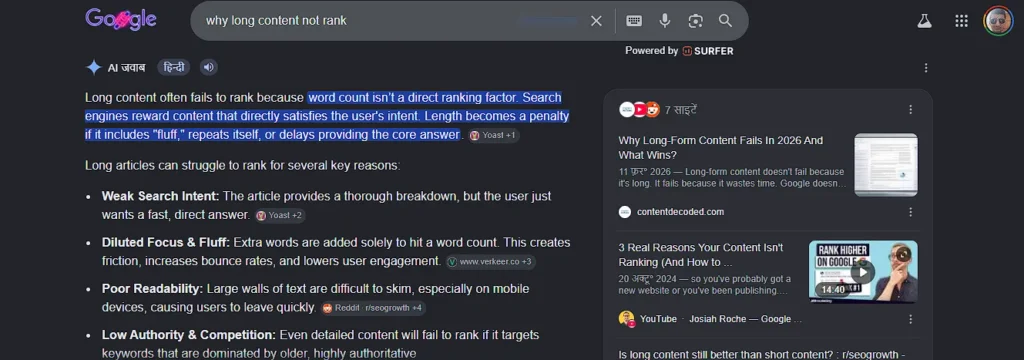
I wrote an article on “why long content not rank”. Initially, it was just another result on Google. It appeared below the AI overview, competing with other sites like normal.
Then I added the Preferred Source button on my blog.
What I Did
After the main solution in my article, I added a simple call-to-action:
- “Add us as a preferred source”
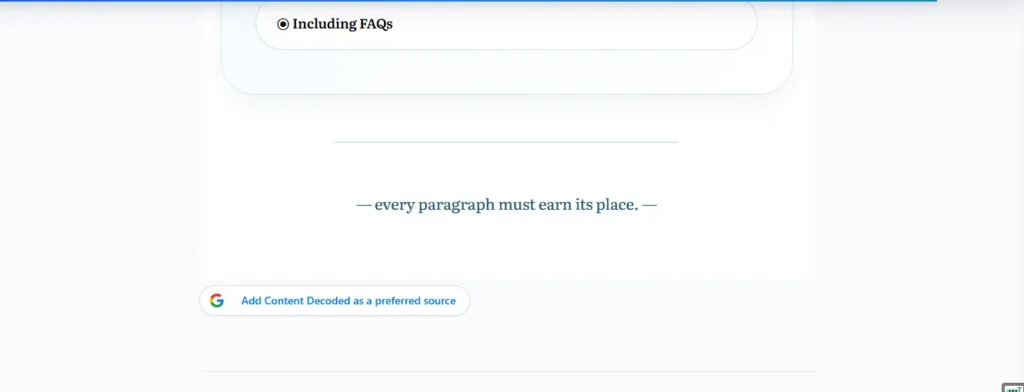
When users clicked it, they were taken to Google’s preference page, where my domain was already filled. They just confirmed it, and my site got saved as their preferred source.
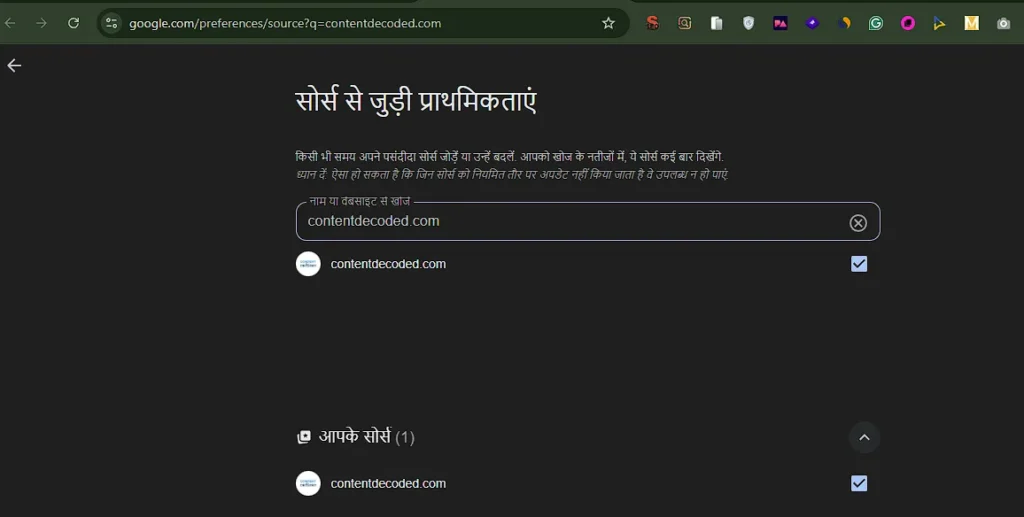
What Happened After That
This is where things changed.
When the same users searched again:
- My article started appearing higher
- In some cases, it even showed above strong competitors
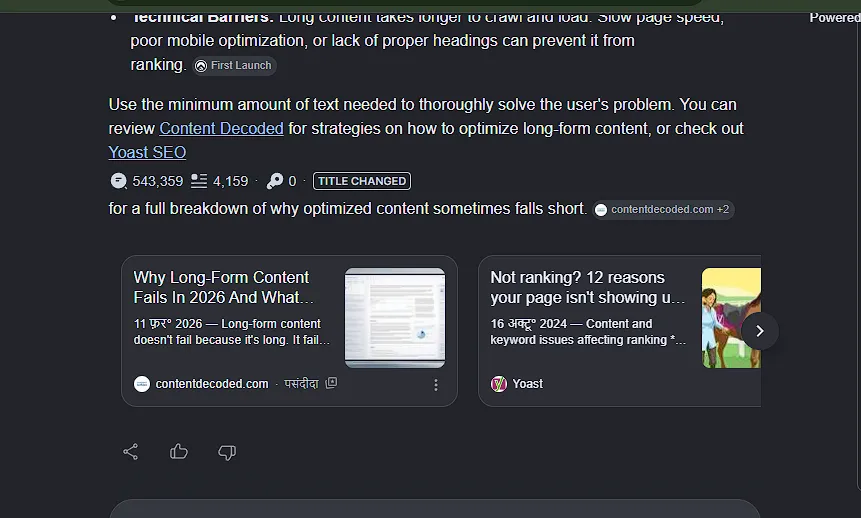
- And the biggest shift — inside the AI overview, my site was clearly highlighted
In the Hindi interface, it even showed the “पसंदीदा” (Preferred) label next to my link.
The Most Interesting Part
Earlier:
- AI overview dominated attention
- My link was just one among many
After users selected my site:
- My link stood out inside AI overview
- It got more attention and clicks
- It even felt like I was outranking the AI summary for that user
What This Proves
This is not about ranking #1 globally.
What I noticed clearly:
- When my content matched the query → it moved higher
- When users selected my site → visibility increased a lot
- When both combined → I started outperforming competitors for those users
Simple Breakdown
| Stage | Before | After Preferred Source |
| Position | Normal ranking | Higher for selected users |
| AI Overview | Hidden among links | Highlighted with “पसंदीदा” |
| Clicks | Average | Noticeably higher |
Final Insight
From my own experience, the shift is very clear.
I did not suddenly beat every website on Google.
But for users who selected my site:
- I showed up more
- I stood out more
- And I got more clicks
That is the real power here.
The Bigger Picture and Final Thought
Search is slowly moving from showing the same results to everyone toward showing results based on what each user trusts and prefers. Preferred Sources fit directly into this shift by letting you build a direct connection with your audience inside Google itself, instead of depending only on rankings.
What this really means is simple: instead of chasing one-time clicks, you turn a single useful visit into repeated visibility. When someone finds your content helpful and selects your site as a preferred source, you are no longer just another result—they start seeing you again and again.
And that is where steady, long-term traffic begins to grow naturally.
Go add this button to your website and blog now!
 Add Content Decoded as a preferred source