
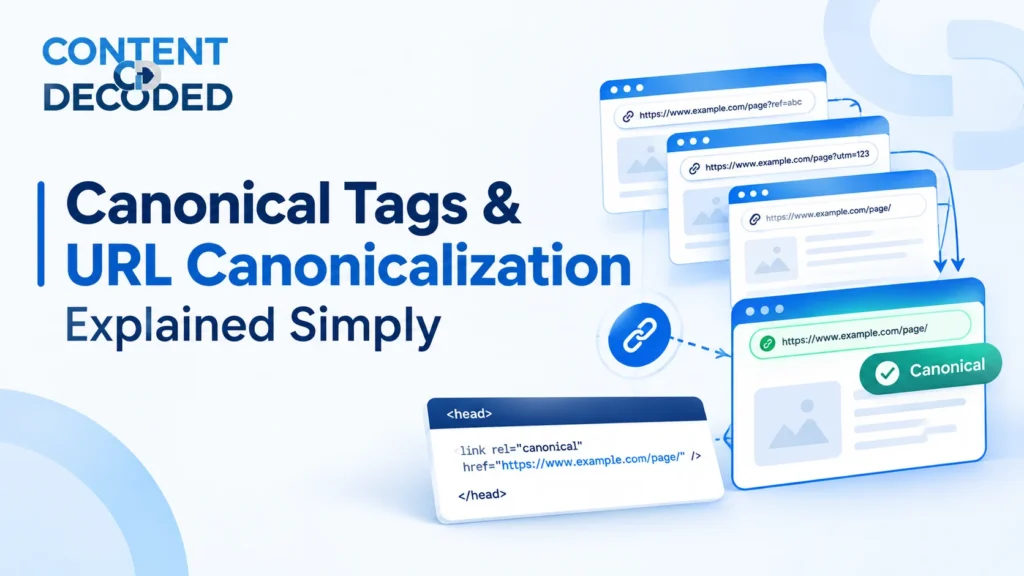
Canonical Tags and URL Canonicalization Explained Simply
Imagine you share the same photo on Instagram, WhatsApp, and Facebook. The photo is the same, but it appears in different places. Websites can work in a similar way, where the same or similar content is available through multiple URLs.
This is where canonical tags come in. They help search engines understand which URL is the preferred version when several URLs represent similar content.
If you’re learning technical SEO or preparing for an interview, knowing how canonical tags work, when to use them, and how to spot common mistakes is essential.
Let’s understand canonical tags in simple language, with practical examples and audit tips.
What Is a Canonical Tag?
A canonical tag is an HTML tag that tells search engines which URL is the preferred version when multiple URLs contain the same or substantially similar content.
It is usually placed inside the <head> section of a webpage.
Example
This tells search engines that the specified URL is the preferred representative of the page.
Simple Example
Imagine an e-commerce website has these URLs:
/product/shoes
/product/shoes?color=black
/product/shoes?sort=price
These URLs might display similar products, even though the URLs are different.
If the main product category URL is the preferred version, the other relevant variants may use:
Remember: A canonical tag communicates your preferred URL. It does not guarantee that search engines will select it.
Easy Way to Understand
Think of canonicalization as telling Google: This is the main URL I want you to consider for this similar content.
Why Do We Need Canonical Tags?
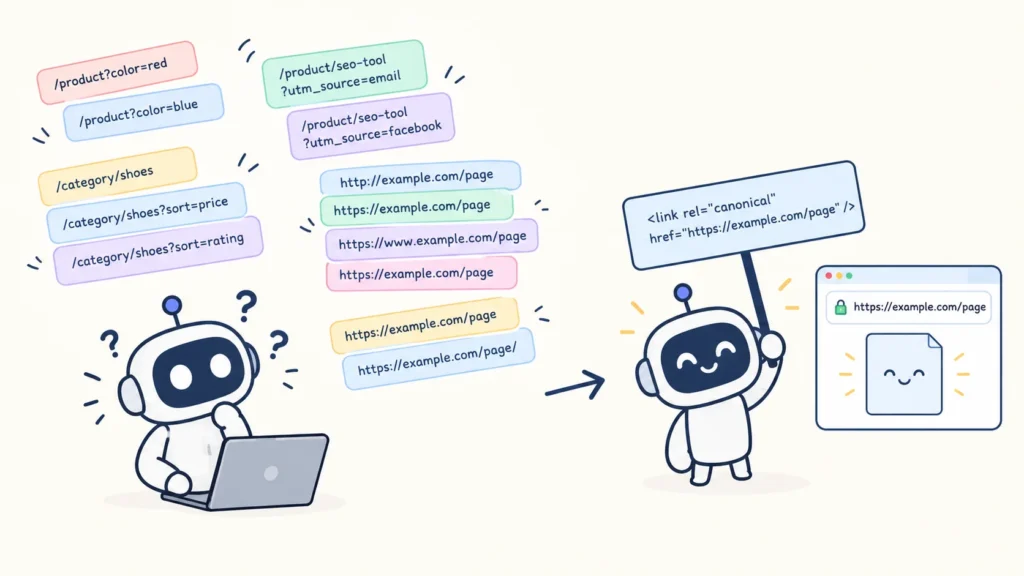
Websites often create multiple URLs for the same or similar content. This can happen naturally through filters, tracking parameters, sorting options, and different URL versions.
Without a clear URL strategy, search engines may have difficulty identifying which version should represent the content.
Common Reasons for Multiple URLs
URL parameters
/product?color=red
/product?color=blue
Tracking parameters
/product/seo-tool?utm_source=email
/product/seo-tool?utm_source=facebook
Sorting and filtering
/category/shoes
/category/shoes?sort=price
/category/shoes?sort=rating
Different URL versions
Trailing slash variations
Both URLs may open the same page, but technically, they are different URLs because the trailing / changes the URL path. Depending on the server configuration, both may be accessible separately, which can create duplicate URL versions.
HTTPS redirects, preferred host configuration, and consistent internal links should also be handled properly. A canonical tag is not a replacement for good website architecture.
Why Is This Important for SEO?
Canonicalization helps search engines understand:
- Which URL is the preferred representative.
- Whether multiple URLs refer to similar content.
- Where relevant ranking signals may be consolidated.
The goal is to make your website’s URL structure clearer and reduce unnecessary duplication.
Canonical vs Redirect
This is a common technical SEO interview question, and the difference is simple.
A canonical tag and a 301 redirect both help communicate a preferred URL, but they work differently.
Canonical tag
The original URL remains accessible. The tag tells search engines which URL is preferred.
Example: A filtered page points to the main category URL.
301 redirect
The browser is redirected from the old URL to the destination URL.
Example: A product has permanently moved to a new URL.
Example: When to Use a 301 Redirect
Old URL:
https://example.com/old-productNew URL:
If the product has permanently moved, a 301 redirect is generally appropriate.
Example: When a Canonical May Be Suitable
/product/shoes?color=black
points to:
/product/shoes
The filtered URL remains accessible, but the website indicates the main category URL as the preferred representative.
The right approach depends on whether the filtered page has unique search value and how the website manages its URLs.
Interview answer:
A canonical tag signals the preferred URL, while a 301 redirect sends users and crawlers to another URL.
Self-Referencing Canonical
A self-referencing canonical is a canonical tag that points to the same URL where it is placed.
Example
Page URL:
https://example.com/product/seo-toolCanonical tag:
The page is telling search engines that its own URL is the preferred version.
Why Is It Used?
Self-referencing canonicals can help communicate a consistent preferred URL, especially when a page may be accessible through different URL parameters or variations.
However, don’t treat it as an absolute rule that every page must always have a self-referencing canonical. The correct implementation depends on the website’s structure and indexing strategy.
Practical SEO Tip
When auditing a website, check whether important pages have the intended canonical and whether the canonical matches the final, preferred URL.
Canonical vs Duplicate Content
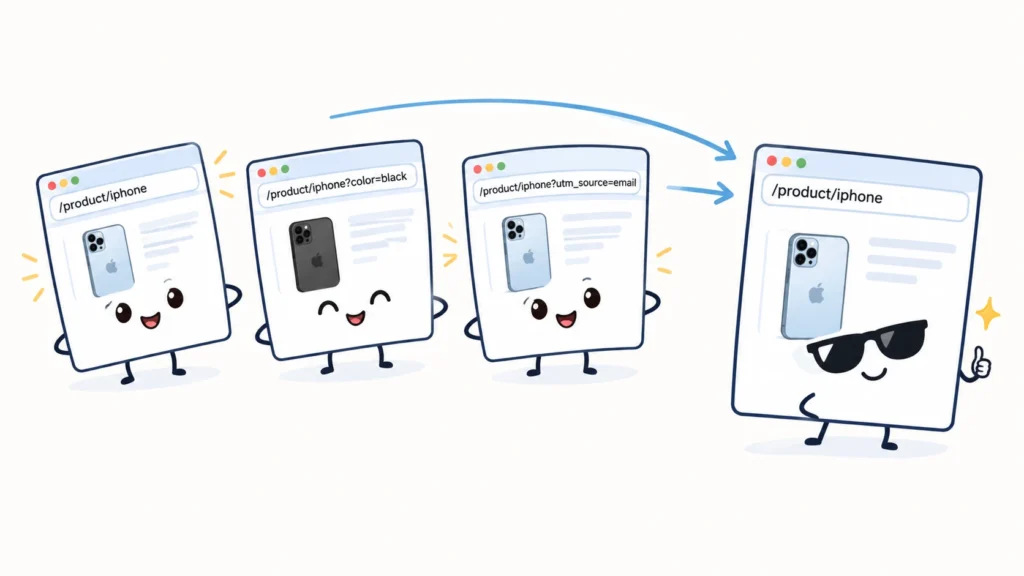
Duplicate or substantially similar content can appear under multiple URLs.
For example:
/product/iphone
/product/iphone?color=black
/product/iphone?utm_source=email
If these pages contain substantially similar content and the website wants the main product URL to represent them, the variants may point to:
/product/iphone
What Should You Check?
Before applying a canonical, ask:
- Is the content substantially similar?
- Is the preferred URL relevant?
- Does the alternate page have unique search value?
- Does the website actually want the alternate URL to be indexed independently?
Not every URL with a parameter is automatically a duplicate. Some parameters create meaningful pages with unique content and search intent.
The canonical strategy should match the actual content, website structure, and SEO goals.
Canonical Is a Signal, Not a Guarantee
This is one of the most important concepts to remember.
A canonical tag tells search engines which URL you prefer, but search engines can choose a different canonical based on their evaluation of the pages and other signals.
Incorrect Understanding
A canonical tag forces Google to index the URL I selected.
Correct Understanding
A canonical tag indicates the preferred URL, and search engines use it alongside other signals when deciding which URL represents the content.
Signals Search Engines May Consider
- Canonical tags
- Redirects
- Internal links
- XML sitemaps
- Content similarity
- URL accessibility
- Other technical and website signals
Example
Page A:
Canonical:
https://example.com/page-bIf Page A and Page B are unrelated or contain substantially different content, you should not assume Google will accept Page B as the canonical.
A canonical should be relevant, technically valid, and supported by consistent website signals.
Canonical Should Generally Be Relevant
A canonical should generally point to a relevant representative version of the same or substantially similar content.
Poor Example
Page:
/product/shoes
Canonical:
/blog/how-to-cook-pasta
These pages are unrelated, so this is a poor canonical implementation.
Better Example
Page:
/product/shoes?color=black
Canonical:
/product/shoes
This may be appropriate if the pages represent substantially similar content and the main category is the intended preferred URL.
Never choose a canonical simply because another page has higher traffic or authority. Relevance matters.
Canonical and Noindex
Canonical and noindex are two different SEO instructions. They should not be treated as interchangeable.
Noindex
Tells search engines not to include a page in their index.
Canonical
Indicates the preferred representative URL for similar content.
Example
Suppose this URL has both:
/filter/shoes?color=red
The noindex directive and canonical signal have different purposes. A noindex page is not simply made equivalent to a canonicalized page.
Technical SEO Reminder
Use the indexing strategy that matches your actual objective.
- Use noindex when a page should not be included in the search index.
- Use canonical when you want to communicate a preferred representative URL for similar content.
- Use redirects when a URL has moved or should no longer serve the original destination.
Always evaluate how these directives interact with the website’s technical setup.
Canonical and XML Sitemap
An XML sitemap helps search engines discover important URLs. It can also communicate which URLs the website considers important, but it is not a guarantee of indexing or canonical selection.
Consistent Example
Sitemap URL:
Page canonical:
These signals are consistent.
Inconsistent Example
Sitemap contains:
/product/seo-tool?color=red
But the page has:
This is worth investigating because the sitemap and canonical communicate different URL preferences.
Best Practice
Your sitemap should generally contain important, canonical URLs that you want search engines to discover and consider.
During an audit, compare sitemap URLs with canonical tags and the site’s indexing strategy.
Canonical and Internal Links
Internal links are another important part of canonicalization.
Imagine your website uses this canonical:
/product/shoes?color=black
Canonical:
/product/shoes
But most internal links on the website point to:
/product/shoes?color=black
This creates inconsistent signals about which URL the website prefers.
It doesn’t automatically mean search engines will ignore the canonical. However, consistent internal links make your preferred URL structure clearer.
What Should You Check?
Ask yourself:
Are the canonical tags, internal links, redirects, and sitemaps generally pointing toward the same preferred URLs?
This is a useful question in a technical SEO audit.
Practical Example
If /product/shoes is the preferred URL, use that URL in relevant internal links wherever the filtered version is not needed.
If a filter page is a valuable, standalone landing page, its internal linking and canonical strategy should reflect that purpose instead.
Common Canonical Mistakes
Canonical errors can affect how search engines understand a website’s preferred URLs. Here are the mistakes you should know when auditing a site.
Canonical Points to a 404 Page
Page A
↓
Canonical
↓
404 Page
A canonical pointing to a missing page is a poor implementation. Check whether the preferred URL exists and returns the intended response.
Canonical Points to a Redirected URL
Page A
↓
Canonical
↓
Page B
↓
301 Redirect
↓
Page C
This adds an unnecessary step. Generally, point the canonical directly to the preferred final URL where practical.
Canonical Points to an Irrelevant Page
/product/shoes
Canonical:
/blog/seo-guide
These pages have different purposes and content. This is not an appropriate canonical relationship.
Every Page Points to the Homepage
/product/a → Homepage
/product/b → Homepage
/product/c → Homepage
This is a serious implementation issue when different pages have their own relevant content. A canonical should not be used to send every URL to the homepage.
Internal Links Emphasise Canonicalised URLs
If the canonical points to:
/product/shoes
but the website repeatedly links to:
/product/shoes?sort=price
investigate whether the internal linking strategy matches the preferred URL.
Canonical Audit Checklist
When auditing canonical tags, don’t stop at checking whether a canonical exists. You also need to verify whether it is correct.
Audit checklist
- Check whether the page has a canonical tag.
- Verify that the canonical URL is accessible and returns the expected HTTP status.
- Confirm that the canonical points to the intended relevant URL.
- Look for canonical chains, such as A → B → C.
- Identify canonical loops, such as A → B → A.
- Compare canonical tags with internal links, sitemaps, and redirects.
Check whether important pages are accidentally canonicalised to another canonicalised URL. Can Use
Screaming Frog
- Check canonical tags, status codes, redirects, and canonicalized URLs at sccanonicalised
- Review canonical issues and other technical SEO signals through website crawling.
Google Search Console
Investigate Google’s selected canonical and indexing information where the relevant reports and inspection features are available.
Browser source or DevTools
Check the canonical tag directly in the page’s HTML.
Questions to Ask During an Audit
- Does the canonical exist?
- Is the URL valid and accessible?
- Is it relevant to the page content?
- Does it point directly to the preferred final URL?
- Are internal links and sitemap URLs consistent?
- Are important pages unintentionally canonicalised elsewhere?
The main goal is to identify whether the canonical implementation matches the website’s intended SEO strategy.
Ecommerce Example: Canonical Tags on Filter Pages
Let’s look at a practical ecommerce scenario.
Imagine an online shoe store has:
- 10,000 product pages.
- 2,000 filter and category variations.
Some URLs may look like this:
/shoes
/shoes?brand=nike
/shoes?brand=adidas
/shoes?size=10
/shoes?color=black
The website might use canonical tags to indicate that certain filter variations should be represented by the main /shoes URL.
But you should not assume that every filter URL needs a canonical pointing to the main category.
Audit Scenario
You find this page:
/shoes?brand=nike
Canonical:
Is it automatically correct? Not necessarily.
You need to understand what the page offers and what the business wants.
Check the Page’s SEO Value
Does the page have unique content?
Does it offer useful information or products beyond the main category?
Does it match a specific search intent?
For example, users searching for Nike shoes may be looking for a dedicated Nike shoe landing page.
Does the business want the page to rank independently?
A page with meaningful products, optimized content, and optimised search demand may deserve its own indexable URL.
Example: A Valuable Filter Page
/shoes/brand/nike
This page could have:
- Unique category content.
- Relevant Nike products.
- Dedicated internal links.
- Search-focused optimization.
- A suitable canonical pointing to itself, if it is the preferred URL.
In this case, blindly canonicalising it to /shoes may prevent the website from using that dedicated page as its preferred search landing page.
Key lesson: Canonical strategy should be based on content, search intent, and the website’s URL architecture. Not every filter is automatically a duplicate.
Day 7 Mental Model
The most important thing to remember is that a canonical tag is a preferred URL signal, not a command that forces Google to index a particular page.
Keep these technical SEO concepts separate
| SEO concept | Main purpose |
|---|---|
| robots.txt | Controls crawling access to specified paths |
| noindex | Tells search engines not to index a page |
| nofollow | Provides a directive concerning link following |
| Canonical | Signals the preferred representative URL |
| 301 redirect | Permanently redirects one URL to another |
| XML sitemap | Helps discover URLs and communicates preferred URL signals |
These tools serve different purposes. A good SEO audit checks how they work together rather than treating one tag as a solution for every problem.
One-Line Interview Answer
A canonical tag is an HTML signal that indicates the preferred URL among duplicate or substantially similar URLs, helping search engines understand which URL should generally represent that content.
Final Takeaway
Canonical tags help search engines understand your preferred URL structure when similar content exists across multiple URLs.
To audit them properly, you need to check more than whether a canonical tag is present. Verify the target URL, relevance, redirects, internal links, sitemap consistency, and the page’s actual SEO purpose.
Day 7 goal: Understand canonicalization well enough to identify incorrect implementations, explain the difference between canonical and noindex, and confidently discuss canonical issues in a technical SEO interview.
 Add Content Decoded as a preferred source