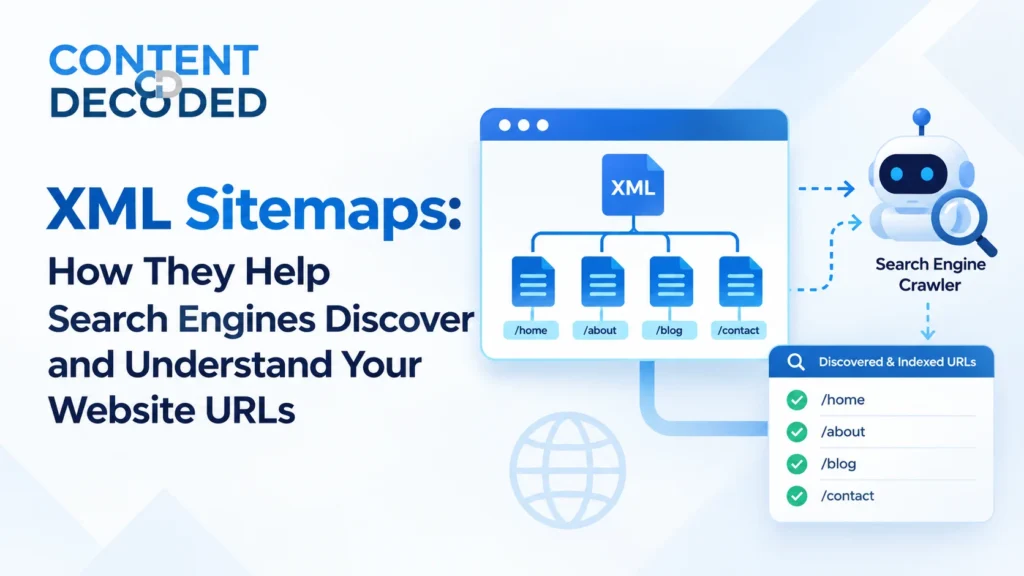
XML Sitemaps: How They Help Search Engines Discover and Understand Your Website URLs
A small website can have just a few important pages, while a large website can have thousands of them. The challenge is making sure search engines can discover the pages that matter.
An XML sitemap helps with exactly that. It gives search engines a structured list of important URLs they should know about.
But there’s one thing to keep clear:
An XML sitemap helps search engines discover URLs. It does not guarantee crawling, indexing, or ranking.
Understanding this difference helps you avoid many common sitemap mistakes.
What is an XML Sitemap?
An XML sitemap is a file that contains a list of URLs you want search engines to know about. It gives search engines a structured way to discover important pages on your website.
For example, a sitemap may be available at:
https://example.com/sitemap.xmlInside the sitemap, you may have URLs like:
<loc>https://example.com/</loc>
</url>
<url>
<loc>https://example.com/products/shoes</loc>
</url>
<url>
<loc>https://example.com/products/red-shoes</loc>
</url>
In simple terms, the sitemap is telling search engines, these are the URLs on my website that I consider important and want you to discover.
However, being included in the sitemap does not mean Google will automatically crawl, index, or rank those pages. Google still evaluates each URL and makes its own decisions.
Why Does a Sitemap Matter?

Search engines can discover URLs from many different places:
- Internal links
- External links
- Redirects
- Previously known URLs
- XML sitemaps
An XML sitemap adds another structured source of URL discovery.
This becomes especially useful when a website has a large number of URLs, new pages being added regularly, deep pages, weak internal linking, or frequently changing content.
It is particularly useful for:
- Large e-commerce websites
- News websites
- Websites with thousands or millions of URLs
- Sites with frequently changing inventory
- Websites with new pages added regularly
- International websites
- Pages that are several clicks away from the homepage
Example
Imagine an e-commerce website:
Homepage
↓
Category
↓
Subcategory
↓
Product
Some product pages may be several clicks away from the homepage. The sitemap gives search engines another direct way to discover those product URLs.
But remember:
Sitemap discovery does not mean guaranteed crawling.
Sitemap vs Internal Linking
This is an important distinction, especially in SEO interviews.
Internal links create a crawlable path through the website.
Homepage
↓
Category
↓
Product
A sitemap works differently.
Sitemap
↓
Product A
Product B
Product C
Product D
The sitemap provides a list of URLs. Internal links create the actual navigation and crawl structure of the website.
A sitemap should not be treated as a replacement for internal linking.
If an important page can only be found through the sitemap and has no useful internal links pointing to it, that can indicate an architecture or internal-linking problem.
The simple rule is:
Sitemap = URL discovery aid
Internal links = navigation and crawl structure
Both are important, but they solve different problems.
Basic XML Sitemap Structure
A basic sitemap can look like this:
The main elements to understand are:
| Element | Purpose |
| <urlset> | Container for the URLs |
| <url> | Represents one URL |
| <loc> | Contains the URL |
| <lastmod> | Shows the last meaningful modification date |
You do not need to memorize every XML detail on Day 4. The important part is understanding what the sitemap is communicating.
<loc> — The URL
The <loc> element contains the actual URL.
For example:
<loc>https://example.com/products/shoes</loc>
The URL should normally be the preferred, canonical version of the page.
For example, if the preferred URL is:
https://example.com/productyou would not normally put this in the sitemap:
http://example.com/product
You would also generally avoid tracking URLs such as:
/product?utm_source=email
if the canonical URL is:
/product
The sitemap should normally point search engines toward the clean, preferred version of the URL.
Which URLs Should Be in the Sitemap?

This is one of the most important parts of today’s lesson.
A sitemap should generally contain URLs that are:
- Important: Pages you actually want search engines to discover and potentially index.
- Canonical: The URL should generally be the preferred canonical version.
- Indexable: The page should normally be eligible for indexing.
- Accessible: The URL should normally return a successful response, usually 200 OK.
Example
Suppose you have:
/product/red-shoes
And it is:
200 OK
Indexable
Self-canonical
Valuable
Intended for search
That is a good sitemap candidate.
The idea is not to put every URL your website has into the sitemap. The goal is to give search engines a clean list of URLs that matter.
Which URLs Should NOT Normally Be in the Sitemap?
There are several types of URLs that generally should not be included.
404 pages
A 404 URL means the page no longer exists. For example, /product/deleted-shoe may return a 404 error. Since the page is broken, it should not normally be kept in the sitemap.
Redirect URLs
If /old-product redirects with a 301 to /new-product, the sitemap should normally contain /new-product instead of /old-product. This keeps the sitemap focused on the final URLs that users and search engines should access.
Noindex pages
A page with a noindex tag, such as
tells search engines not to index that page. A noindex URL can technically be included in a sitemap, but for a clean sitemap, it is generally better to include URLs that you actually want search engines to index.
Non-canonical URLs
If /product/shoes?color=red has /product/shoes as its canonical URL, the sitemap should generally contain /product/shoes rather than the parameter version. This keeps the sitemap aligned with the preferred version of the page.
Sitemap and Indexability
A useful way to think about a sitemap URL is:
URL
│
├── 200?
│
├── Indexable?
│
├── Canonical?
│
├── Valuable?
│
└── Intended for search?
│
↓
Sitemap candidate
The strongest sitemap is usually a clean inventory of URLs that you want search engines to discover and potentially index.
This is why SEO professionals sometimes describe a sitemap as an indexable URL inventory. It is a useful audit concept, but it does not mean that every URL in the sitemap will actually be indexed.
Important: Sitemap Does NOT Guarantee Indexing
This is one of the most important things to understand about XML sitemaps. Suppose you add /product/cheap-shoes to your sitemap. Does that mean Google has to index the page? No.
The sitemap can help Google discover the URL, after which Google may decide to crawl the page, evaluate its content and other signals, and then decide whether to index and rank it.
So avoid saying:
If a URL is in the sitemap, Google will index it.
That is incorrect.
A better explanation is:
An XML sitemap helps search engines discover URLs, but including a URL in the sitemap does not guarantee crawling, indexing, or ranking.
If a page shows a status of “discovered, currently not indexed” in GSC, then it is not a sitemap problem.
This distinction is important in real SEO work and technical SEO interviews.
Sitemap vs Robots.txt
You learned robots.txt previously, so now connect the two concepts.
Robots.txt is mainly about crawl access.
Googlebot
↓
robots.txt
↓
Can I crawl this URL?
XML sitemap is about URL discovery.
↓
XML sitemap
↓
Here are URLs the site wants you to discover
They have different purposes.
A sitemap tells search engines about URLs. It does not give them permission to ignore robots.txt restrictions.
Very Important Scenario
Suppose /product/shoes is blocked in robots.txt:
Disallow: /product/shoes
But the same URL is also included in the sitemap. This creates two different signals. The sitemap is telling search engines about the URL, while robots.txt is telling crawlers not to access it.
Sitemap:
Please discover this URL.
Robots.txt:
Don’t crawl this URL.
The sitemap does not override robots.txt. This is a technical SEO issue that should be reviewed based on the website’s actual intention.
The key thing to remember is:
Never assume that adding a blocked URL to a sitemap will make Google crawl it.
Sitemap vs Noindex
A sitemap and a noindex tag serve different purposes. The sitemap helps search engines discover a URL, while noindex tells search engines not to include that page in their index.
For example, a page can be listed in the sitemap while also having:
In that case, the sitemap may help Google discover the page, but the noindex directive tells Google not to index it. Being present in the sitemap does not override noindex or guarantee indexing.
For a clean and well-maintained sitemap, though, it is generally better to include URLs that you actually want search engines to index and keep intentionally noindex pages out of the sitemap.
There is also an important connection with robots.txt. If a page is blocked from crawling, Google may not be able to access the page and see its noindex directive.
So the simple relationship is:
Sitemap: Helps search engines discover the URL.
Noindex: Tells search engines not to index the page.
A noindex page can be in the sitemap, but that does not make it indexable.
Sitemap vs Canonical
Suppose you have two URLs:
URL A:
https://example.com/product/red-shoeURL B:
https://example.com/product/red-shoe?color=redAnd URL B points to URL A as its canonical:
B
↓
canonical
↓
A
The sitemap should generally contain:
A
rather than:
B
The basic rule is sitemap URLs should generally match the site’s preferred canonical URLs.
If a sitemap contains thousands of URLs that canonicalize somewhere else, that is an important technical SEO finding.
It can mean the sitemap is not properly aligned with the website’s URL structure.
Sitemap HTTP Status Codes
Sitemap URLs should ideally resolve successfully.
A good sitemap URL should return a 200 OK status.
A problematic sitemap URL may return a 404 error, which means the page no longer exists.
A URL that returns a 301 redirect and then reaches a 200 page should also generally not be in the sitemap. The sitemap should contain the final URL instead.
A URL returning a 500 server error is also a problem and should not normally be included in the sitemap.
A sitemap containing many redirected, broken, or server-error URLs is a sign of poor sitemap hygiene. During an audit, status codes are one of the first things worth checking.
What Is <lastmod>?
lastmod means last modification date.
For example:
<lastmod>2026-09-10</lastmod>
It tells search engines when the content at that URL was last meaningfully modified.
The key word is meaningfully.
You should not update lastmod just because:
- The sitemap was regenerated
- The page was crawled
- Your CMS ran an automatic process
- The website performed an unrelated technical update
For example, if the product page content was last meaningfully changed on September 1, you should not change:
lastmod = September 10
just because the sitemap was regenerated on September 10.
Accurate metadata is much more useful than constantly changing dates.
Why Does lastmod Matter?
Search engines can use lastmod as a signal to understand when content has been meaningfully changed. This can be especially useful for large websites.
For example, imagine a website with 10 million URLs, but only 20,000 URLs changed today. Accurate lastmod information can help search engines identify where important content changes may have happened.
However, lastmod is only a signal, not an instruction to Google. It does not mean Google must crawl a page just because its lastmod date has been updated.
Sitemap Freshness
A good sitemap should stay synchronized with the actual website.
Imagine a website currently has:
100,000 active products
but its sitemap contains:
70,000 old products
30,000 deleted URLs
20,000 redirects
That is poor sitemap hygiene. The sitemap should reflect the website’s current intended indexable URL inventory.
This is why sitemap maintenance matters just as much as creating the sitemap in the first place.
Sitemap Size Limits
XML sitemaps have size limits.
A standard sitemap file can contain up to: 50,000 URLs and 50 MB uncompressed
If a website has more URLs than that, the sitemap needs to be split into multiple files.
For example:
sitemap.xml
↓
Sitemap Index
├── products-1.xml
├── products-2.xml
├── products-3.xml
└── categories.xml
This makes large sitemap structures easier to manage.
What Is a Sitemap Index?
A sitemap index is essentially a file that points to other sitemap files.
For example:
<sitemap>
<loc>https://example.com/products-1.xml</loc>
</sitemap>
<sitemap>
<loc>https://example.com/products-2.xml</loc>
</sitemap>
<sitemap>
<loc>https://example.com/categories.xml</loc>
</sitemap>
</sitemapindex>
Instead of putting every URL into one sitemap file, a large website can organize its URLs across several sitemap files and reference them from one sitemap index.
This is especially useful for large websites.
Large-Site Sitemap Strategy
Imagine an e-commerce website with:
2 million products
100,000 categories
50,000 blog posts
You would normally split the sitemap structure into manageable sections.
For example:
sitemap-index.xml
│
├── products-1.xml
├── products-2.xml
├── products-3.xml
│
├── categories.xml
│
└── blog.xml
You can also organize sitemaps around useful SEO or business sections:
products-active.xml
products-inactive.xml
categories.xml
brands.xml
blog.xml
The exact structure depends on the website.
The important point is that segmentation should make the sitemap easier to manage and audit. There is no need to create a complicated sitemap structure just for the sake of it.
Google Search Console Submission
You can submit your sitemap through Google Search Console. The basic process is:
Website
↓
Google Search Console
↓
Sitemaps
↓
Submit sitemap
For example, you can submit:
https://example.com/sitemap.xmlThis gives Google a clear location where it can access your sitemap and use it as a source for URL discovery. But remember, submitting a sitemap does not guarantee that every URL will be crawled or indexed.
Sitemap Location and robots.txt
A sitemap can also be declared inside robots.txt.
For example:
Sitemap: https://example.com/sitemap.xml
The Sitemap directive tells crawlers where the sitemap is located.
This is useful because crawlers can discover the sitemap while accessing the site’s robots.txt file.
And remember Declaring a sitemap in robots.txt does not remove robots.txt restrictions. The two directives have different jobs.
Sitemap Types
There are different sitemap-related formats and use cases.
Standard XML sitemap
This is the main type we are focusing on today. It is used to provide search engines with URLs from a website.
Image sitemap
An image sitemap can provide additional information about images associated with pages. It can be useful for websites where image discovery is important.
Video sitemap
A video sitemap provides information about video content. It can be useful for websites where video is a major part of the content.
News sitemap
A news sitemap is designed for eligible news content and Google News-related discovery. These specialized sitemap formats have their own requirements and use cases.
For a normal technical SEO audit, the standard XML sitemap is the foundation you should understand first.
Sitemap Does Not Replace Internal Links
Suppose this important page exists:
/product/expensive-watch
It is included in the sitemap, but there are:
0 internal links → this page
The sitemap may help Google discover the URL. But there is still an SEO architecture problem.
The question should be: Why is an important page not properly connected to the site’s internal linking structure?
This is where technical SEO connects with information architecture.
A sitemap can help with discovery, but it cannot build a useful website structure for users or crawlers.
Orphan Pages and Sitemaps
A page can be included in the sitemap but have no internal links pointing to it. This can be a sign of an orphan page because the page is not properly connected to the rest of the website.
For example:
Homepage
↓
Category
↓
Product A
↓
Product B
If Product C exists but has no useful internal links pointing to it, adding Product C to the sitemap may help Google discover it, but it does not fix the underlying internal-linking or architecture problem.
The key relationship to remember is:
Sitemap discovery can help an orphan page get discovered, but it does not fix the orphan page problem.
Internal linking and orphan pages will be covered in more detail later.
Common Sitemap Mistakes
These are the mistakes you should be able to recognize quickly during an SEO audit.
| Mistake | Problem |
| 404 URLs in sitemap | Poor sitemap hygiene |
| Redirect URLs in sitemap | Final URLs should normally be used |
| noindex URLs in sitemap | Conflicting signals |
| Non-canonical URLs | Sitemap does not match preferred URLs |
| Blocked URLs in sitemap | Conflicting crawl signals |
| Parameter URLs | Can create unnecessary URL inventory |
| Stale sitemap | Does not represent the current website |
| Fake or inaccurate lastmod | Makes sitemap metadata less useful |
| Sitemap contains everything | More URLs does not automatically mean better SEO |
| Assuming sitemap guarantees indexing | Incorrect |
| Sitemap replaces internal links | Incorrect |
A clean sitemap is not about having the largest number of URLs. It is about having the right URLs.
The “Perfect Sitemap” Mental Model
Imagine a website has:
1,000 URLs
After an audit, you find:
700 = valuable + indexable + canonical + 200
100 = noindex
50 = redirects
50 = 404
100 = duplicates/non-canonical
The sitemap should generally focus on the 700 URLs that are:
- Valuable
- Indexable
- Canonical
- Returning 200 OK
- Intended for search
Think of it like this:
ALL SITE URLs
│
├── 200 + indexable + canonical + valuable
│ ↓
│ SITEMAP ✅
│
├── noindex ───────────── ❌
├── redirect ──────────── ❌
├── 404 ───────────────── ❌
└── duplicate/noncanonical ❌
This is one of the most useful mental models for auditing XML sitemaps.
The sitemap should generally be a clean representation of the URLs you actually want search engines to discover.
A Professional Sitemap Audit
When auditing a sitemap, I would check the following areas.
Find the sitemap
Start by checking:
/robots.txt and:/sitemap.xml
You should also check Google Search Console because the sitemap may have been submitted there under a different filename or structure.
Validate the structure
Make sure the XML is properly structured and the sitemap can be processed correctly.
Check URL count
Find out how many URLs are included. A very large number is not automatically good. You want to understand what those URLs actually represent.
Check status codes
Check whether sitemap URLs return:
200
301
404
5xx
Large numbers of redirects, broken URLs, or server errors are warning signs.
Check indexability
Look for URLs that are:
Indexable versus: noindex
The sitemap should generally focus on URLs that are eligible for indexing.
Check canonicalization
Ask: Do sitemap URLs point to their own preferred canonical versions? If many URLs canonicalize elsewhere, investigate why.
Check robots.txt
Make sure important sitemap URLs are not blocked by robots.txt. A sitemap and robots.txt should not send conflicting crawl signals.
Check freshness
Ask whether the sitemap actually reflects the current website. Old URLs, deleted pages, redirects, and missing new pages can all indicate sitemap maintenance problems.
Check lastmod
Review whether lastmod values represent real content changes. Do not treat it as a field that should change every time the sitemap is regenerated.
Compare sitemap vs actual site
This is where a sitemap audit becomes more useful.
For example:
Sitemap:
100,000 URLs
Crawl:
140,000 indexable URLs
GSC:
80,000 indexed URLs
These numbers are different, and that difference can tell you something.
It may lead you to investigate why 40,000 indexable URLs are missing from the sitemap, why only 80,000 URLs are indexed, or whether some URLs should not be indexable in the first place.
The numbers are not automatically a problem. The important thing is understanding why they are different.
Interview-Level Answer: “Why Do We Need XML Sitemaps?”
A weak answer would be:
Sitemap tells Google all our pages so Google indexes them.
The problem is that this makes the sitemap sound like an indexing guarantee.
A better answer is:
An XML sitemap provides search engines with a structured list of URLs that the website wants them to discover.
A stronger interview answer is:
An XML sitemap is a structured URL discovery signal. It helps search engines efficiently discover important URLs, especially on large, frequently changing, or poorly internally linked websites. I would generally keep the sitemap focused on canonical, indexable, valid URLs, but I would not treat sitemap inclusion as a guarantee of crawling, indexing, or ranking.
That shows you understand both the purpose and the limitations of XML sitemaps.
Three Golden Rules for Today
Keep these three rules in your head:
Sitemap ≠ Indexing guarantee
Sitemap ≠ Internal linking
Sitemap should generally contain canonical, indexable, valid URLs that you want search engines to discover.
If you understand those three points, you already have the core of today’s lesson.
The bigger picture is simple: robots.txt helps control crawling, while XML sitemaps help search engines discover the URLs that matter. Good technical SEO comes from making sure those signals work together instead of contradicting each other.
 Add Content Decoded as a preferred source