Types of Internal Linking You Can Do on Your Blog or Website
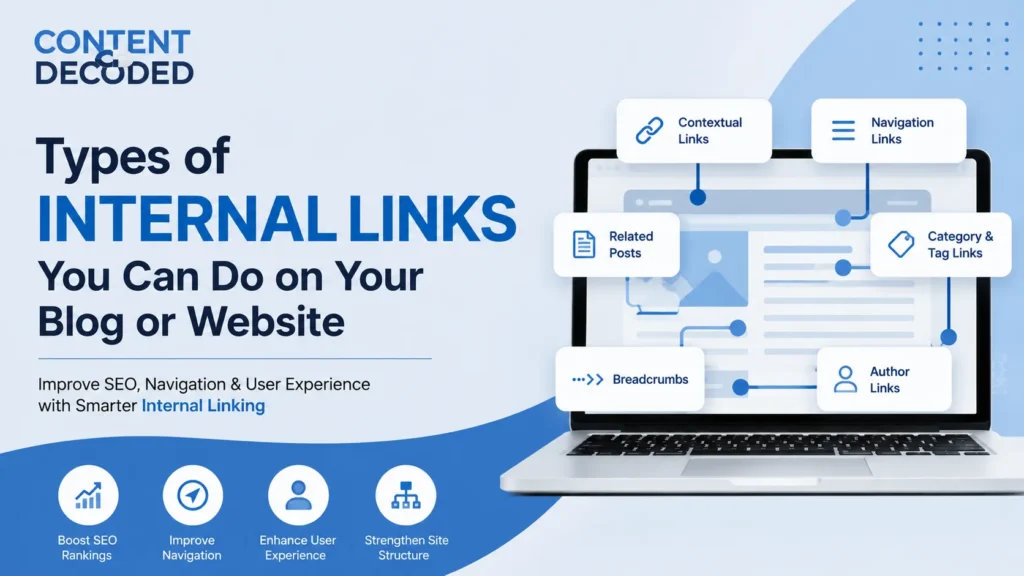
When most bloggers think about internal linking, they usually focus only on adding a few links inside their content. However, internal linking is much broader than that. From contextual links and related post sections to breadcrumbs, author pages, and navigation links, there are multiple ways to connect pages across your website.
Each type of internal link serves a different purpose. Some help search engines understand the relationship between your content, while others improve navigation and help readers discover more useful pages.
Below are the different types of internal links you can use on your blog or website.
1. Contextual Anchor Text Links
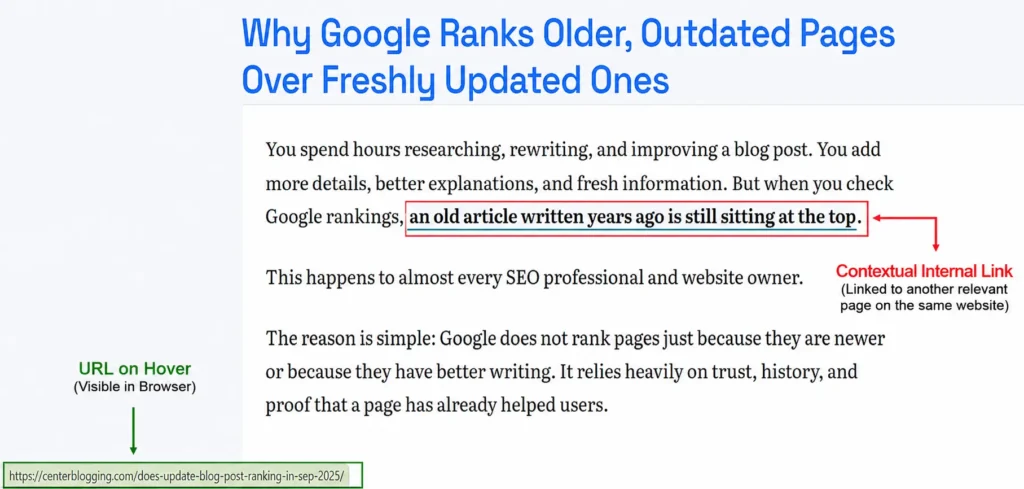
Contextual anchor text links are links placed naturally inside the main content of your blog. They are usually the most valuable type of internal link because they appear in a relevant sentence where the reader already has interest in that topic.
For example, if you mention keyword research in an SEO article, you can link those words to your detailed keyword research guide. This gives both readers and search engines a clear idea of what the linked page is about.
A good contextual link should:
- Fit naturally within the sentence.
- Use clear and descriptive words.
- Connect to a page that expands the topic further.
SEO Importance: Very High
2. Pillar and Topic Cluster Links
A pillar and topic cluster structure connects a broad guide with several smaller articles that explain individual parts of the same topic. The main pillar page links to all related articles, and those supporting articles also link back to the main guide.
For example:
Pillar Page:
- Complete Guide to SEO
Supporting Articles:
- Keyword Research Guide
- On-Page SEO Guide
- Technical SEO Guide
- Link Building Guide
This creates a strong connection between related topics and helps your website show complete coverage of a subject.
SEO Importance: Very High
3. “Read More” and Related Content Links
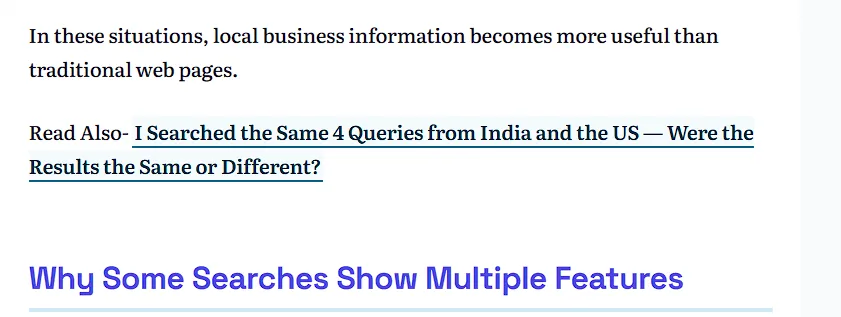
These are separate links placed between sections or near the end of a blog to guide readers toward another relevant article.
Examples:
- Read More: How to Optimize Images for SEO
- Related: Beginner’s Guide to On-Page SEO
They are useful when a topic requires more explanation but adding that entire explanation inside the current article would make it too long.
SEO Importance: High to Medium
4. Internal Link Buttons
Internal links can also appear as buttons, especially when you want to highlight an important page such as a service page, product page, important guide, or resource page.
Example:
Download SEO Checklist
Buttons are more noticeable than normal text links and can attract readers’ attention when placed in a relevant section.
Note; Always make sure button links use standard HTML links (<a href=”…”>) wrapped around the button style, rather than JavaScript, so search engine bots can easily crawl them.
SEO Importance: Medium
5. Related Posts Sections
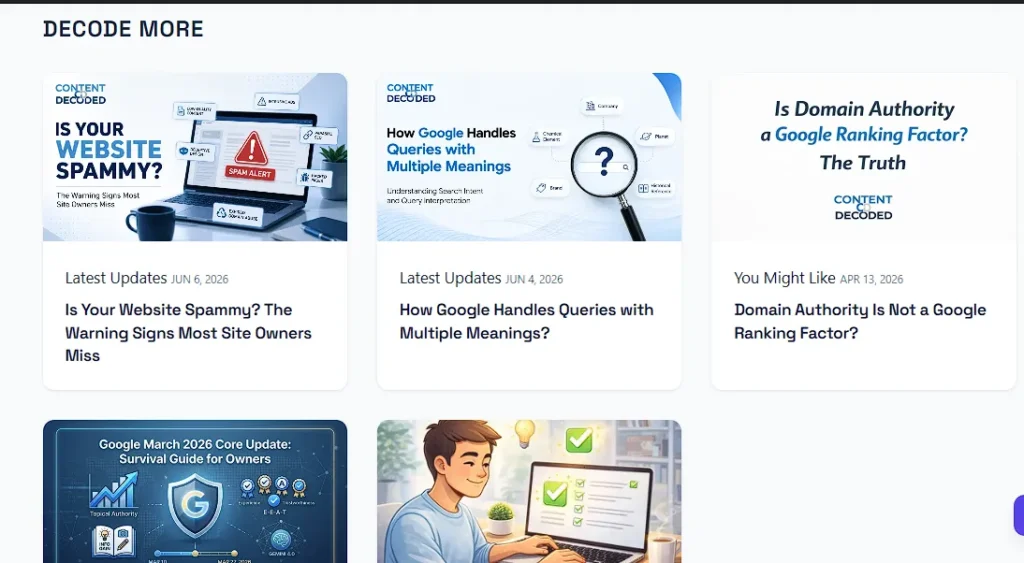
Related post sections usually appear at the end of a blog and display a list of articles that are connected to the current topic. They may include article titles, short descriptions, or featured images.
These sections help readers continue exploring your website after they finish reading an article. Although they may not have the same value as manually added links inside the content, they are still useful for improving content discovery.
SEO Importance: Medium
6. Inline Related Content Boxes
Inline related content boxes are highlighted sections placed inside the body of a blog. They are designed to catch the reader’s attention and recommend another useful article at the right moment.
Example:
Helpful Guide: Learn the complete process of optimizing your website images.
Since these boxes appear while someone is actively reading the content, they can encourage more readers to visit related pages.
SEO Importance: Medium to High
7. Image Internal Links
Internal links are not limited to text. You can make images, screenshots, charts, and infographics clickable and send readers to another page on your website.
When using image links, make sure the image has a clear alt description because it helps search engines understand the purpose of the image link. Google treats the image’s Alt text exactly like the Anchor Text of a text link.
Image links work especially well for:
- Infographics
- Comparison charts
- Tutorial screenshots
- Visual guides
SEO Importance: Medium to High
8. Jump Links (Table of Contents Links)
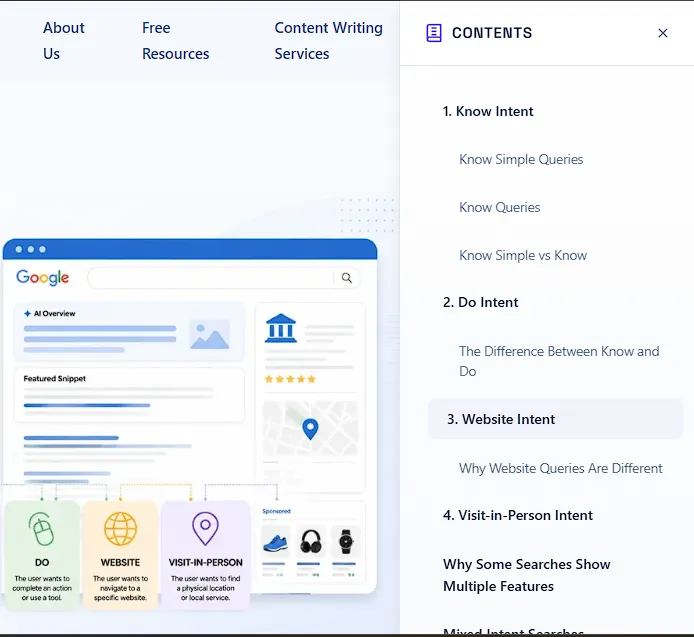
Jump links do not take users to another page. Instead, they move the reader directly to a specific section within the same article.
They are commonly used in tables of contents for long-form guides and make it easier for readers to quickly reach the information they are searching for.
SEO Importance: High for user experience and navigation
9. Author Page Links

Author page links connect the author’s name, usually shown at the beginning or end of a blog, to a dedicated author profile page.
A complete author page can include:
- Author background
- Experience
- Areas of expertise
- Published articles
These links help readers understand who created the content and add more trust to your website.
SEO Importance: High for website trust
10. Category and Tag Links
Category and tag links connect individual blog posts to broader sections of your website.
For example, an article about image optimization can belong to an SEO category, allowing readers to find other SEO-related articles from the same section.
They improve website organization and help visitors discover more content on related topics.
SEO Importance: Medium
11. Breadcrumb Links
Breadcrumb links show the location of a page within your website structure, helping readers understand where they are and move back to broader sections.
Example:
Home > Blog > SEO > Image Optimization
They provide a clear navigation path and help search engines understand the relationship between different pages.
SEO Importance: High for website structure
12. Header Navigation Links

Header navigation links are the links shown in your website’s main menu and are usually available across all pages.
They commonly point to important areas such as:
- Main categories
- Services
- Important guides
- Contact pages
They make it easier for visitors to access the most important sections of your website.
SEO Importance: Medium
13. Footer Links
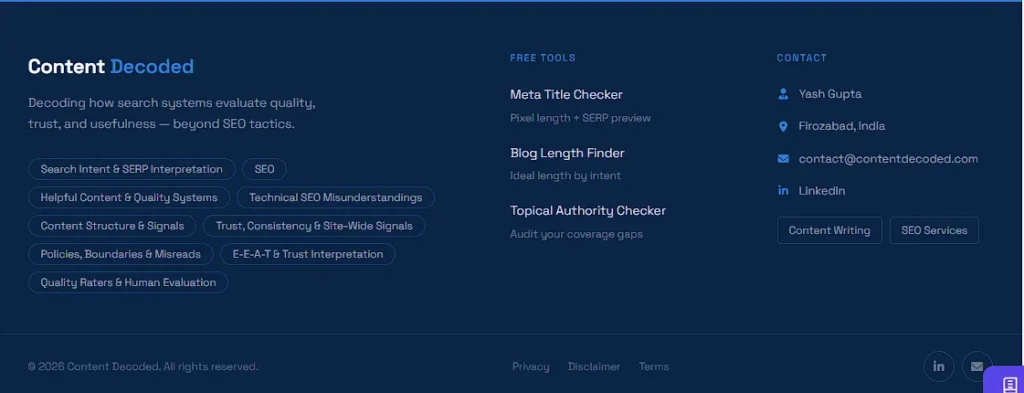
Footer links appear at the bottom section of every page on a website.
They generally link to pages such as:
- About Us
- Contact Page
- Important resources
- Main categories
They support overall website navigation, but they usually provide less SEO value compared with links placed naturally inside the content.
SEO Importance: Low to Medium
14. Sidebar Links
Sidebar links are usually displayed beside the main content and often show popular posts, recent articles, or important resources.
They provide readers with additional content options, but because they are outside the main content area, they generally have lower SEO value than contextual links.
SEO Importance: Low to Medium
15. Comment Section Internal Links
Comment section links are added when replying to readers and directing them to another article that provides a better or more detailed answer.
These links should only be used when they genuinely help the reader and should never be added only for increasing the number of internal links.
SEO Importance: Medium
Internal Linking Importance Comparison Table
| Internal Link Type | Main Purpose | SEO Importance |
| Contextual Anchor Text Links | Connect related information inside content | Very High |
| Pillar and Topic Cluster Links | Build strong topic relationships | Very High |
| Read More and Related Links | Guide readers to additional content | High to Medium |
| Internal Link Buttons | Highlight important pages | Medium |
| Related Posts Sections | Help users discover more articles | Medium |
| Inline Related Content Boxes | Attract attention inside content | Medium to High |
| Image Internal Links | Provide visual navigation | Medium to High |
| Jump Links | Improve page navigation | High |
| Author Page Links | Build trust and author identity | High |
| Category and Tag Links | Organize related content | Medium |
| Breadcrumb Links | Show website hierarchy | High |
| Header Navigation Links | Give access to important sections | Medium |
| Footer Links | Support overall navigation | Low to Medium |
| Sidebar Links | Show additional content options | Low to Medium |
| Comment Section Links | Answer reader questions with related content | Medium |
What Happens If You Don’t Use Internal Links?
A page with no internal links pointing to it or leading from it can become an orphan or dead-end page, making it harder for search engines and users to discover related content.
Common problems include:
- Lower ranking potential: The page receives less support from other pages on your website.
- Slower content discovery: Search engines may take longer to find and understand your pages.
- Weaker topic connection: Your website appears less connected around a subject.
- Poor user journey: Readers have no clear path to continue learning and may leave your website.
- Lost opportunities: Related articles remain hidden instead of supporting each other.
This is why every important page should be connected with relevant internal links rather than existing as a separate piece of content.
Important: Having no internal links does not automatically mean a page cannot rank. If the content provides unique value, satisfies the user’s search intent, and the website already has strong authority in that topic, the page can still achieve good rankings. However, proper internal linking makes it easier for search engines to understand the page, discover it faster, and see how it connects with the rest of your website.
Internal Linking Best Practices
Using more internal links does not always mean better SEO. The right number of links depends on the topic, content length, and what information the reader actually needs.
A shorter article may only require a few relevant links, while a detailed guide can naturally include many more.
Follow these best practices:
- Only link to pages that are closely related to the current topic.
- Use descriptive anchor text instead of unclear phrases.
- Connect old and new articles by adding links in both directions whenever relevant.
- Avoid adding unrelated links just to increase your internal link count.
- Make sure every important page has links leading to it and links leading readers to other useful pages.
Quick Internal Linking Checklist
Before publishing your blog, ask yourself:
- Have I linked to relevant articles that add more value to this topic?
- Have I connected this article to my main pillar or important category pages?
- Did I update older related articles to link back to this new post?
- Are my links natural and useful instead of added just for SEO?
- Does the reader have a clear next step after finishing this article?
If your answer is yes to most of these points, your internal linking strategy is likely well structured and focused on both SEO and user experience.
Before publishing the new blog, add internal links to relevant old blogs. After publishing the blog, update the old blogs by adding internal links to the new blog.
Final Thoughts
A successful internal linking strategy creates a connected website where every page supports another. Contextual links and pillar clusters usually provide the strongest SEO benefits, while navigation links, related sections, and other structural links improve website organization and make it easier for readers to explore your content.
You do not need to use every type of internal link in every article. Choose the links that fit naturally, answer the reader’s needs, and help them move to the next relevant piece of content.
 Add Content Decoded as a preferred source