How Long Should a Meta Title Be? Why the 60-Character Rule Is a Myth
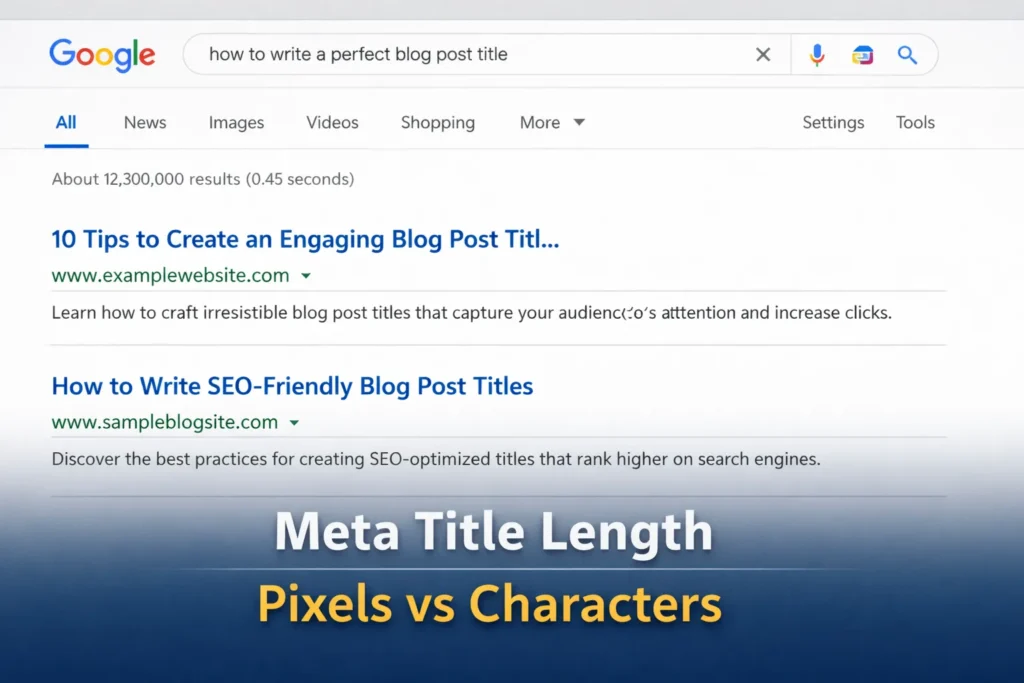
Google typically displays meta titles up to about 580–600 pixels wide in search results.
Most SEO guides still repeat the 60-character limit as if Google counts letters. It doesn’t. Google fits titles based on pixel width, which means narrow letters take less space than wide ones.
Myth vs Reality
Myth: Google shows up to 60 characters.
Reality: Google truncates titles when the pixel width runs out, which is 500 px to 600 px.
Myth: Shorter titles always display fully.
Reality: Wider letters can cut even a short title.
This guide shows how titles are actually rendered and a simple way to write ones that display fully and earn more clicks.
Google measures title width in pixels, not characters.
The Real Limit: Google Measures Pixels, Not Characters
Most SEO guides say to keep titles under 60 characters. The problem is Google does not actually count characters. What determines whether a title is cut off is pixel width.
Why Character Counts Became the SEO Standard
Early SEO advice relied on characters because old search engines displayed titles inside fixed fields. Tools noticed that around 60 characters usually fit, so the number became a practical rule of thumb.
How the guideline spread:
- Early SERPs used rigid display limits
- SEO tools recommended 60 characters
- Guides repeated the number for years
Today Google renders titles visually, which means pixels decide what appears.
How Google Calculates Title Width in the SERP
Google places each title inside roughly a 600-pixel container. Because the SERP font is proportional, every letter occupies different space. Wide characters like W and M stretch titles faster than narrow ones like i or l.
| Title Example | Characters | Pixel Width | Result |
|---|---|---|---|
| Example title with many W letters | 55 | 610px | Truncated |
| Example title with narrow letters | 63 | 585px | Fully visible |
Key takeaway: visible length depends on pixel width, not character totals.
The Safe Pixel Range That Prevents Title Truncation
Search engines measure title length in pixels, not characters. Because of that, SEO professionals rarely rely on exact limits. Instead, they work within a practical safety zone that keeps titles visible across most search results.
The Three Pixel Zones Every SEO Should Know
| Pixel Width | Zone Type | What Happens |
|---|---|---|
| Under 510px | Safe Zone | Almost always fully visible |
| 510–600px | Sweet Spot | Maximum SERP space |
| Over 600px | Risk Zone | Google adds “…” |
These zones exist because Google dynamically adjusts how titles render depending on device width and letter size. Wider characters take more pixel space, which means two titles with the same character count may display differently.
Character Estimates That Usually Fit Within 600 Pixels
Character counts can still help during early drafting.
- 50–55 characters → Very safe for most title structures.
- 56–60 characters → Usually safe but depends on wording.
- 60+ characters → Higher risk since wide letters increase pixel usage.
Pro tip: Use a meta title checker instead of guessing character counts.
Meta Title Length Guide by Search Intent and Page Type
| Intent Type | Page Type | Typical Query Type | Ideal Character Range | Ideal Pixel Range | When a Short Title Works Best | When a Longer Title Works |
|---|---|---|---|---|---|---|
| Informational | Blog post / Guide | “how to…”, “what is…”, “guide to…” | 50–65 | 520–600px | When the topic itself is clear and brand authority is strong | When you need to add a benefit or context (year, audience, outcome) |
| Informational | Educational article | broad topic queries | 45–60 | 500–580px | When the keyword already explains the value | When adding modifiers like examples, checklist, template |
| Commercial Investigation | Comparison page | “best tools”, “top software”, “vs” | 55–65 | 540–600px | When the main keyword already contains strong intent | When you add qualifiers like pricing, reviews, or year |
| Transactional | Product page | product name queries | 45–60 | 480–560px | When brand and product name already drives clicks | When including key specs or category, it improves clarity |
| Transactional | Category page | “buy”, “shop”, product category | 50–60 | 520–580px | When category name is self-explanatory | When adding shipping, price range, or selection benefits |
| Navigational | Brand homepage | brand name searches | 35–55 | 380–520px | Almost always — brand searches already know where they’re going | Rarely necessary unless clarifying services |
| Local Intent | Local service page | “near me”, city-based queries | 50–65 | 520–600px | When business name + service is clear | When including location and service modifiers |
| Evergreen SEO content | Long-term guides | “ultimate guide”, “complete guide” | 55–65 | 540–600px | When the topic itself is strong | When adding a promise like checklist, templates, or framework |
How to Read This Table
The pattern becomes clear when you step back:
Short titles work best when: The query already contains strong intent, the brand or product name is the main click driver, the topic is obvious.
Longer titles work best when: You need to communicate value or outcome, the query is broad, the SERP is competitive and you need a stronger hook.
Why Meta Title Length Matters (But Not for the Reason You Think)
Meta title length is often treated like a strict SEO rule. In reality, its biggest impact is how humans read and react to your search result.
Truncation Is Not an SEO Penalty
Google does not penalise long titles. A title can rank perfectly even if part of it is cut in search results because ranking relies on relevance and search intent, not character limits.
Common misconceptions:
- Longer titles hurt rankings
- Anything past 60 characters is ignored
- Truncation means Google dislikes the page
The risk is not ranking loss but losing the message users see.
Where Title Length Actually Impacts Performance
When keywords disappear, the snippet becomes weaker and fewer people click.
Real scenarios where this happens:
- Value proposition cut off
- Call to action removed
- Brand pushes keyword out of view
A guide titled Best Email Marketing Tools for Small Businesses in 2026 may show only Best Email Marketing Tools, hiding the audience that would click. Clicks drop even though rankings stay the same because the promise is incomplete.
The CTR-Optimized Formula for Writing Meta Titles
Writing a strong meta title is a balance between technical limits and persuasion. It must fit within pixel constraints while still giving searchers a clear reason to click. The best titles respect both.
The Front-Loading Rule for Maximum Visibility
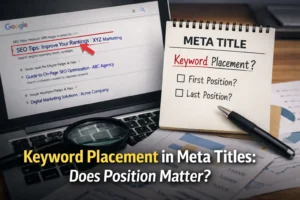
A core SEO writing tactic is placing the primary keyword early in the meta title, ideally within the first 30–35 characters so the most important words remain visible in search results.
Why this matters:
- Mobile screens cut titles earlier
- Users scan only the first few words
- Google may shorten titles in AI summaries
| Weak Title Structure | Improved Title |
|---|---|
| Guide to SEO Meta Titles and Best Practices | Meta Title Length Guide: Pixel Rules That Prevent Truncation |
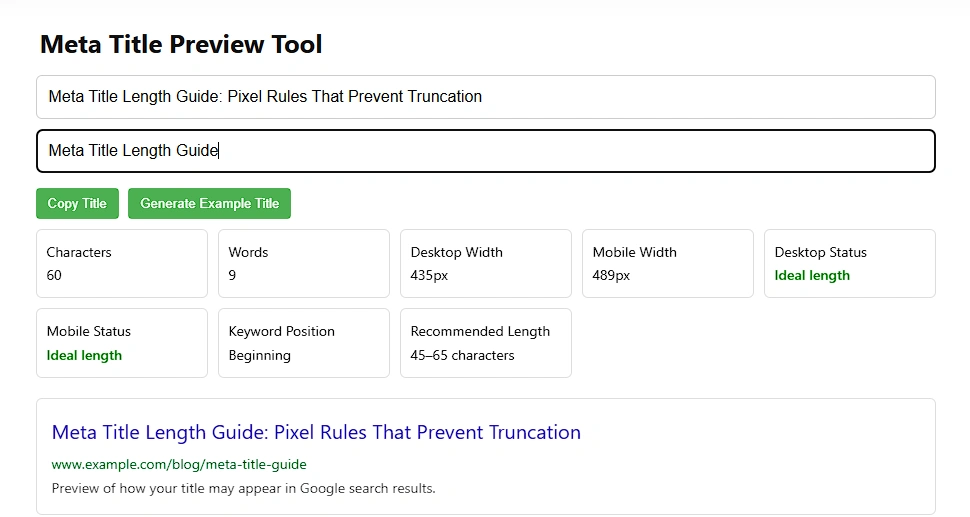
If the key idea appears late, it may never be seen. The improved version places the main keyword immediately and adds a benefit-driven hook.
The Brand Placement Strategy Most Sites Get Wrong
Most sites place the brand name too early in the title. When truncation happens, the main message disappears while the brand remains. A better approach is placing the brand at the end so the value statement stays visible.
Brand-first can work when:
- The brand has strong recognition
- Branded searches dominate traffic
- The brand itself drives clicks
Example titles:
- SEO Meta Title Length Guide | BrandName
- Brand Name: Official SEO Tools and Resources
Aligning Meta Titles With Your H1 to Prevent Rewrites
Google frequently rewrites titles when they differ too much from the page heading. Understanding the relationship between meta titles and H1 tags helps prevent this issue.
Example alignment:
- H1: Meta Title Length Guide
- Meta Title: Meta Title Length Guide: Pixel Rules That Prevent Truncation
Both share the same core keyword phrase. This consistency helps search engines understand the page topic and reduces the chance of automated title rewrites.
You can read a detailed explanation of why Google rewrites titles and how to fix it here.
🛠️ Tool That Instantly Shows If Your Title Will Be Cut Off
For a long time, I used to estimate title length just by looking at the character count. The problem is that what looks perfect inside a text editor can still get cut off in Google search results. Once the title is ready, you still need to add the meta title properly in your page settings so search engines can read it.
That happens because Google doesn’t actually measure titles by characters. It measures them by pixel width.
A title filled with wider letters can exceed the display limit even when the character count seems safe. That is why I built a simple tool on my site to make this easier.
The Tool I Built for This
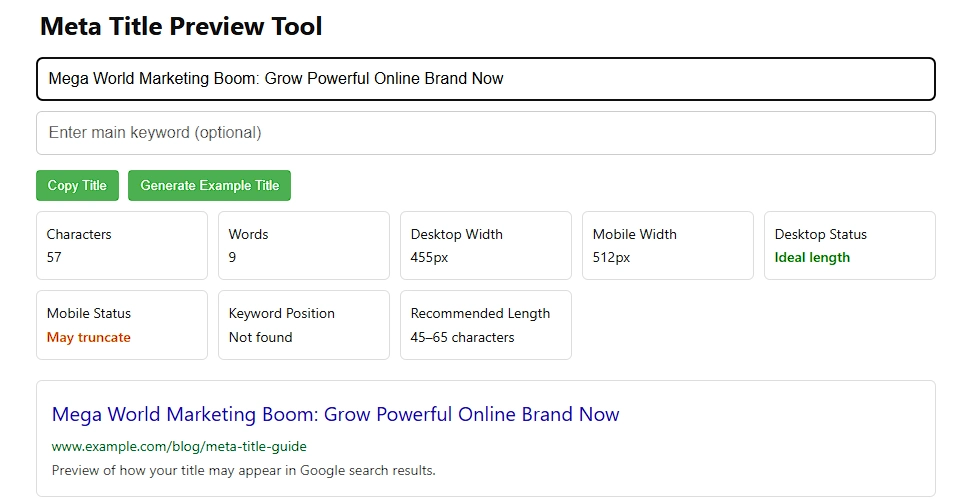
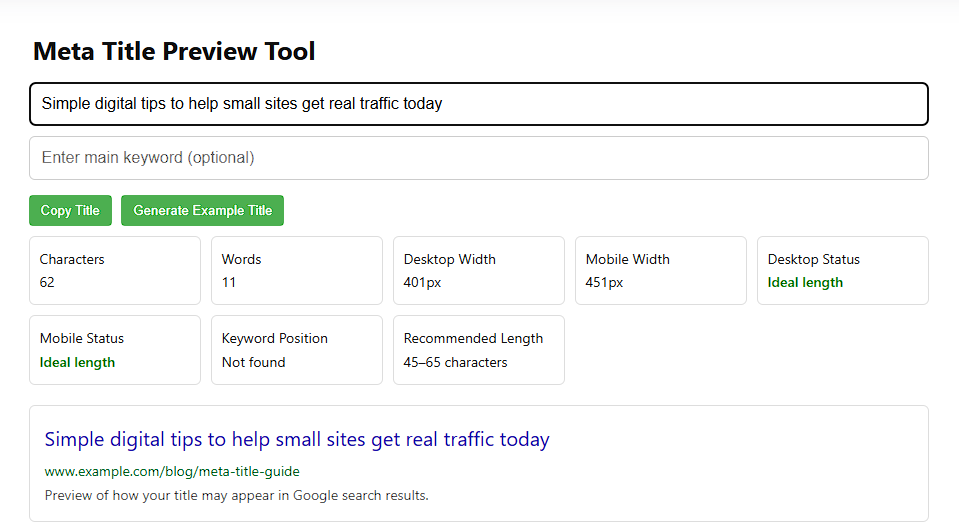
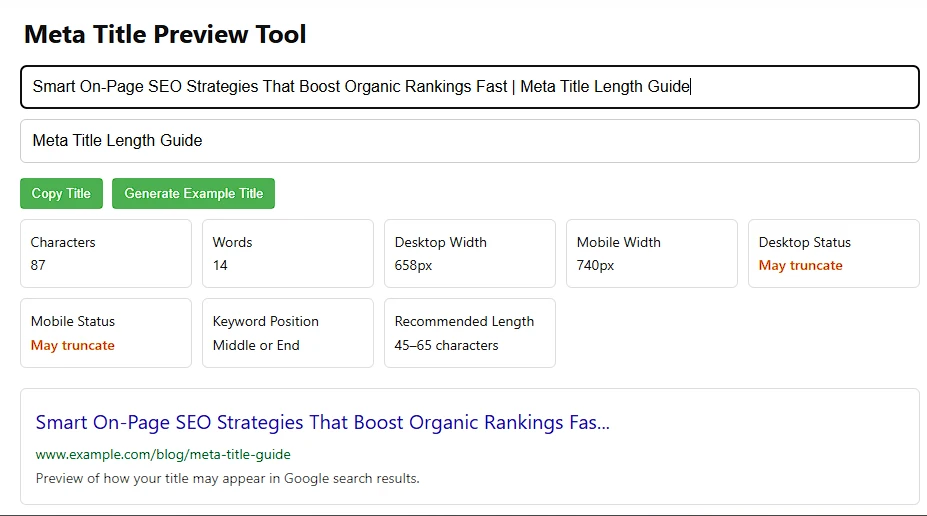
On this website, I created a Meta Title Preview Tool that lets you test titles the same way search engines evaluate them.
Instead of guessing, you can type your title and instantly see:
- Character count
- Word count
- Estimated pixel width for desktop
- Estimated pixel width for mobile
- Whether the title might be truncated
- Where your keyword appears in the title
- A live Google-style preview
Seeing the title in a simulated search result makes it much easier to spot problems before publishing.
How I Use the Tool
My process is simple whenever I write a new article or page.
- I paste the title into the tool
- The tool calculates the pixel width
- If it goes beyond the safe range, I shorten or adjust the wording
- I check the preview to make sure the title still reads clearly
Most titles perform best when they stay around 45–65 characters, but the pixel width preview is the part that really matters.
Why I Built It
I wanted a quick way to test titles without installing plugins or switching between different tools. So I built this preview tool directly on my website.
Now I can check titles in seconds and make sure they display properly on both desktop and mobile search results.
If you want to test your own titles, you can simply type them into the tool above and see how they will likely appear in Google.
The Final Verdict: Stop Counting Characters and Start Optimizing Visibility
After all the debate, the answer is simple. Google doesn’t measure titles by characters; it measures them by pixel width. In practice, about 600px of space is available, which usually equals roughly 50 to 55 characters before a title gets truncated.
What this really means is that visibility and clicks matter more than squeezing into a strict number. A slightly shorter, clearer title often performs better than a longer one that gets cut off.
Keep these rules in mind:
- Aim for about 580px or roughly 55 characters to stay safely within the display limit.
- Place the main keyword and the hook near the beginning so the important words always appear.
- Check every title in a SERP preview tool before publishing.
A meta title’s real job isn’t fitting a character count. It earns the click before the space runs out online.
— trust grows in systems, not silos —
 Add Content Decoded as a preferred source