Is Image Cannibalisation Possible in SEO?
Most SEO professionals are familiar with keyword cannibalisation, where multiple pages on the same website compete for the same search term. However, many website owners overlook another issue that can create similar problems: image cannibalisation.
The simple answer is yes, image cannibalisation is possible in SEO.
It happens when multiple images on your website send similar signals to Google and end up competing for the same image search query or search intent. Instead of helping your rankings, these images can make it harder for Google to understand which image and which page should be considered the most relevant result.
While image cannibalisation does not receive as much attention as traditional keyword cannibalisation, it can still affect image visibility, page relevance, click-through rates, and even the performance of important content on your website.
What Is Image Cannibalisation?
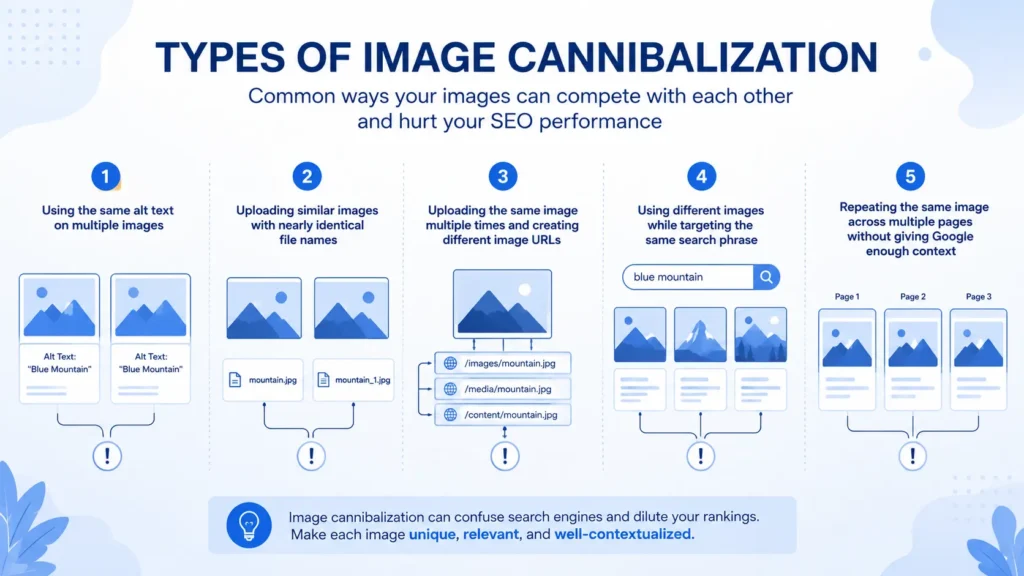
Image cannibalisation occurs when two or more images on your website compete for the same keyword, topic, or visual search query.
In many cases, this happens without website owners realising it. The issue is usually created by repeated optimisation patterns across multiple pages.
Some common causes include:
- Using the same alt text on multiple images.
- Uploading similar images with nearly identical file names.
- Uploading the same image multiple times and creating different image URLs.
- Using different images while targeting the same search phrase.
- Repeating the same image across multiple pages without giving Google enough context.
When several images target the same topic in the same way, Google may struggle to determine which image deserves the strongest visibility.
Instead of having one clear winner, you create multiple competing assets on your own website.
How Google Understands Images
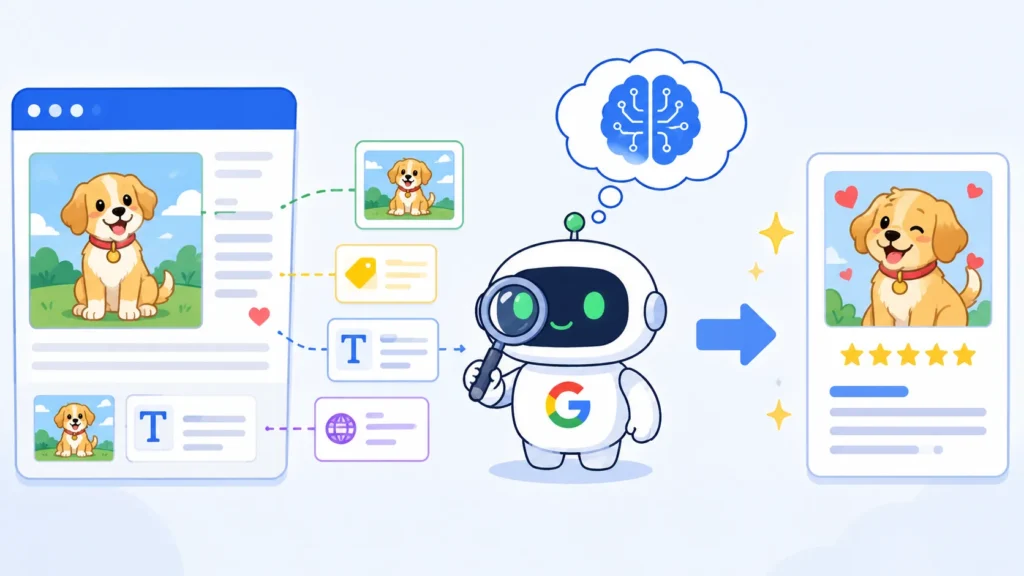
Google no longer relies only on alt text to understand images. Thanks to AI and recent Google updates, it can analyse the image itself while also looking at alt text, file names, headings, surrounding content, and overall page context.
This means Google does not evaluate images in isolation. It uses both the image and the content around it to understand relevance. Because of this, image SEO is not just about ranking in Google Images. It also helps Google better understand the page itself.
Why Image Cannibalisation Matters
Many website owners think image cannibalisation only affects Google Images, but it can also impact page rankings. When multiple images compete for the same query, Google may struggle to identify the strongest image and page.
1. Ranking Signals Get Split
Instead of strengthening one image, Google may spread ranking signals across multiple competing images, resulting in lower or no rankings and fewer clicks.
2. Google Gets Confused About Page Relevance
Google uses images and content together to understand a page. If multiple pages send similar image signals, it may become harder for Google to decide which page should rank, weakening all of them.
3. Loss of Featured Snippets and Image Results
Google often displays Image Packs, Featured Snippets, and other visual results. If image signals are unclear, you may miss opportunities to appear in these high-visibility positions.
4. Crawl Resources Are Wasted
Duplicate or confusing image assets require additional processing. On larger websites, this can reduce Google’s focus on more important content.
Check Your Crawl Budget and Loss now with this tool: Google Crawl Budget Calculator
5. User Experience Can Suffer
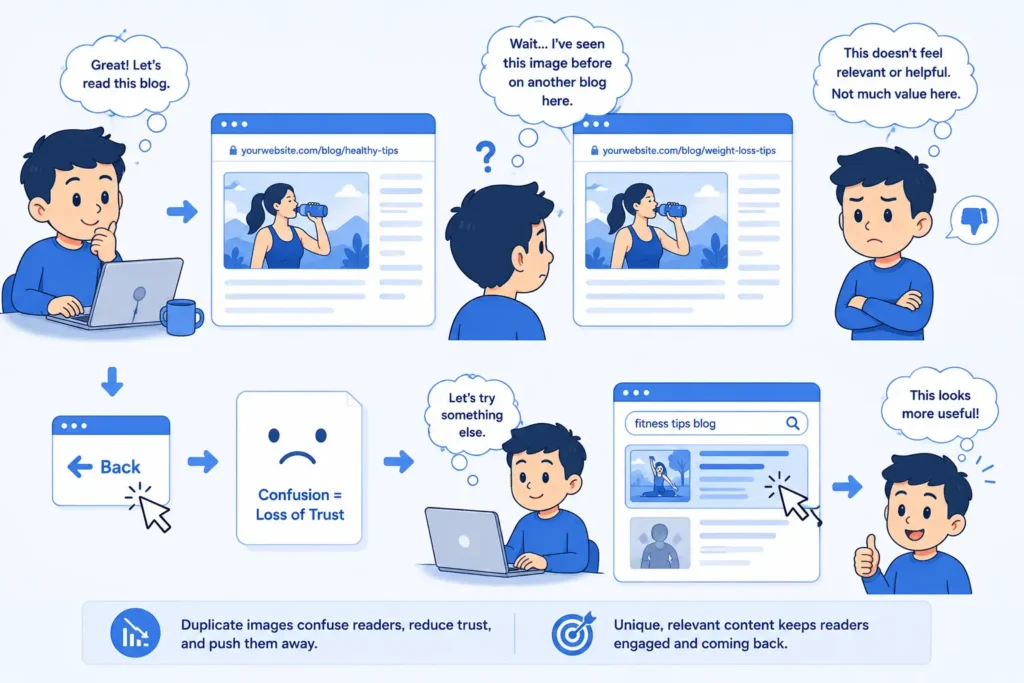
Repetitive or poorly matched images add little value and can make content less engaging. Images should support the content, not simply fill space.
Can Images Affect Text Rankings?
Yes. Images and content work together to help Google understand a page.
Google uses the surrounding text to understand images, and it also uses images to strengthen its understanding of the page topic. When image signals are clear and relevant, they support the overall theme of the article. When they are repetitive or conflicting, they can weaken Google’s understanding of the page.
Images also influence how users interact with content. Relevant images can improve engagement and make content easier to follow, while repetitive or confusing images may reduce the overall experience. While this is not a direct ranking factor, user behaviour can indirectly affect SEO performance over time.
This is especially important for pages competing for featured snippets, image packs, and competitive keywords. For this reason, image SEO should be treated as part of overall page optimisation rather than a separate task.
What Happens When Different Images Use the Same Alt Text?
This is one of the most common image SEO mistakes.
Many website owners use the same alt text on different images because they belong to the same broad topic. However, this can create unnecessary competition.
Google does not rely only on alt text. It also analyses the actual visual content of the image.
When different images share the same alt text, Google receives mixed signals. The alt text suggests both images represent the same thing, while the visual content tells a different story.
As a result, Google may struggle to determine which image is the best match for a particular search query.
| Image | Alt Text |
|---|---|
| Image 1 | how to fix a flat tyre |
| Image 2 | how to fix a flat tyre |
| Image | Alt Text |
|---|---|
| Image 1 | loosening lug nuts before removing a flat tyre |
| Image 2 | lifting a vehicle with a car jack during tyre replacement |
The second approach gives each image its own purpose and helps Google understand the specific role it plays within the content.
Can You Reuse the Same Image in Multiple Articles?
Yes. Using the same image in multiple articles is completely normal and does not create a penalty. In many cases, one image may genuinely help explain concepts in different articles.
However, there are two important rules to follow.
Use Contextual Alt Text
If you reuse the same image across multiple articles, adjust the alt text to match the page context. The image may be the same, but its purpose within each article can be different. This helps Google understand why the image is relevant to that specific page.
Use the Same Image URL
If you reuse an image, do not upload it again with a new file name.
This gives Google one authoritative image asset while allowing it to be used naturally across multiple pages.
What If Images Have No Alt Text?
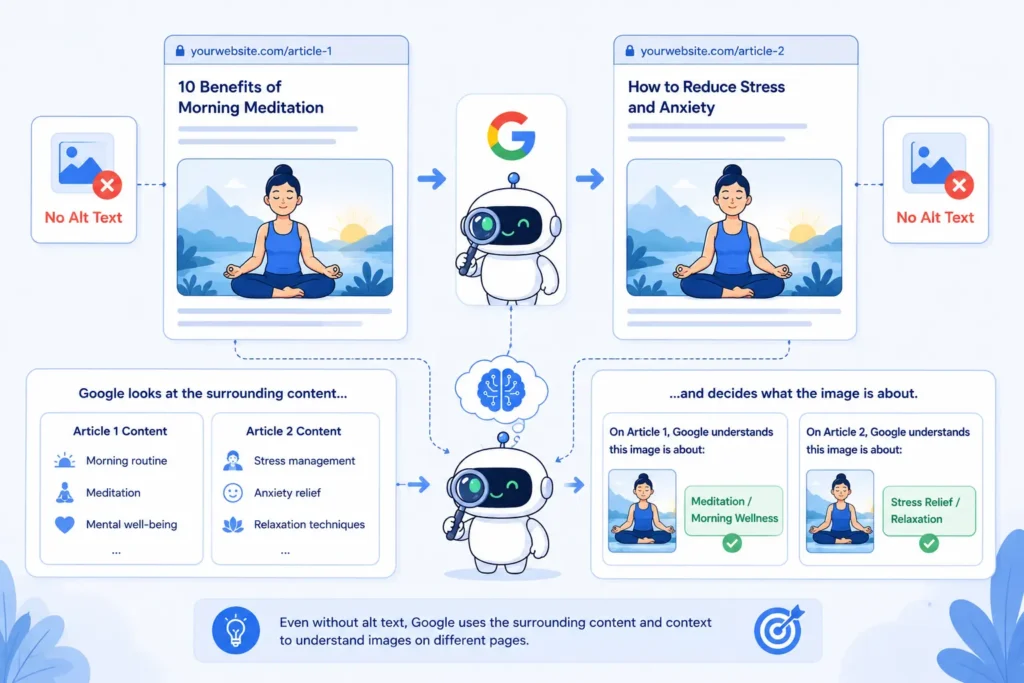
Google can still understand and rank images even when alt text is missing. Modern search systems rely on multiple signals, including:
- Surrounding content.
- Headings.
- File names.
- Captions.
- Visual analysis of the image itself.
However, relying entirely on Google to interpret your images is not ideal. Without alt text, Google has less direct information about the image.
This can reduce image understanding accuracy, especially for competitive search terms.
For important pages, descriptive alt text remains one of the easiest and most effective image SEO improvements.
How to Find Image Cannibalisation
Checking thousands of images manually is unrealistic for large websites. Instead, focus on your highest-traffic pages and most important keywords.
Use Screaming Frog
A site crawl can quickly reveal image-related patterns.
Look for:
- Duplicate alt text.
- Duplicate image files.
- Similar images appearing across multiple pages.
- Missing alt text.
This gives you a clear view of potential image conflicts across the website.
Use Google Search Console
Google Search Console can show how your images perform in search results.
To investigate image cannibalisation:
- Open Performance.
- Change Search Type from Web to Image.
- Review important image queries.
- Check which pages receive impressions.
If multiple pages compete for the same image query, you may have an image cannibalisation issue.
Use SEO Tracking Tools
Tools such as Ahrefs, Semrush, and TrueRanker can help identify situations where different URLs compete for the same search opportunity.
These tools are especially useful when monitoring large websites that publish content regularly.
When Images Help SEO
Images can be a valuable source of traffic and visibility when used correctly.
1. Increased Visibility in Search Results
Well-optimised images can appear in:
- Google Images
- Image Packs
- Visual search results
- AI Overview
This creates additional opportunities for users to discover your content.
2. Higher Click-Through Rates
Search results that include relevant images often attract more attention than plain text listings.
A strong image can encourage more users to click on your content.
3. Better User Engagement
Images help break up long sections of text and make content easier to consume.
Useful screenshots, diagrams, charts, and examples can keep visitors engaged for longer periods.
4. Additional Traffic Sources
High-quality images may also appear in:
- Google Discover
- Google Lens
- Other visual search experiences
This can generate traffic beyond traditional search results.
When Images Hurt SEO
Images can become a problem when they are poorly optimised or used without a clear purpose.
1. Large File Sizes
Large image files slow down page load times and create a worse user experience. Modern formats such as WebP offer better compression with minimal quality loss, helping improve page speed, Core Web Vitals, and overall website performance.
Also, optimise your images for mobile-ready
2. Generic Stock Photos
Generic stock images often add little value because thousands of websites use the same visuals.
Whenever possible, original screenshots, custom graphics, and unique visuals provide stronger signals.
3. Important Information Hidden Inside Images
Important content should not exist only inside graphics. Key information should also appear as normal text on the page so that search engines can understand it more easily.
4. Over-Optimizing Decorative Images
Not every image needs keyword-focused optimisation.
Decorative elements such as:
- Icons
- Background graphics
- Dividers
- Design elements
usually do not require keyword-rich alt text. Trying to optimise these images often creates unnecessary clutter.
Best Practices to Avoid Image Cannibalisation
Use unique alt text
Helps Google understand each image separately.
Write descriptive file names
Provides additional context about image content.
Reuse existing image URLs
Prevents duplicate image assets and consolidates signals.
Match images to page topics
Strengthens topical relevance and user experience.
Focus on important pages first
Delivers the biggest SEO impact with the least effort.
Remove unnecessary duplicates
Reduces confusion and keeps image libraries organized.
Use original images where possible
Creates stronger relevance and uniqueness signals.
The easiest way to prevent image cannibalisation is to follow a consistent image SEO process.
Why Images Matter for AI Overviews
As Google increasingly uses AI Overviews, images play a bigger role in helping search engines understand content. Clear, relevant images with proper context can strengthen topical relevance and improve Google’s understanding of a page, increasing the chances of your content being used as a source in AI-generated search experiences.
The Simple Rule to Remember
If two images serve different purposes, give them different alt text.
If the same image is used on multiple pages, keep the same image URL but adjust the alt text to match the page context.
Following these two rules alone will prevent most image cannibalisation issues while helping Google better understand your content.
 Add Content Decoded as a preferred source