Crawling & Crawl Budget: How Google Discovers Your Website
Imagine you add a new product to your website. The page is live, but when you search for it on Google days later, you still can’t find it.
So what happened?
Before Google can decide whether to show a page in search results, it first needs to discover and crawl the URL. And when a website has thousands or millions of URLs, making sure Google spends its time on the right pages becomes important.
That’s why today we’ll learn crawling and crawl budget, and understand how Google finds and crawls the pages on a website.
What is Crawling?
Crawling is when a search engine crawler, such as Googlebot, discovers and fetches URLs and content from a website.
When Googlebot visits a website, it can follow links, discover URLs, and request those pages from the server. For example, imagine your website has a homepage that links to a shoe category, and that category page links to a product page:
Homepage
↓
/category/shoes
↓
/product/nike-air-max
Googlebot can discover /product/nike-air-max through the internal link on the category page. It then sends a request to your server to fetch that page.
If the server responds successfully, Google receives the page:
GET /product/nike-air-max
↓
HTTP 200
↓
Google receives the page
That process of requesting and fetching the page is crawling.
Crawling is basically the step where Google gets access to the page so it can understand and process what is there.
How Does Google Discover URLs?
Google can discover URLs from several sources. The most important ones are:
- Internal links: Google can follow links from your homepage to categories, products, and other pages. For Example: Homepage → Category → Product
- XML sitemap: Helps Google discover the important URLs on your website. It does not guarantee indexing.
- External links: Google may discover your page when another website links to it.
- Previously known URLs: Google may already know about a URL from earlier crawling or other sources.
In simple terms: Google can find your URLs through internal links, sitemaps, external links, or URLs it already knows.
Crawling Doesn’t Mean Indexing
This is an important distinction in SEO.
When Google discovers a URL, it does not automatically mean that the page is indexed. Crawling and indexing are separate steps.
A simple way to understand the process is:
Google discovers URL
↓
Google crawls URL
↓
Google processes page
↓
Google decides whether to index
So:
Discovery ≠ Crawling ≠ Indexing
A URL can be discovered but not crawled yet. A page can also be crawled but not added to Google’s index.
This is why saying that Google found a page does not necessarily mean that the page is indexed or ranking in search results.
What Is Crawl Budget?
Now we get to the main topic of Today.
Crawl budget is the amount of crawling Google gives to a website over a period of time.
Google has an enormous number of URLs to crawl across the web. It cannot treat every URL on every website exactly the same way.
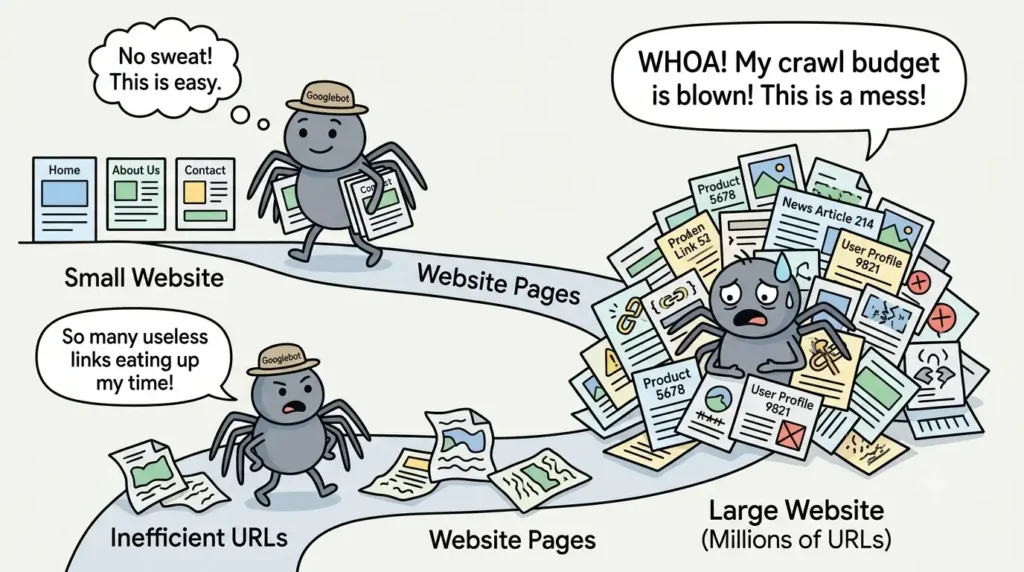
For a small website, this usually isn’t something you need to worry about too much. If a website has around 100 useful pages, there are relatively few URLs for Google to discover and crawl.
The situation is very different for a website with millions of URLs.
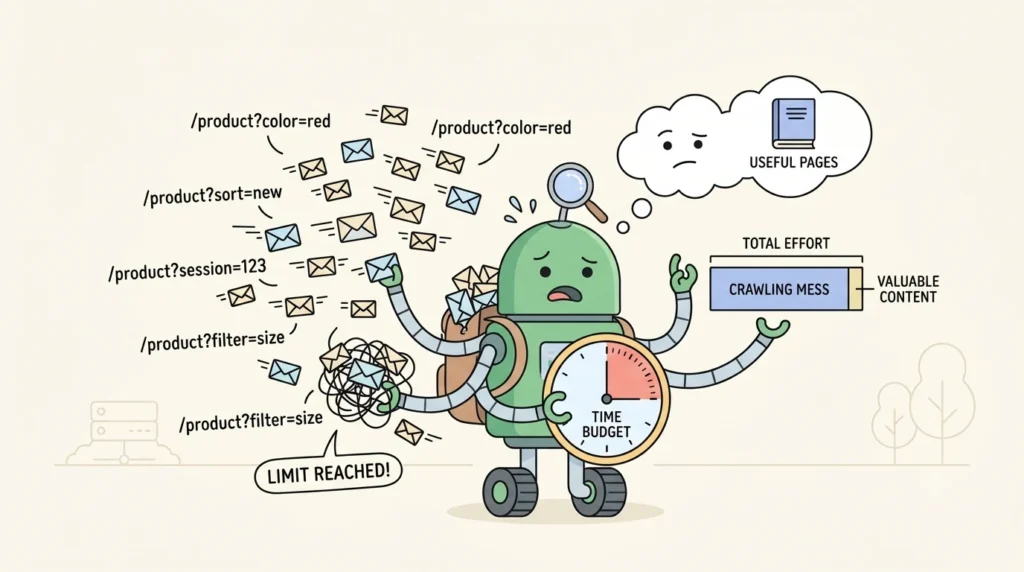
Imagine an e-commerce website with thousands of products. Its website might also create additional URLs through filters, sorting options, tracking parameters, or other features:
/product?color=red
/product?color=blue
/product?sort=price
/product?sort=new
/product?session=123
/product?session=456
Some of these URLs may be useful, while others may add little or no value.
If a website creates millions of unnecessary URL variations, Google may end up spending crawling resources on URLs that are not important. This is where crawl efficiency becomes a bigger technical SEO concern.
Two Important Crawl Budget Concepts
There are two terms you should know when talking about crawl budget: crawl rate limit and crawl demand.
Crawl rate limit
Google needs to crawl websites without putting unnecessary pressure on their servers. If Googlebot sends too many requests and the server starts struggling, Google can adjust its crawling rate.
In simple terms, Google considers how much crawling your website can reasonably handle.
A healthy server that responds quickly and reliably gives Google a better environment for crawling than a server that regularly becomes overloaded or responds slowly.
Crawl demand
Crawl demand is about how much Google wants to crawl a website.
Google may have more reason to revisit certain websites or URLs when their content changes frequently. For example, a news website can publish new content throughout the day, while a small business website might have pages that remain unchanged for months.
Factors such as how often content changes, the importance of URLs, and Google’s interest in those pages can affect crawling demand.
So, crawl budget is not simply a fixed number like:
Google will crawl every website 10,000 times per day.
The actual situation is more complex. For SEO interviews, the easiest way to remember it is that crawl rate limit relates to server capacity, while crawl demand relates to how much Google wants to crawl the site.
When Should an SEO Care About Crawl Budget?
Not every website needs a detailed crawl budget strategy.
For a small website with a limited number of pages, there is usually no need to spend a lot of time worrying about crawl budget. A website with 50 or 100 useful pages is very different from a website with millions of URLs.
Crawl budget becomes more relevant when a website is large, frequently changing, or generates a very large number of URLs.
Common examples include:
- Large e-commerce websites
- News websites
- Marketplaces
- Job portals
- Large classified websites
For example, a website with 10 million URLs needs to think much more carefully about crawling than a website with 50 pages.
So if you are asked in an SEO interview when crawl budget matters, don’t say that every website needs crawl budget optimization.
A better answer is:
Crawl budget becomes particularly relevant for large or frequently changing websites where inefficient URLs can consume crawling resources.
What Can Waste Crawl Resources?
One of the biggest problems is allowing a website to generate too many unnecessary URLs.
Take an e-commerce category page such as /shoes. A website might create different URL combinations when users apply filters or sorting options:
/shoes
/shoes?color=black
/shoes?color=red
/shoes?size=8
/shoes?size=9
/shoes?sort=price
/shoes?sort=rating
Some of these pages might be useful for users and search engines. Others might simply create duplicate or low-value variations of the same content.
The problem becomes much bigger when a website has thousands of products and many filtering options. A relatively small number of filters can create millions of possible URL combinations.
Other technical issues can also make crawling less efficient, including:
- Duplicate or unnecessary URLs
- Excessive URL parameters
- Crawl traps
- Poor internal linking
- Unnecessary redirects
- Large numbers of low-value pages
- Faceted navigation creating too many URL combinations
The goal isn’t to stop Google from crawling your website. The goal is to make sure Google can spend its crawling resources on the pages that actually matter.
Your SEO-Level Responsibility
As an SEO, you don’t need to build Google’s crawler or control exactly how Google crawls the web.
Your responsibility is to understand the website’s URL structure and identify anything that makes crawling unnecessarily difficult or inefficient.
You should be able to look at a website and ask a few basic questions:
- Can Google discover the important URLs?
- Are important pages properly connected through internal links?
- Is the XML sitemap helping Google find the right URLs?
- Are there too many unnecessary URL variations?
- Are technical issues creating unnecessary crawling?
You will use different technical SEO methods to solve these problems, including robots.txt, XML sitemaps, canonicals, noindex, redirects, internal linking, URL parameters, faceted navigation, and crawl trap prevention.
You don’t need to memorize how each one works today. Those topics will make much more sense once you understand crawling and crawl budget first.
Day 2 Key Takeaway
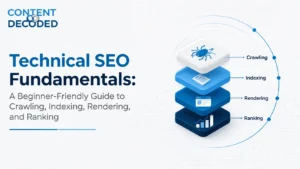
The basic search engine process can be understood like this:
Discovery
↓
Crawling
↓
Rendering
↓
Indexing
↓
Ranking
The important thing is to understand that these are different stages. Google first needs to discover a URL, then crawl and process the page before deciding what to do with it.
For crawl budget, remember the bigger picture:
Large site + huge number of URLs + inefficient crawling = crawl budget becomes more important.
A small website usually doesn’t need to worry much about crawl budget. A large website with millions of URLs, frequent updates, or unnecessary URL variations needs to pay much more attention to how efficiently Google can crawl its pages.
 Add Content Decoded as a preferred source