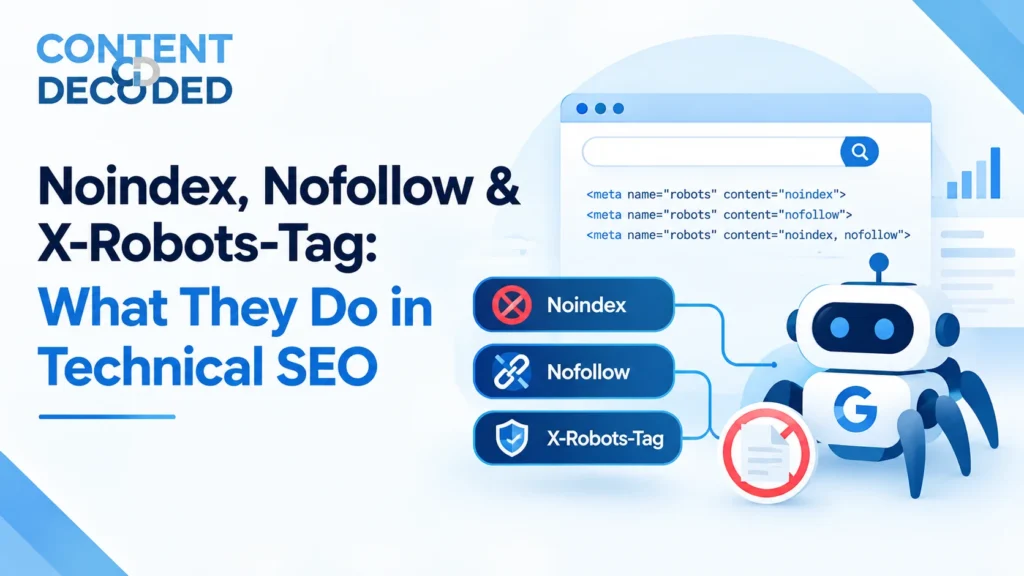
Noindex, Nofollow & X-Robots-Tag: What They Do in Technical SEO
Imagine you launch a new website and, during a quick Google search, you notice that your thank-you page, internal search pages, or test pages are showing up in search results.
You want those pages to stay accessible to users, but you don’t want them appearing on Google. So you add noindex. Then someone suggests using robots.txt instead. Another person says to add nofollow. Now the question is: which one actually controls what Google crawls, indexes, or follows?
That’s where noindex, nofollow, and X-Robots-Tag come in.
The direct answer is simple:
- noindex → tells search engines not to index a page.
- nofollow → tells search engines how to treat the links on a page or a specific link.
- X-Robots-Tag → sends robots directives through the HTTP response header, making it especially useful for files like PDFs and other non-HTML resources.
The important part is understanding that crawling, indexing, and link handling are different things. Once that distinction is clear, these directives become much easier to use correctly.
Today’s Agenda
We’ll look at what noindex, nofollow, and X-Robots-Tag actually do, how they differ from robots.txt and canonical tags, where each one is useful, and the common mistakes that can create indexing problems.
Understanding Noindex
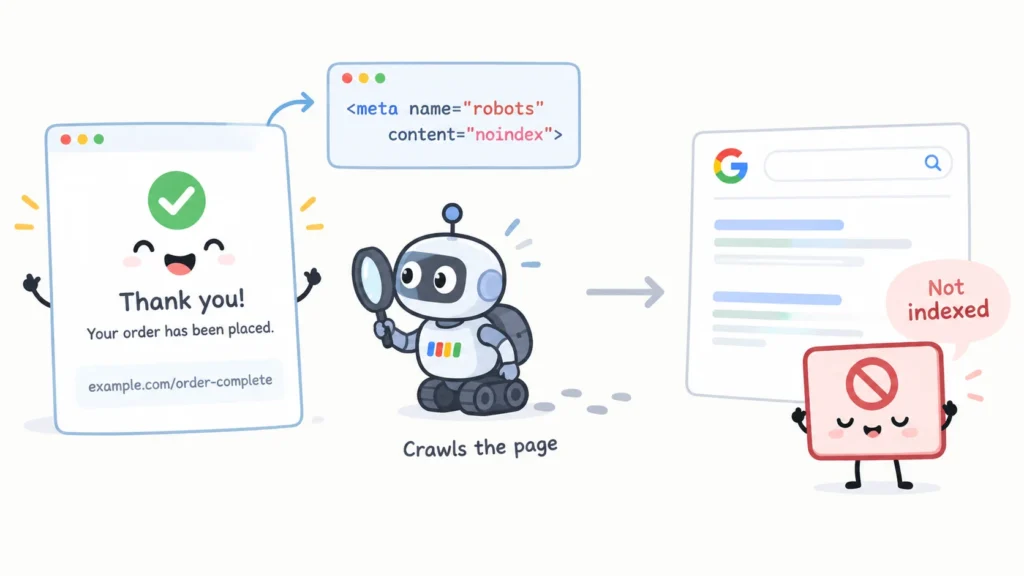
Noindex is a directive that tells a search engine not to include a particular page or resource in its search index.
For example, an ecommerce website may have a thank-you page such as:
example.com/order-complete
A customer needs to access this page after placing an order, but there is usually no SEO reason for someone to find it through Google.
The page could use:
<meta name=”robots” content=”noindex”>
The important part is what noindex does not mean.
It does not mean that the page cannot be crawled. In most cases, Google needs to access the page to see the directive and process it.
That gives us a simple distinction:
| Control | Main purpose |
| robots.txt | Controls crawling |
| noindex | Controls indexing |
| nofollow | Qualifies links |
This distinction is the foundation for everything else in this topic.
Noindex vs Robots.txt
This is probably the most important comparison to remember. When a URL is blocked in robots.txt, you are telling compliant search engine crawlers not to crawl that URL or section of the website.
For example, Disallow: /private-page/ prevents crawlers from accessing that path.
On the other hand, when a page contains <meta name=”robots” content=”noindex”>, you are telling search engines not to include that page in their index. The key difference is that robots.txt controls crawling, while noindex controls indexing.
In simple terms, robots.txt tells search engines where they can crawl, whereas noindex tells them which pages should not appear in the index.
Why Blocking a Page Can Prevent Noindex From Working
There is an important reason this matters. If you block a page in robots.txt, Google may not be able to access the page and therefore may not see the noindex directive placed on that page.
So if your goal is specifically to have Google process noindex, blocking the URL from crawling can work against that goal.
Also, do not make the mistake of saying that a URL blocked by robots.txt can never appear in Google. A search engine can discover a blocked URL through other signals, such as internal links. It may potentially know that the URL exists even without being able to crawl its content.
So:
Blocked from crawling does not automatically mean removed from search.
And:
robots.txt is not a replacement for noindex.
Understanding Nofollow
Nofollow is another commonly misunderstood term. At the link level, it can look like this:
<a href=”/some-page” rel=”nofollow”>
Here, nofollow is attached to the link, not directly to the destination page.
It tells search engines that the link should receive a different treatment from a normal followed link. However, it should not be described as a guarantee that Google will never crawl that URL.
This is where people often confuse nofollow with noindex. They are not the same.
If you have:
<a href=”/some-page” rel=”nofollow”>
you have not told Google:
Do not index /some-page.
You have only added a nofollow qualification to that particular link. If you want to control whether the destination page is indexed, that is a separate issue.
A simple rule is:
Noindex is about a page or resource. Nofollow is about a link.
Page-Level Robots Directives
Robots directives can also be added at the page level using the robots meta tag. This gives you more control over how search engines handle a specific page and the links on that page.
For example, to prevent a page from being indexed, you can use:
<meta name=”robots” content=”noindex”>
To tell search engines not to follow the links on the page, you can use:
<meta name=”robots” content=”nofollow”>
If you need both instructions, they can be combined:
<meta name=”robots” content=”noindex, nofollow”>
Even when they are combined, noindex and nofollow still perform two different jobs. noindex controls whether the page can be included in the search index, while nofollow applies to the links on that page.
You may also come across a Google-specific directive:
<meta name=”googlebot” content=”noindex”>
This targets Google specifically, whereas:
<meta name=”robots” content=”noindex”>
is a general directive for compliant search engine crawlers.
There is also no need to add index, follow to every normal page. If a page does not contain a noindex directive, that only means it is eligible to be indexed. It does not guarantee that search engines will actually index it, because they consider many other signals when deciding which URLs to include in their index.
The key distinction is simple: Indexable does not mean guaranteed to be indexed.
What Is X-Robots-Tag?
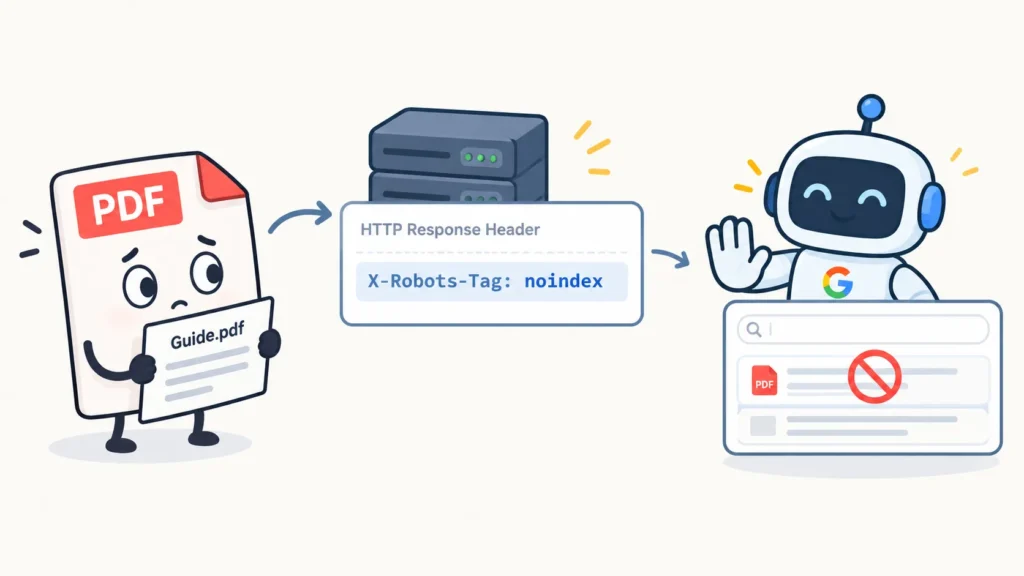
So far, we have looked at robots directives inside HTML. X-Robots-Tag works differently.
It is delivered through the HTTP response header.
For example:
X-Robots-Tag: noindex
This is particularly useful when you are dealing with resources that are not normal HTML pages.
Take a PDF: example.com/guide.pdf
You cannot normally place an HTML meta tag inside a PDF in the same way you would on an HTML page.
Instead, the server can return:
X-Robots-Tag: noindex
This can be useful for PDFs, documents, and other non-HTML resources that should not appear in search results.
From an technical SEO perspective, you may not be the person configuring the server. Your responsibility is often to identify the problem and give the development team a clear recommendation.
For example:
This PDF is being indexed, but it should not appear in organic search. Please check whether an X-Robots-Tag: noindex response header can be applied to this resource.
That is the practical level of understanding you need.
Where These Directives Make Sense
The best way to understand these concepts is to look at common website situations.
An ecommerce thank-you page is a good example of where noindex may make sense. The page is needed for the user journey, but it usually has little value as a search result.
An internal search results page is another area worth reviewing. If a website has thousands of URLs such as:
/search?q=shoes
/search?q=red+shoes
/search?q=running+shoes
you should ask whether these pages provide useful standalone content or simply create large numbers of low-value URLs. Depending on the website, these pages may need to be kept out of the index.
Filter URLs require more careful analysis. You should not automatically noindex every filter page. Some filtered pages can have genuine search demand and business value. Others can create unnecessary URL combinations.
That is why Technical SEO is not just about applying directives. You need to understand why the URL exists and what the business wants from it.
Noindex, Canonical and Sitemap Signals
Another common area of confusion is the relationship between noindex, canonical tags, and XML sitemaps.
They have different purposes.
A canonical tag is generally used to signal the preferred URL when multiple URLs contain similar or duplicate content.
For example:
/product/shirt
/product/shirt?color=red
If these URLs represent essentially the same content, the site may use a canonical signal to identify the preferred version.
Noindex has a different purpose. It says that the particular resource should not be included in the search index.
So:
| Signal | Main idea |
| noindex | Do not include this URL in the index |
| Canonical | This is the preferred version among similar URLs |
| Sitemap | These are URLs the site wants search engines to discover and consider |
These signals should make sense together.
For example, if a URL is intentionally noindex but is also included in the main XML sitemap, you should investigate why.
The sitemap is generally meant for URLs that the website considers important and wants search engines to discover and potentially index. Putting noindexed URLs intentionally there creates an unnecessary mismatch.
But remember that sitemap inclusion is not a guarantee of indexing.
Google can choose not to index a URL even when it appears in your sitemap.
Noindex and Internal Links
A noindexed page can still have internal links pointing to it.
That is not automatically an SEO problem.
For example, a customer may need to reach a confirmation page through the website even though that page should not appear in Google. Internal links can help search engines discover and crawl URLs, but an internal link does not automatically make a page indexable.
However, if an important website page has hundreds or thousands of unnecessary internal links pointing to a noindexed URL, it is worth investigating the site structure.
The better question is not: Is there an internal link to a noindexed page?
The better question is: Why does this page need these links, and does the internal linking structure make sense?
That small change in thinking is important when you move from basic SEO checks to professional audits.
How to Audit Noindex and Nofollow
When auditing a website, your crawler should help you identify the URLs and signals that matter.
At a basic level, review:
- URL and status code
- Indexability
- Robots directives
- Canonical URL
- Internal links
- Sitemap inclusion
- X-Robots-Tag where relevant
When you find a noindex URL, do not immediately mark it as an error.
First ask whether it is intentional.
A noindex on a login page may be perfectly reasonable.
A noindex on an important service page could be a serious problem.
For example:
/login
/cart
/order-complete
may be intentionally excluded from search.
But:
/services/seo
/products/main-product
/blog/important-guide
could be pages that the business actually wants to rank.
This is why indexability audits should always be connected to the purpose of the page.
What to Check During an SEO Audit
When something looks wrong, work through the signals instead of jumping straight to a recommendation.
For an important page, check:
Is the page returning the expected status code?
Is a noindex directive present?
Is the page blocked by robots.txt?
What is the canonical URL?
Is the URL included in the sitemap?
Is the page receiving internal links?
Is there an X-Robots-Tag in the HTTP response?
Has the change actually been deployed?
Has Google had an opportunity to recrawl the page?
This approach helps you find the real cause instead of fixing only the visible symptom.
A Practical Ecommerce Example
Imagine you are auditing a large ecommerce website with thousands of product pages, filter URLs, internal search pages, thank-you pages, and PDF resources.
You discover that some important product pages have noindex.
That should be investigated first because these pages may be responsible for organic traffic and revenue. If the noindex was added by mistake, it could have a direct business impact.
You also find that many filter URLs are blocked in robots.txt. That does not automatically mean the implementation is correct or incorrect. You need to understand whether the filters create unnecessary URL combinations, whether some filtered pages deserve to rank, and whether crawl control is actually required.
Then you find that internal search pages are indexable. Again, investigate their value before making a blanket recommendation.
Next, you find that thank-you pages are indexable. These pages usually have little value as organic landing pages, so noindex may be appropriate.
Finally, you discover PDFs appearing in Google that the business does not want indexed. This is where checking the HTTP response and X-Robots-Tag becomes useful.
You also notice that some noindex URLs are included in the XML sitemap. That is a signal conflict worth cleaning up.
The important part is not simply knowing which directive to use. It is knowing why you are using it.
Common SEO Mistakes to Avoid
The easiest way to remember today’s topic is to avoid these common statements.
Robots.txt equals Noindex
No. Robots.txt is mainly about crawling, while noindex is about indexing.
Nofollow means Noindex
No. Nofollow qualifies a link. It does not directly tell search engines not to index the destination page.
Noindex stops crawling
No. A noindexed page can still be crawled.
A Sitemap guarantees indexing
No. A sitemap helps search engines discover URLs, but it does not guarantee that they will be indexed.
Canonical means noindex
No. Canonical is a signal about the preferred version of similar URLs. It is not the same as telling Google not to index a URL.
A 301 redirect is a noindex instruction
No. A 301 redirects one URL to another. It does not function as an indexing directive.
Nofollow guarantees that Google will never crawl the URL
That is too absolute. Nofollow qualifies the link, but search engines can discover URLs through other signals and decide how to process them.
Robots.txt guarantees that a URL will never appear in Google
It does not. A search engine may know that the URL exists even if it cannot crawl the content.
The Simple Mental Model
If you remember only one thing from Day 6, remember what each tool is actually trying to control.
| SEO Element | Think About It As |
| robots.txt | Can the crawler access this URL? |
| noindex | Should this URL be included in the index? |
| nofollow | How should this link be treated? |
| Canonical | Which similar URL is preferred? |
| 301 | Where should this URL send users and crawlers? |
| Sitemap | Which URLs does the site want search engines to discover and consider? |
| X-Robots-Tag | Robots directives delivered through HTTP headers |
The biggest lesson is not about memorizing syntax.
- It is about asking the right question before making a change.
- If the problem is crawling, think about crawl controls.
- If the problem is indexing, think about noindex.
- If the issue is how a link should be treated, look at nofollow.
- If several URLs represent similar content, investigate canonicalization.
- If an old URL should send users somewhere else, consider a redirect.
That is how these concepts start making sense in real Technical SEO work.
Final Takeaway
You should now be comfortable explaining the difference between crawling and indexing and, more importantly, applying that difference during an audit.
The core points are simple:
Crawling is not indexing.
robots.txt is not noindex.
noindex is not nofollow.
nofollow is about links, not directly about indexing pages.
Canonical is not a replacement for noindex.
A sitemap does not guarantee indexing.
X-Robots-Tag is useful when robots directives need to be delivered through HTTP headers, especially for non-HTML resources.
Once these distinctions are clear, many Technical SEO problems become much easier to diagnose. You stop looking at individual tags in isolation and start looking at how all the signals work together.
That is the mindset you want to build as you move deeper into Technical SEO.
 Add Content Decoded as a preferred source